1
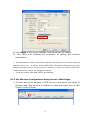
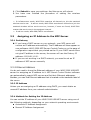
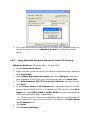
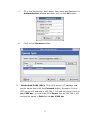
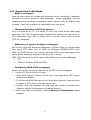
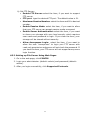
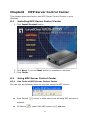
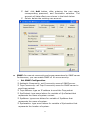
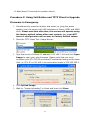
Refresh
Go to web
: refresh the highlight list’s server status
: go to web pages of the highlight list’s server
Network Scanning
: perform network scanner function of the
highlight list’s server
Add Printer
: perform add printer function of the highlight list’s
server
8.2.2
Display Server’s Status
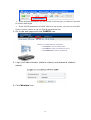
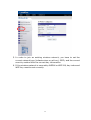
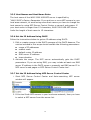
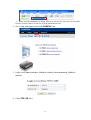
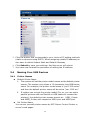
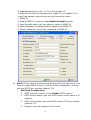
You can start MFP Server Control Center and select your MFP server to see the
server status which includes Host Information, TCP/IP, USB Devices Status
and Supported Protocols.
8.2.3
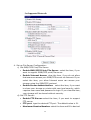
Set up Server’s Configuration
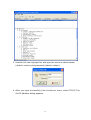
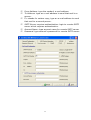
General Configuration
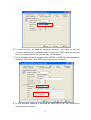
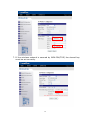
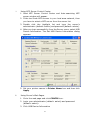
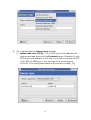
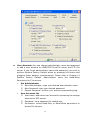
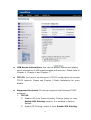
Set Host Information: You have to set some information for
networking using SMB protocol:
Comment: optionally set to describe the server
Host Name: the name to represent the server for Windows
networking using SMB/CIFS protocol
Workgroup: the SMB/CIFS workgroup name that the server
belongs to.
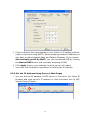
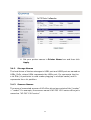
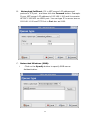
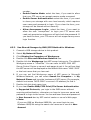
File Server Code Page: If users want to communicate files
using FTP client tool or SMB on Windows 98SE/Me/2000 with
WUS-3200 MFP server, they have to set their MFP server code
page to be same as the codepage that their Windows PC is using.
Generally, the criteria of choosing code page are based on your
Windows code page. For example, if your Windows code page is
Traditional Chinese, you have to select Traditional Chinese (Big5)
in server. Please refer to Chapter 6 File Server Function.
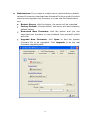
USB Device Information: You can set printer names and display
some information of USB mass storages and scanners. Please refer to
Chapter 4, Chapter 6 and Chapter 7.
67