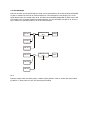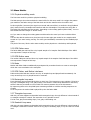
1
Value range 000..127
This command edits the VCA envelope for each neuron individually. The VCA envelope controls the
loudness contour of the picked up neuron signal from the pressed key of a connected midi keyboard.
Attack
On initial selection of this command the switch ATT for attack is activated first. If you are currently in
the other submenus (see below), press soft button 1 to return to the attack menu.
Scrolling the corresponding knobs in the hexagon edits the attack value of the individual envelope of
one neuron.
You have also the possibility to edit all 6 neurons with the same value to obtain polyphonic,
homogeneous envelopes by scrolling soft knob I. The numbers are then edited all at the same time.
The individual numbers are overwritten though.
In case you wish to use individual envelopes, you should leave this function again by pressing exit
shortly after editing so as to avoid overwriting the attack values unintentionally.
Attack changes the rise time of the VCA envelope which is triggered by a midi note.
Decay
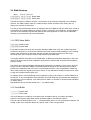
Please press soft button 2 at the display. Now the following appears:
|att DEC sus rel Sto Exit|
| XXX XXX XXX XXX XXX XXX|
Value range 000..127
You can change the decay of the individual envelope of the addressed knob in the hexagon by
scrolling this knob. For general editing of all decay values follow the same procedure as in the attack
section.
Decay changes the decay time of the VCA envelope after the completion of the attack phase when
triggered by a midi note.
Sustain
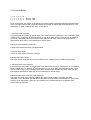
Please press soft button 3 at the display. Now the following appears:
|att dec SUS rel Sto Exit|
| XXX XXX XXX XXX XXX XXX|
Value range 000..127
You can change the sustain of the individual envelope of the addressed knob in the hexagon by
scrolling this knob. For general editing of all sustain values follow the same procedure as in the attack
section.
Sustain changes the sustained level of the VCA envelope as long as a midi note is held (the value
where it stays after decay).
Release
Please press soft button 4 at the display. Now the following appears