1
QUICKie IQ 1.9 Set Up Guide
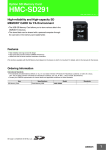
HMC Mini Joystick with no Mode Switch
~ common guidelines / parameters-
not comprehensive of all choices available~
++ denote menu levels on HHP
→↓ denote arrows on HHP
Plug HMC into 9 pin on QR-SCM.
Connect the HHP to any unused CAN-BUS port
Assign input device to a Drive Profile:
On the HHP Main Menu
→ select Program.+
→select Motor Controller++
→select Drive Profiles+++
→select desired drive profile # ++++
.→select Input Device
→select SCM1 ++++Program driving parameters as appropriate (listed below input device)
(See users manual for general guidelines)
GO BACK TO MAIN MENU
Program SCM1:
On the HHP Main Menu
→select Program
→Select SCM1++
→Select Input Device ↓Scroll to
→Select 4D-prop++↓Select →Proportional+++ →
↓select →Joystick Calibration++++ Follow on-screen instructions
↓select Assign Joystick ++++ → (if appropriate): Follow on-screen instructions
Æselect Escape menu
Æselect Use time 5-10 sec (after selected time, will enter driver menu to
choose aux functions)
GO BACK TO MAIN MENU
Remove HHP, recycle power
Turn on wheelchair through Enhanced Display