1
7.2 Precautions
Instructions for use of GT Simulator2
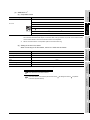
Refer to the following for the instructions for use of GT Simulator2.
Section 3.3 Precautions
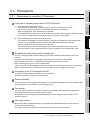
1 Starting multiple device monitors
Multiple device monitors can not be start up at the same time.
2 When referring the device value GT Simulator2 does not show on the screen
The Device Monitor shows the device list by the screen.
For the device value GT Simulator2 does not show on the screen, set the device with [Free Registration
screen] of GT Simulator2 and refer the device value.
Section 7.5.3 Registering/Deleting device (Free Registration screen)
3 When using screen call function
The device set on the called function will not be shown when screen call function is used.
For the device value on the called function, set the device on [Free Registration screen] of GT
Simulator2 and refer the device value.
Section 7.5.3 Registering/Deleting device (Free Registration screen)
4 Switching station No. at the direct CPU connection
The monitored device cannot be switched by using switching station No. at the direct CPU connection.
For the monitored device, set the device with [Free Registration screen] and refer the device value.
Section 7.5.3 Registering/Deleting device (Free Registration screen)
5 Connection to GT Simulator
In regard to the devices out of the GX Simulator's support, the values are not shown.
6 When simulating the project data of which PC type is third party PLC
(Connection to GT Simulator)
In regard to the devices out of the simulation available range, the values are not shown.
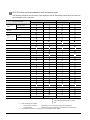
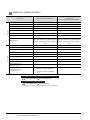
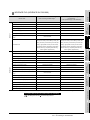
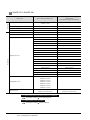
Refer to the following for the device ranges that can be simulated.
Section 3.4 Device Ranges that Can Be Simulated
7 When using object scripts
The temporary device area (TMP) for object scripts cannot be confirmed with the Device Monitor (GT
Simulator2).
7-2
7.2 Precautions