1
SECTION 2
Installing the Tidal Volume Software on A Laptop Computer
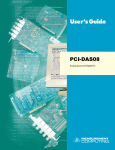
Installing the PCM-DAS08 card in a laptop
Start the computer without the PCM-DAS08 card in it.
Put the Tidal Volume/Respiromax CD into the laptop’s CD-ROM drive.
If the CD does not run automatically, Click on the “My Computer” icon >>CD-ROM
drive>>and double click on Setup.exe icon.
Click on Install.
Click on OK.
Click on PC icon.
Click on OK at the end of the install.
Turn the computer off.
Gently insert the PCM-DAS08 card into the PCMCIA slot of the laptop.
Make sure that the Tidal Volume CD-ROM software is in the CD-ROM drive.
Restart the computer. When windows starts up, it will build a driver information database, and it
will search the CD-ROM for driver software
Click Next
It should find the PCM-DAS08 driver on the CD-ROM
Click finish
Start the Respiromax software
Click OK on the InstaCal software window
Click OK
Click Next
Click Next
4