1
CONTENTS
Introduction ........................................................................................................................................................... 10
Description ........................................................................................................................................................ 10
Guide ................................................................................................................................................................. 10
Minimum System Requirements ............................................................................................................................. 11
Hardware Requirements .................................................................................................................................... 11
Operating Systems ............................................................................................................................................. 11
Cerberus FTP Server 3.0 and 4.0 .................................................................................................................... 11
Cerberus FTP Server 5.0 and higher ............................................................................................................... 11
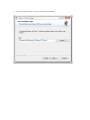
Installation ............................................................................................................................................................. 12
Upgrading an Existing Installation ........................................................................................................................... 18
Method 1: Using the Auto-updater .................................................................................................................... 18
Method 2: Manually downloading and running the latest Installer .................................................................... 18
Getting Started - Initial Setup Wizard ..................................................................................................................... 19
The Wizard......................................................................................................................................................... 19
Step 1 - Licensing ........................................................................................................................................... 19
Step 2 - Initial User Creation .......................................................................................................................... 20
Step 3 - Network Setup ................................................................................................................................. 22
Step 4 – Security............................................................................................................................................ 24
Getting Started - Network Setup............................................................................................................................. 26
Basic Setup so users can connect from the Internet ........................................................................................... 26
Step 1 - Control Connection........................................................................................................................... 26
Step 2 - Passive Mode ................................................................................................................................... 26
Step 3 - Firewall ............................................................................................................................................. 26
How many types of FTP are there? ......................................................................................................................... 27
Controlling what types of FTP are Allowed ......................................................................................................... 27
Restricting FTP connections at the User level ................................................................................................ 27