1
Issue 2.13.D
XFile Version 2.13 – User Manual
EVS Broadcast Equipment – July 2010
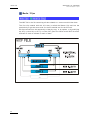
3.12.6 RENDERING A SERVER PLAYLIST
I NTRODUCTION
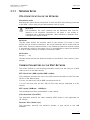
Rendering a playlist from an EVS video server to XFile will allow you to backup a
playlist into a single media file. This file contains a long clip that concatenates the
clips of the server playlist with cut transitions.
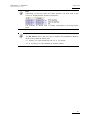
Note
From XFile version 2.13, it is possible to render a playlist containing
black clips.
The two XML files including the playlist definition and the metadata inform ation
will also be created in the same folder.
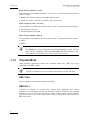
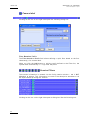
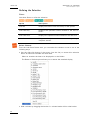
The settings for rendering the server playlist are defined in the Setup menu
available from the Setup button in the PL Info area.
The Load and Export buttons are not intended to be used with a playlist rendered
from server.
H OW TO R ENDER A P LAYLIST FROM EVS VIDEO S ERVER
Note
Before you back a playlist up from an EVS video server, ensure that the
desired settings are defined in the Playlist Manager Setup window. See
also the section 3.12.3 ‘Settings for Playlists’, on page 102.
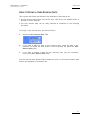
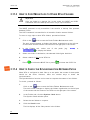
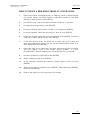
To back a server playlist up and render it into a single file into XFile, proceed as
follows:
1.
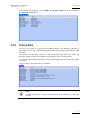
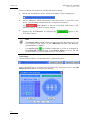
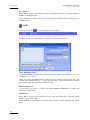
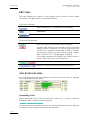
Press the
button in the PL Info area.
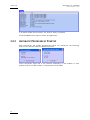
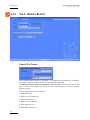
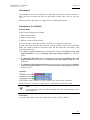
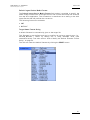
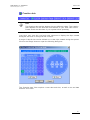
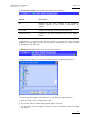
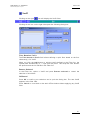
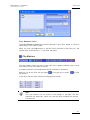
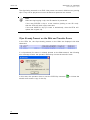
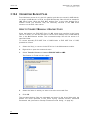
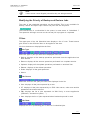
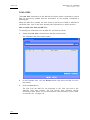
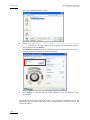
The Render Playlist from Server dialog box opens:
2.
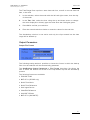
Enter the EVS video server number and the playlist number.
3.
Click OK.
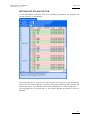
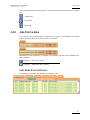
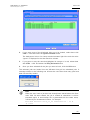
The server playlist is rendered into a single media file and his new file is
displayed in the XFile List area. The XML files are also created in the same folder
as the media file.
108