1
1
Connecting to YASKAWA PLC CPU
OVERVIEW
2.5.8
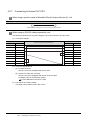
1 Serial connection
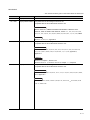
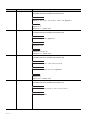
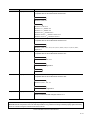
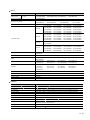
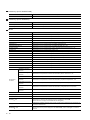
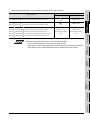
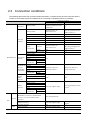
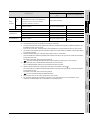
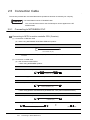
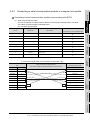
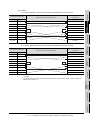
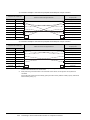
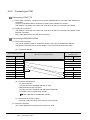
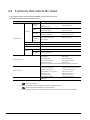
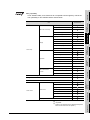
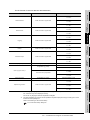
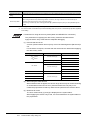
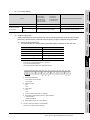
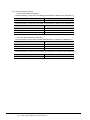
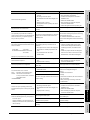
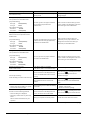
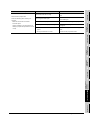
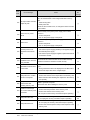
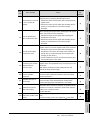
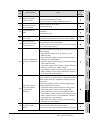
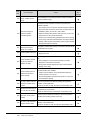
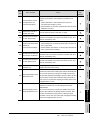
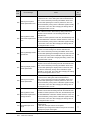
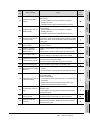
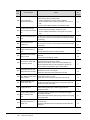
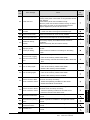
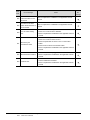
For serial connection, the used cable differs according to the connection destination.
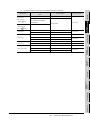
The following lists the available cables for each destination.
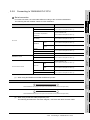
Connection cable
GL120
• GT09-C30R20201-9P
GL130
• User-created cable (RS-232 cable 1))
CP-9300MS
(CP-9300MC compatible/no
For connecting to
• GT09-C30R20201-9P
port 1
• User-created cable (RS-232 cable 1))
• User-created cable (RS-232 cable 2))
4
• GT09-C30R20201-9P
MP-930
• User-created cable (RS-232 cable 1))
MP-940
• User-created cable (RS-232 cable 4))
JAMSC-IF60
• GT09-C30R20201-9P
JAMSC-IF61
• User-created cable (RS-232 cable 1))
217IF
For connecting to
Communication module
CP-217IF
CN1
For connecting to
CN2
5
OPERATING
METHOD
MP-920
• GT09-C30R20201-9P
• User-created cable (RS-232 cable 1))
• User-created cable (RS-232 cable 5))
217IF-01
• GT09-C30R20201-9P
218IF-01
• User-created cable (RS-232 cable 1))
6
FUNCTIONS
For connecting to
SCREEN
CONFIGURATION
• User-created cable (RS-232 cable 1))
port 2
MEMOBUS module
3
• User-created cable (RS-232 cable 3))
• GT09-C30R20201-9P
CP-9200(H)
PROGIC-8
• GT09-C30R20203-9P
SPECIFICATIONS
compatible)
PLC CPU
SYSTEM
CONFIGURATION
Model name
2
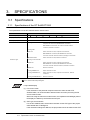
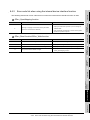
(1) When using MITSUBISHI SYSTEM & SERVICE product
7
INTERNAL DEVICE
INTERFACE
FUNCTION
RS-232 cable
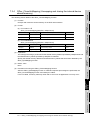
GT09-C30R20201-9P (3m) (For the 9-pin D-sub connector of the personal computer side)
TROUBLESHOOTING
8
GT09-C30R20203-9P (3m) (For the 9-pin D-sub connector of the personal computer side)
APPENDICES
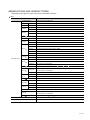
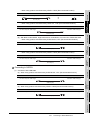
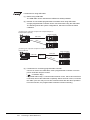
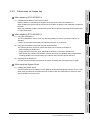
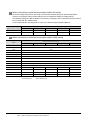
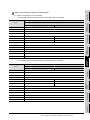
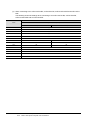
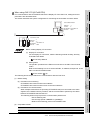
(2) When using an RS-232 cable prepared by user
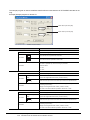
The following describes the connection diagram, connector and others for each cable.
2.5 Connection Cable
2.5.8 Connecting to YASKAWA PLC CPU
2 - 31