1
5.3 Calibrating the System
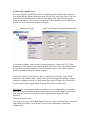
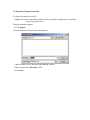
1) To calibrate, disconnect the RF cable from the scanner and connect the TNC end
(in some models it is a BNC) to the Cal Out port (beside the 50 ohm input port)
on the front of most spectrum analyzers with the other end still connected to the
50 ohm input port of the spectrum analyzer. Click on set analyzer. Watch the
spectrum analyzer display; it should step up from the bottom until you have a flat
line at the top of the screen. Some spectrum analyzers internally calibrate without
the need to connect the cal out port to the 50 ohm input port (if there is no cal out
port this is the case). Please check our website for connections of all supported
spectrum analyzers http://www.emscan.com/index.php?page=27.
2) Disconnect the RF cable from the Cal Out port and reconnect to the scanner
before scanning (this is very important – if you forget to do this – processed
scanning data will be incorrect).
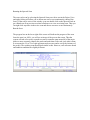
When calibrating the system, listen for the clicking sound from the Spectrum Analyzer.
This indicates there is communication with the controller, and the Spectrum Analyzer
screen setting has changed. Watch for a horizontal line that starts roughly at the second
line from the bottom of the screen and stair-steps up to the top right.
An abnormal calibration may result a horizontal line that starts at the bottom of the screen
then jumps to the top or does not move.