1
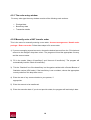
4.2.5 Determine the type of execution of foreign currency orders
(transfer, carry over)
In case of an order requiring currency conversion, you may choose an execution option
different from ‘normal’ (meaning, Execution day + 2 days), such as, Execution day + 1 day. In
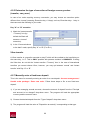
that case mark the following in your order.
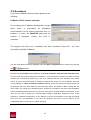
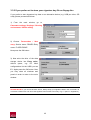
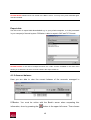
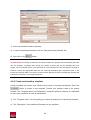
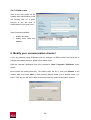
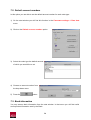
Day “A” or “B” execution
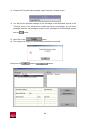
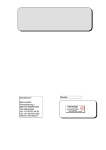
1) Mark the “Instant transfer
/ Treasury” box (by
default the Bank will
assume a ‘normal’
execution).
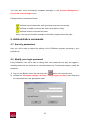
2) In the “Communications
to the bank” mask, specify Day “A” or “B” (E or E+1)
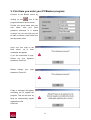
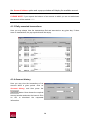
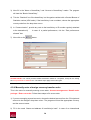
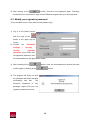
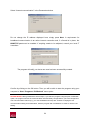
Viber transfer
A Viber transfer is a transfer executed on day E which will be credited to the beneficiary on
the same day, i.e. E. This is ONLY possible with partners resident in HUNGARY. If ticking
the Viber box, do not tick the “Instant transfer / Treasury” box. In the case of international
transfers you cannot choose Viber, however, you may opt between ‘normal’ and ‘instant
transfer’ with Day “A” or “B”.
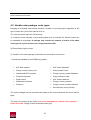
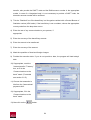
4.2.7 Manually enter a fixed term deposit
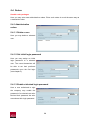
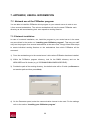
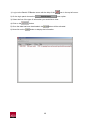
This is the menu for manually entering an order for a new deposit: Account management /
Handle order package / Enter new order. Follow these steps to file a new fixed term
deposit.
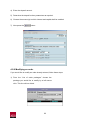
1) If you are managing several accounts, choose the account of deposit from the “Principal
and account to be charged” drop-down menu. The program will load the appropriate
currency and the account name.
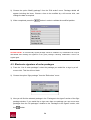
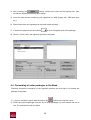
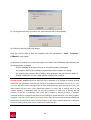
2) Choose the desired deposit from the “Type of deposit” drop-down menu.
3) The program will load the value of “Disposition at maturity” corresponding to that type.
22