1
Contents
Contents
Quick Start Set-up / What’s In Your Pack
Minimum System Requirements
Getting Started
Step 1: Insert the SIM into your USB Modem
Step 2: Insert the USB Modem and install the BT Access Manager software
Step 3: Connect to the internet
BT Access Manager
BT Access Manager for Mac
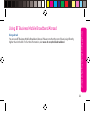
Using BT Business Mobile Broadband Abroad
Your USB Modem
Wi-Fi, HSDPA, 3G and GPRS explained
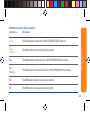
USB Modem indicator lights explained
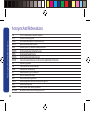
Acronyms And Abbreviations
Safety Information
3
4
5
5
5
7
9
10
11
12
12
13
14
15
Need any help? Please visit: www.bt.com/business/help/mobilebroadband
2