1
Quick Start Set-up
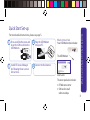
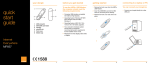
1 Press and slide the cover and
insert the SIM card into the
USB Modem.
2 Plug the USB Modem
into your PC.
Quick Start Set-up / What’s In Your Pack
For more detailed instructions, please see page 5.
What’s In Your Pack
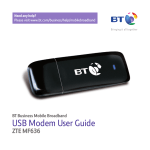
Your USB Modem box includes:
SIM
The USB Modem
SIM
3 Install BT Access Manager
by following the on-screen
instructions.
4 Connect to the internet.
User Guide
The outer pack also includes:
• BT Welcome Letter
• SIM card in small
white envelope
3