1
Page 3
HotelSpot™ Mounting and Installation Checklist
Before Mounting:
1) Test the HotelSpot™ first - The SSID should be written on your invoice;
2)
Test the HotelSpot™ with the modem connected and measure the throughput – follow
instructions on pages 2 through 13 of the HotelSpot™ User Manual. Write down the
throughput and signal strength;
3)
Test the environment with NetStumbler. Program the HotelSpot™ to broadcast on an unused
Wi-Fi channel;
4)
Always use a UPS - 350va will protect a HotelSpot™ and a modem;
5)
NEVER open the case. This will void the warranty and let in moisture;
Preparation and Mounting:
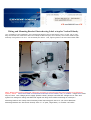
Run the white PoE cable from the PoE injector (at modem downstairs) to the mounting area (attic);
If terminating an Ethernet cable, unplug the PoE injector first, and use the “ANSI-b” cabling pin-out
specification;
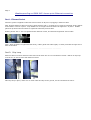
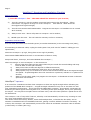
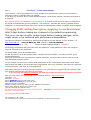
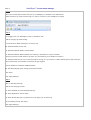
Mount the HotelSpot™ up high, facing down at an angle if possible;
Mount AWAY FROM METAL ductwork or concentration of electric wires;
Keep metal ducts, chimneys, and wires BEHIND the HotelSpot™;
When mounting 2 or more HotelSpots™ in the same area:
1)
Always keep them least 20 feet apart when they are inside the same building and keep
them at least 10 feet apart outside;
2)
Always face them at least 90 degrees in different directions;
3)
Always polarize them differently when they are in the same area;
4)
Always power only one of them at a time to take measurements and to test signal strength
and speed. If speed degrades when the second one is powered, relocate or re-polarize one
of them;
5)
Always use the same SSID, but program the HotelSpots™ to broadcast at least 3 channels
apart from one another.
HotelSpot™ Operation
It is normal for a Windows wireless client computer to show low signal strength when indicating the
presence of the OMNI-WiFi HotelSpot™. A signal strength indication of only one or two bars can still
give outstanding performance. This is because the OMNI-WiFi HotelSpot™ gives speedy connections by
enhancing the client signals returning back to it, increasing client input strength, not by over-powering
the output. You may have to explain this to wireless users, and have them perform a speed test to see
for themselves.
The HotelSpot™ has a “keep-alive” feature, whereby it will automatically re-boot every morning at 4:44
am, when most people are not on-line.
This action clears the memory buffers, clears deformed packets, re-freshes the dns table, and reinitiates a handshake with the broadband network, getting a new IP address for itself if necessary. At
re-boot, the HotelSpot™ will automatically connect new clients at its fastest connection rate of 125mbs
(turbo mode) or 54mbs (802.11g).