1
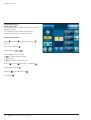
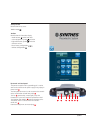
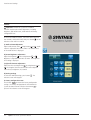
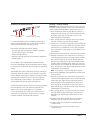
f) Software version
The version of the software is displayed at the bottom of the
Toolbox screen.
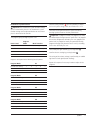
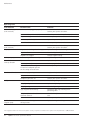
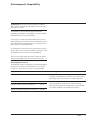
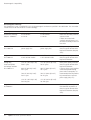
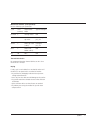
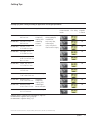
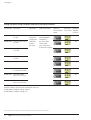
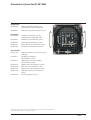
The Piezoelectric System is configured in the factory with the
following settings:
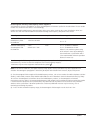
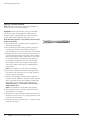
Shutting down the device
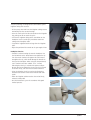
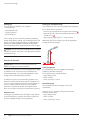
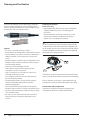
Upon completion of the medical procedure:
– Remove the bottles or bags of irrigation from the brackets.
– Remove the irrigation line spike from the bottle or bag.
– Immerse the irrigation line spike in a vessel containing
distilled or sterile water.
Piezoelectric mode
Program
mode
Power
level
Irrigation
Very
powerful
D1
3
60 ml/min.
Powerful
D2
3
60 ml/min.
Medium
D3
3
60 ml/min.
Low
D4
3
60 ml/min.
Main
functions
Osteotomy,
osteoplasty
Soft tissue
detachment
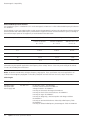
Important:
– Rinse to remove saline solution from the handpiece by
running the prime/flush function until the vessel and the
irrigation line are completely empty.
– Switch the device OFF (O).
– Remove the irrigation tubing clips.
– Disconnect the irrigation tubing from the handpiece and
dispose in a safety container for soiled medical items.
– Disconnect the handpiece from the console.
– Disconnect the ultrasonic single-use tips and dispose in a
safety container for soiled, sharp, medical instruments.
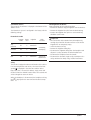
Safety
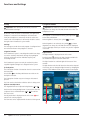
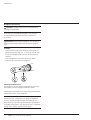
The console is equipped to detect malfunctions of the device.
If an internal operation error occurs, the transmission fault
symbol
is displayed in the error zone and the device
beeps four times. To cancel this default, simply switch OFF
the device from the ON/OFF button. Wait a few seconds and
switch ON again to restart the device.
When the handpiece is disconnected, the handpiece missing
icon
is displayed in the error zone and the device beeps
four times.
Synthes
15