1
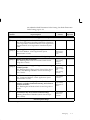
Management gives an error message and you must manually reconcile
the bank statement line.
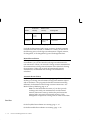
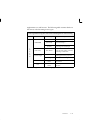
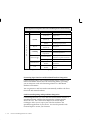
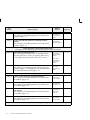
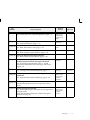
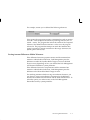
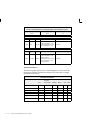
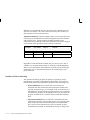
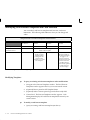
The following table shows how foreign scenario tolerances are
validated, and demonstrates one match failing.
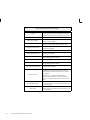
Receipt in Oracle System
In Bank Statement
Bank account currency = CAD
Functional currency = USD
Transaction amount = CAD 100
Transaction exchange rate = 0.75
Transaction base amount = USD 75
Tolerance = USD 10
Statement line amount = CAD 120
Exchange rate = 0.6
Is this a match in bank account currency?
Tolerance amount in CAD = 10/0.6 = 16.67
No, since |(120–100)| > 16.67
Is this a match in functional currency?
Tolerance amount = USD 10
Statement line amount = (120*0.6) = USD 72
Yes, since |(72–75)| < 10
Table 4 – 3 Tolerance Validation for Foreign Scenario (Page 1 of 1)
Note: If matching fails, you need to manually reconcile the
bank statement line using the Reconcile Bank Statements
window.
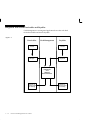
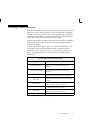
Multi–Currency Clearing
Clearing takes place after matching, so any difference between the
statement line amount and the original transaction amount is already
verified to be within the specified tolerance limit.
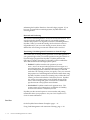
Cash Management determines clearing amounts for the charges, errors,
and foreign gain/loss accounts as necessary to clear the transaction.
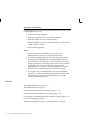
Bank Account Currency is Functional (International Scenario)
Cash Management checks the Foreign system parameter (in the
Tolerance Differences region of the System Parameters window) to
determine what to do with the difference between the cleared amount
and the transaction amount. The options are as follows:
4 – 10
Oracle Cash Management User’s Guide