1
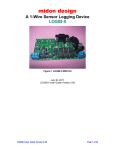
midon design Introduction Thank you for your purchase of the TEMP05 assembled unit. TEMP05 is a stand-alone 1-Wire interface providing standard serial commands to control the Dallas/Maxim 1-Wire bus and the devices used on it. The TEMP05 has the following features: • support for multiple DS2438-based Humidity Sensors, including, of course, the Midon Design MD3020E sensor. • support for DS2438 based Barometric Sensors (note: we do not support the AAG Pressure Sensor) • support for DS2438 general purpose sensors for analog voltage input • support for DS18S20, DS18S20-PAR, DS18B20, DS1822, DS1920 temperature sensors as well as temperature reading from any DS2438 • simultaneous temperature conversion for temperature sensors if all are equipped with local powering. This results in faster outputs. Note that a DS2438 on the 1-Wire bus will prevent this feature from being enabled. • support for the DS2450 based Weather Station (wind speed and direction) - only one allowed. • support for multiple DS2423 based rain gauges • support for multiple DS2423 general purpose counters (for use with Lightning sensors and other types of counter inputs) • support for DS2405, DS2406 or DS2407 inputs and outputs. Use the DS2405/6/7 to read alarm or PIR contacts. They are continuously polled (if 1-Wire readings are not being displayed) and TEMP05 will display a notice if the input changes state. If the state changes during a display period, the new state will be flagged following the display period. The DS2405/6/7 can also be used to actuate relays or LED's in output mode. • supports detection of DS2401 or DS1990 1-Wire serial numbers • jumper-less provisioning - all configuration settings stored in non-volatile memory • up to 60 sensors supported • simple instruction set • easy to delete sensors, if they are no longer required, using the DEL command • same access to the RELAY05 as the original TEMP05 • 1-Wire bus errors are flagged when they occur • Support for software serial flow control (Control-S, Control-Q) TEMP05 User Guide VH6 Page 3 of 3