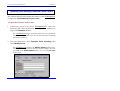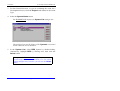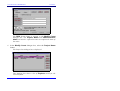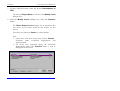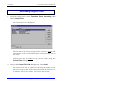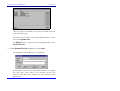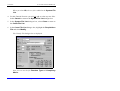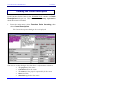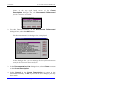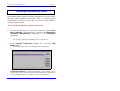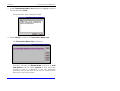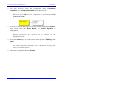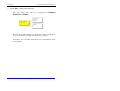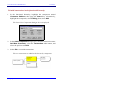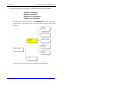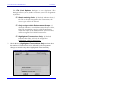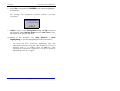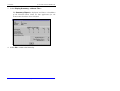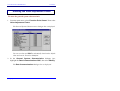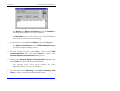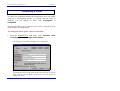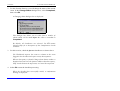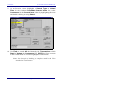
1
FUNCTION POINT WORKBENCH METHODOLOGY 1 INTRODUCTION TO THE WORKBOOK The FUNCTION POINT WORKBENCH is an interactive software tool designed to help you record, analyse and report all aspects of Function Point Analyses. The Tutorials are designed to lead you through the more important features and operations of the FUNCTION POINT WORKBENCH. They will introduce you to the counting methodology embedded in the WORKBENCH. These tutorials are not intended to teach you the rules of Function Point Analysis. For information in this regard, refer to the IFPUG Counting Practices Manual. The Introductory Tutorials are presented as four self-contained units: TUTORIAL 1: Examining a Function Point Count for a Development Project: You will learn the basic WORKBENCH terminology, editing, reporting features and graphical presentation of a Function Point Analysis. TUTORIAL 2: Creating a new Count for a Development Project or an Application: You will create a Count for a Development Project, establish the Unadjusted Function Point Size, enter General System Characteristics, and obtain an Adjusted Function Point Count. Although the count you create is for a Development Project, the method used is the same for an Application Count. Copyright: CHARISMATEK SOFTWARE METRICS PAGE 1–1 METHODOLOGY FUNCTION POINT WORKBENCH TUTORIAL 3: Examining an Enhancement Count: You will observe and explore an Enhancement Function Point Count which is based on an existing Application Count. TUTORIAL 4: Creating an Enhancement Count: You will create an Enhancement Function Point Count and base it on an existing Application Count. There are also additional ‘advanced’ Tutorials on special topics. PAGE 1–2 Copyright: CHARISMATEK SOFTWARE METRICS FUNCTION POINT WORKBENCH METHODOLOGY The Example Database These Tutorials use the Example database supplied to you on your installation diskette. This database is normally in the directory /FPW5/DATA/EXAMPLE. The FPW5 directory is the directory where the WORKBENCH programs reside. If you have not installed the Example database, install it now, following the instructions in the Installation Guide. The Example database contains a set of 9 counts for an Application called the Requisition Rejection System. These counts are summarised in Table 1. The counts follow the life cycle of an Application and are numbered in date order. − − − The first group of counts (1-4) are for the initial Development Project which built the Application. Count 5 represents the Application as first implemented. Subsequent counts (6 - 9) follow a cycle of Enhancement Project to Application count. In these Tutorials, some of these counts are visited. Investigate the others at your leisure. Copyright: CHARISMATEK SOFTWARE METRICS PAGE 1–3 PAGE 1–4 Project 1 Application Project Application Project Application 5 6 7 8 9 4 3 2 Count Type No For Initial Estimates Scenario 6. Implementation MASTER End august 2000 Production Final - Scope Agreed 2. Functional Requirements Documented Requirements 1. Feasibility Study Phase Name 6. Implementation MASTER End March 2001 User Login and Passward 22 45 119 94 113 162 Develop – ment Work Product Table 1 – Summary of Life Cycle Counts in the Example Database Add Security MASTER December 2000 Enhanced Reporting Feb 98 2. Functional Requirements Phase II Rpts Development of RRS System Project Name 150 131 115 Support Work Product METHODOLOGY FUNCTION POINT WORKBENCH Copyright: CHARISMATEK SOFTWARE METRICS FUNCTION POINT WORKBENCH METHODOLOGY Recommendations The Introductory Tutorials are presented in a logical sequence in order to give you a clear understanding of the principal features of the WORKBENCH. In order to gain the most benefit from the FUNCTION POINT WORKBENCH Tutorials, Do each of the Introductory Tutorials in the order presented. At all times, for further information, refer to the main text of the User Manual or use the Help option on the main menu bar or F1 for context sensitive Help. Copyright: CHARISMATEK SOFTWARE METRICS PAGE 1–5 METHODOLOGY FUNCTION POINT WORKBENCH Three Topics before You Start Starting and Quitting the WORKBENCH Copying a Database Changing Directory Starting and Quitting the FUNCTION POINT WORKBENCH To start FUNCTION POINT WORKBENCH 1. From the Start menu, open the Program Folder labelled Function Point WORKBENCH 5. 2. Select the FUNCTION POINT WORKBENCH Example icon. The WORKBENCH starts and displays the login window. In the login dialogue box, you are able to select your name from the User List, then enter your password. When the password is successfully entered, the WORKBENCH displays the start up logo and main menu bar. PAGE 1–6 Copyright: CHARISMATEK SOFTWARE METRICS FUNCTION POINT WORKBENCH METHODOLOGY If you have any difficulties starting the WORKBENCH, please refer to Trouble Shooting Installation Problems in the Installation Guide. To quit the FUNCTION POINT WORKBENCH 1. From the main menu, select Function Point Counting, then select Exit. Note that you do not have to Save or Close Counts. The WORKBENCH operates in a database environment in which all your entries are processed as they are entered and the database is always up to date. Copyright: CHARISMATEK SOFTWARE METRICS PAGE 1–7 METHODOLOGY FUNCTION POINT WORKBENCH To Copy a Database Because you will be making changes to the Example database during these Tutorials, you will make your own copy before we start. 1. From the WORKBENCH main menu, select Utilities, then select Copy Database To. The Copy Database To directory dialogue box is displayed. Type the name of the directory where you want your own copy of the Example Database or select the directory from the Directory Listing as described in steps 2. and 3. below. Make sure you choose a directory where you will have full Read / Write / Create / Delete access rights. 2. Double-click on the [..] symbol to display the list of directories. 3. Select the required directory from the list. 4. Select [OK] to gain access to the directory. 5. If the directory is new, you will receive the following message. PAGE 1–8 Copyright: CHARISMATEK SOFTWARE METRICS FUNCTION POINT WORKBENCH METHODOLOGY 6. Select Yes to continue. 7. The following message will confirm that the database has been copied. Follow the instructions under To Change Directory... to move to this directory with your copy of the example database. Copyright: CHARISMATEK SOFTWARE METRICS PAGE 1–9 METHODOLOGY FUNCTION POINT WORKBENCH To Change Directory in the FUNCTION POINT WORKBENCH The FUNCTION POINT WORKBENCH stores its data in a database that you can use either as a standalone system on a single computer or as a multiuser system on a network. You can set up any number of databases and change between these as you work. The Utilities main menu option is used to select different count databases. 1. From the WORKBENCH main menu, select Utilities, then select Change Directory. The Change directory dialogue box is displayed. Type the name of the directory where you have loaded the Example Database, or select the directory from the Directory Listing. 2. Double-click on the [..] symbol to display the list of directories. 3. Select the required directory from the list. PAGE 1–10 Copyright: CHARISMATEK SOFTWARE METRICS FUNCTION POINT WORKBENCH METHODOLOGY 4. Select [OK] to gain access to the directory. You are now ready to start. Copyright: CHARISMATEK SOFTWARE METRICS PAGE 1–11 FUNCTION POINT WORKBENCH METHODOLOGY 2 METHODOLOGY Introduction This Chapter is recommended reading before you start the Tutorials. Function Point Analysis is a technique used to size software. The technique focuses on the inherent functionality delivered by the software as understood and valued by the users of the software. The ‘functional’ size delivered by the technique is used in the analysis of the software, for estimating and for measurement. The technique is applicable throughout the software life cycle. The FUNCTION POINT WORKBENCH provides the Function Point Analyst with functionality to: • record functional sizing data in accordance with the IFPUG counting practices - Release 2.0 to 4.1 - for − Logical Transactions − Logical Files − Value Adjustment Factor • record relationships between Logical Transactions and Logical Files • record additional documentation about the count: − description, purpose and context of the count − notes, cross-references and comments against specific counted items Copyright: CHARISMATEK SOFTWARE METRICS PAGE 2–1 METHODOLOGY • FUNCTION POINT WORKBENCH assign user-defined attributes (Labels) to Transactions so that Subsets of the count can be selected and sized for further Count Analysis. There are two principal steps in a Function Point count: • The first step, which is the key step, is the identification of the functionality (to be) delivered i.e. the recognition of each of the functional components of the software. • The second step is the assessment of each functional component in terms of Function Points and the determination of the Value Adjustment Factor. In support of this first step, the FUNCTION POINT WORKBENCH builds a functional model of the software. The model is, in effect, an expression of the software requirements or software product definition. It summarises the software functionality. This model by itself is a valuable tool for communication between players in the User domain and the IT professionals. The Functional Model of the software provides an infrastructure for the Function Point sizing - the second step. The benefits of this approach are: • The model provides a framework for the count. • The development of the model lends rigour and discipline to the technique • The model allows the method to be auditable, open and transparent • The model provides support for further analysis of the software size • The model is easily maintainable as the software changes. PAGE 2–2 Copyright: CHARISMATEK SOFTWARE METRICS FUNCTION POINT WORKBENCH METHODOLOGY The FUNCTION POINT WORKBENCH, in addition, provides a structured method for performing the count. This chapter provides: • an overview of the functional model, its role in Function Point Analysis and its use in the FUNCTION POINT WORKBENCH • a guide to the structured method embedded in the WORKBENCH for performing the count. Copyright: CHARISMATEK SOFTWARE METRICS PAGE 2–3 METHODOLOGY FUNCTION POINT WORKBENCH The Components of the Functional Model The functional model represents the software system as a user of the software would perceive it. It is essentially an external view of the software and shows the functionality provided by the software to its users or clients. The same view of the software is shared by Users, Clients, Business Analysts, Acceptance Testers, User Documentation Writers and Trainers. Note: The term ‘user’ includes all people and all software applications which interact with the software in a manner formally prescribed by the software. The model consists of: 1. 2. 3. 4. Logical Transactions Logical Files Relationships between the Logical Transactions Relationships between the Logical Transactions and the Logical Files 5. Capability of Indicating Scope of Enhancement Project 6. Transaction Attributes for Selecting Software Subsets. Each of these components is described below. PAGE 2–4 Copyright: CHARISMATEK SOFTWARE METRICS FUNCTION POINT WORKBENCH METHODOLOGY A Logical Transaction • Is one of the software components allocated Function Points in Function Point Analysis. • Represents a user's interaction with the software system. It is what a user perceives as a 'unit of work' or 'task' and is considered by the user to be complete when it has achieved its ‘business’ goal. • Is visible or known to the User. It is usually manifested to its users by an interaction across the Application Boundary. • Is initiated by a definable external stimulus, in its physical implementation, The stimulus can operate by: − direct user interaction e.g. keyboard or mouse action − indirectly e.g. batch job schedule, system date/time change, completion or outcome of another transaction. • Is considered to be unique when the set of business rules which define it are unique. The rules include, for example, specification of: − operations to be performed − data to be used − the format (i.e. data elements / arrangement / order) of its external manifestation − sequence of operations − any methods (e.g. algorithms) and logical operations used to select or transform data − validity checks − responses to abnormal situations. • Should be described in language understood by its user. Copyright: CHARISMATEK SOFTWARE METRICS PAGE 2–5 METHODOLOGY • FUNCTION POINT WORKBENCH Allows its user to either: − input data or control information which changes or causes changes to data stored within the system e.g. - Record Case Event Add Case Participant Assign Case Officer Change Plea Type Delete Case Status Code Split a Case Archive Completed Case or − retrieve data stored within the system or send control information or message to the User e.g. - PAGE 2–6 Enquire Case Event Detail Report Backlogged Cases Statistical Analysis of Case Outcomes Print Fee Scale Generate / Send Transactions to GL Notify Alert Situation. Copyright: CHARISMATEK SOFTWARE METRICS FUNCTION POINT WORKBENCH METHODOLOGY A Logical File • Is one of the software components allocated Function Points in Function Point Analysis. • Represents a set of data elements stored as a group which a user of the system understands or recognises as a logical ‘real world’ group. The groups of data as used by the Logical Transactions to store or change data or retrieve data directly are the best indication of what data groupings constitute the Logical Files • Should be described in language understood by its user e.g. - Case Events Case Participants Case Status Codes. Copyright: CHARISMATEK SOFTWARE METRICS PAGE 2–7 METHODOLOGY FUNCTION POINT WORKBENCH Relationships between the Logical Transactions • The logical Transactions are recorded in a functional hierarchy which serves to record the Logical Transactions in a structure where the groupings provide additional information about the relationships between transactions. • The Logical Transactions are at the lowest level of the hierarchy. There are a number of different approaches to grouping Transactions. For example, the Transactions can be grouped according to the principal Logical File accessed and can be ordered to give a life-cycle analysis of data usage, e.g. - Record Case Events Modify Case Event Record Delete Case Event Browse Case Events Display Case Event Details Hard-Copy Report Case Events for Active Cases • Entries at the highest levels of the hierarchy reflect the software's logical sub-systems. • Intermediate levels reflect each sub-system's principal activities and provide documentation about the context of each logical transaction. See also Appendix B in the User Manual for further assistance on this topic. PAGE 2–8 Copyright: CHARISMATEK SOFTWARE METRICS FUNCTION POINT WORKBENCH METHODOLOGY Relationships between the Logical Transactions and the Logical Files Each Logical Transaction uses data stored in Logical Files in order to achieve its goal. The Logical Files accessed by each Transaction are recorded in the software model as linked to that Transaction. This link also records whether the Transaction reads or updates the File. The linking of Files to Transactions is an optional activity when building the Functional Model in the FUNCTION POINT WORKBENCH. Where this information is stored in the software model, it is used by the FUNCTION POINT WORKBENCH to determine the Function Type of each Logical File: • • If any Logical Transaction updates the Logical File, then the Logical File is an Internal Logical File. If no Logical Transaction updates the Logical File, then the Logical File is an External Interface File. It is also used by the Function Point Analyst to assess the completeness of the model. For example, when performing a Function Point count based on Requirements or the outcome of a JAD session, it is relatively common to find that there are Files referenced by Transactions but for which no or insufficient maintenance functionality has been provided. For example, the File - Case Status Code is known to be maintained by this software. However, the model does not indicate any associated Maintenance Transactions. File Name Case Status Codes Case Events Copyright: CHARISMATEK SOFTWARE METRICS Access Read Update PAGE 2–9 METHODOLOGY FUNCTION POINT WORKBENCH Outlining the Impact of an Enhancement Project A project is a set of activities which delivers software to its users as an Application. • A Development Project delivers a new application. Its scope, for the most part, corresponds to the transactions in the initial software model of the Development Project. • An Enhancement Project changes the functionality in an existing application. The scope of the Enhancement is defined in the Functional Model by: • extending the model to include new ‘added’ functionality and flagging this functionality as ‘added’ • flagging existing functionality, where appropriate, as ‘changed’ or ‘deleted’. This ‘flagged’ functionality can then be assessed, viewed and sized as a subset of the model. PAGE 2–10 Copyright: CHARISMATEK SOFTWARE METRICS FUNCTION POINT WORKBENCH METHODOLOGY Transaction Attributes for Selecting Software Sub-Sets Attributes can be assigned to Logical Transactions in the model so that the Transactions can be selected in groups for reporting on software subsets as well as analysing the total software system. The attributes defined for each model will depend upon the purpose of the software analysis. Some examples are supplied in the table below. Extensive discussion of this topic is included in Chapter 8 - USING LABELS TO ANALYZE COUNTS. ATTRIBUTE Business Purpose Platform Language Priority in Release Due in Release OPTIONS (i.e. Possible Values) Direct Business , Infrastructure VAX, PC (DOS), PC (OS/2) C++,COBOL Essential, Desirable, Optional Release 1.0, Release 2.0 Copyright: CHARISMATEK SOFTWARE METRICS PAGE 2–11 METHODOLOGY FUNCTION POINT WORKBENCH Reporting the Functional Model The functional model is displayed on-line and reported in hard-copy as a functional hierarchy which shows the Logical Transactions in context and their relationships to other Transactions. The chapter 11 - REPORTING in the User Manual describes all the reporting available, with sample reports included in Appendix A. • The hierarchy is expressed in either graphic (Hierarchy Diagram) or text outline (Hierarchy Outline List) format. • The hierarchy can be reported: - as a whole - partially by selecting a branch. • Selected transactions can be highlighted in the hierarchy by selecting a set of transactions with a particular transaction attribute i.e. select all Transactions which are to be delivered in Phase 1. PAGE 2–12 Copyright: CHARISMATEK SOFTWARE METRICS FUNCTION POINT WORKBENCH METHODOLOGY In addition to the hierarchy reports, for each hierarchy partition, the model is reported as: • a list of the Logical Transactions and their associated Logical Files (Transaction and File List) • a detailed report for each Logical Transaction showing its relationships with the Logical Files (Transaction Details). • a detailed report for each Logical File showing its relationships with the Logical Transactions (File Details). Copyright: CHARISMATEK SOFTWARE METRICS PAGE 2–13 METHODOLOGY FUNCTION POINT WORKBENCH Extending the Functional Model to Support Function Point Sizing In Function Point Analysis, each Logical Transaction and each Logical File is assigned a Function Point score according to the rules prescribed by the International Function Point User Group (IFPUG) Counting Practices Manual. • Each Logical Transaction is assigned a score according to assessed type (External Input, External Output, External Inquiry) and complexity (Low, Average, High). The complexity is determined objectively according to the prescribed rules and is based on the Data Elements and Logical Files accessed. • Each Logical File is assigned a score according to assessed type (Internal Logical File, External Interface File) and complexity (Low, Average, High). The complexity is determined objectively according to the prescribed rules and is based on the Data Elements and Record Types in the File. In addition, the general complexity of the software is accessed according to the rules for determining the Value Adjustment Factor. In the FUNCTION POINT WORKBENCH, the functional model is extended to include the Function Point scores: • • The Function Point score for each Logical Transaction and each Logical File is assessed and recorded The Value Adjustment Factor is assessed and recorded. The scores for the individual Transactions and Files are aggregated and adjusted by the Value Adjustment Factor to provide the overall Function Point Size. PAGE 2–14 Copyright: CHARISMATEK SOFTWARE METRICS FUNCTION POINT WORKBENCH METHODOLOGY Reporting the Function Point Size The functional model, as developed in the FUNCTION POINT WORKBENCH, supports both the Function Point sizing of the entire software as represented by the model and Function Point sizing of selected software subsets. The Function Point size for both the entire model and the selected subset can be reported at: • Summary Level The total Function Point Size broken down by Function Type and Complexity (Function Point Summary). • Intermediate Detail A listing showing, for each Logical Transaction and each Logical File, its Function Type and Complexity (Transaction and File List). • Detail A 1-2 page detailed report for each Logical Transaction and each Logical File (Transaction Details and File Details). • On the Hierarchy Diagram The Function Point size can also be reported directly against any position in the Hierarchy model (Hierarchy Diagram). Copyright: CHARISMATEK SOFTWARE METRICS PAGE 2–15 METHODOLOGY FUNCTION POINT WORKBENCH Selection of Software Subset by Hierarchy Branch The FUNCTION POINT WORKBENCH supports automatic calculation of the functional size of a count subset as defined by the transactions belonging to a branch of the transaction hierarchy. This type of Function Point size is used to compare the size of, for example, the software's sub-systems. Selection of Software Subset by Transaction Attributes The FUNCTION POINT WORKBENCH supports automatic calculation of the functional size of a count subset as defined by a particular Transaction attribute. This type of Function Point size is used to analyse the functional size by the Transaction attribute values, e.g. PRIORITY OF FUNCTION FOR DELIVERY - Essential, Desirable, Optional. The Function Size reports can be exported into other display systems, say Excel, for graphical presentation. PAGE 2–16 Copyright: CHARISMATEK SOFTWARE METRICS FUNCTION POINT WORKBENCH TUTORIAL 3 TUTORIAL 1: Examining a Function Point Count for a Development Project Introduction and Overview This Tutorial is your starting point for the FUNCTION POINT WORKBENCH . Here you can work systematically through the operations and features of the WORKBENCH. After completing Tutorial 1, you may choose to move on to Tutorial 2 or to explore the features of the WORKBENCH using this Tutorial as a guide. This Tutorial introduces the features of the FUNCTION POINT WORKBENCH within the context of an existing Function Point Count. Before doing this Tutorial, you are strongly advised to read, as background, Chapter 2 - METHODOLOGY. For this Tutorial Exercise you will open a Function Point Count with the following four-part name: Requisition Rejection System Development of RRS 2. Functional Requirements Documented Requirements This count is for a Development Project for the Requisition Rejection System. The project is called Development of RRS. The Project Life Cycle Phase is at Functional Requirements. The Scenario Name is Documented Requirements. Copyright: CHARISMATEK SOFTWARE METRICS PAGE 3–1 TUTORIAL FUNCTION POINT WORKBENCH Topics in this Tutorial − − − − − − − − − − − − PAGE 3–2 Opening an Existing Function Point Count Displaying the Function Point Size Classifying a Logical Transaction Recording Logical Files Classifying Logical Files Linking Logical Files to a Transaction Entering the Value Adjustment Factor Viewing the Count Description Attaching Documentary Notes Assigning Label / Options (User Defined Attributes) to a Transaction Using Labels in Count Views Printing Reports Copyright: CHARISMATEK SOFTWARE METRICS FUNCTION POINT WORKBENCH TUTORIAL Opening an Existing Function Point Count This Tutorial Exercise will explore the features of the WORKBENCH as applied to a Development Project Count. To open the Function Point Count 1. If necessary, start FUNCTION POINT WORKBENCH, enter your password, and select the directory where you have loaded your copy of the Example database. The WORKBENCH logo and main menu bar are displayed. From here you are able to use all the Function Point counting and analysis features. 2. From the main menu, select Function Point Counting, then select Modify Count. The WORKBENCH displays the Modify Count dialogue box. From here you choose the Count you wish to modify. You will use each of the Count Name buttons to select the full name of the count. Copyright: CHARISMATEK SOFTWARE METRICS PAGE 3–3 TUTORIAL FUNCTION POINT WORKBENCH 3. For this Tutorial Exercise, as you are examining the count for a Development Project, select the Project radio button as the Count Type. 4. Select the System Name button. The WORKBENCH displays the System List dialogue box. This dialogue box lists the Names of the Systems with counts stored within the current database 5. In the System List, select RRS System by double-clicking. Alternatively, highlight RRS by clicking once, then click the Select button. Throughout the WORKBENCH, single list entries can be selected using either of these methods. For lists which support multiple entry selection, you will use the Select button. PAGE 3–4 Copyright: CHARISMATEK SOFTWARE METRICS FUNCTION POINT WORKBENCH TUTORIAL The RRS System Name is entered in the Modify Count dialogue box. The Project Name and Phase-Scenario Name will also be required in order to complete the name of the count. 6. In the Modify Count dialogue box, select the Project Name button. The Project List dialogue box is displayed. This dialogue box shows a list of Projects stored for the current System. Copyright: CHARISMATEK SOFTWARE METRICS PAGE 3–5 TUTORIAL FUNCTION POINT WORKBENCH 7. For this Tutorial Exercise, select the Project Development of RRS. The selected Project Name is entered in the Modify Count dialogue box. 8. From the Modify Count dialogue box, select the Scenario button. The Phase-Scenario List dialogue box is displayed. This lists shows all the counts stored for this Project for this System. From here you choose the Count you wish to modify. Note: • counts have been done during three Project Phases Feasibility Study, Functional Requirements and Implementation • two counts were performed during the Functional Requirements Phase. The Scenario Name is used to distinguish between them. PAGE 3–6 Copyright: CHARISMATEK SOFTWARE METRICS FUNCTION POINT WORKBENCH TUTORIAL 9. In the Scenario List, select the Scenario Documented Requirements. The full name of the count is displayed in the Modify Count dialogue box. Copyright: CHARISMATEK SOFTWARE METRICS PAGE 3–7 TUTORIAL FUNCTION POINT WORKBENCH 10. When the name is complete, select the Ok button. The functional hierarchy representing the count’s Logical Transactions is loaded into the Count Window. (Note: If your display does not look like this, see To explode the functional hierarchy at the end of this section). PAGE 3–8 Copyright: CHARISMATEK SOFTWARE METRICS FUNCTION POINT WORKBENCH TUTORIAL The hierarchy consists of two types of nodes: • The rounded boxes represent the Logical Transactions which are one of the Function Types ‘counted’ in Function Point Analysis. − The number in the bottom left hand corner indicates the number of Unadjusted Function Points assigned to the Logical Transaction. − The ‘arrow’ symbol indicates the Transaction Function Type. External Input External Output External Inquiry • The rectangular boxes are called Components and are used to group Transactions into a structure which helps to express the relationships between the Logical Transactions. − The number in the bottom left hand corner indicates the number of Unadjusted Function Points accumulated for its child Logical Transactions. Notice that: • Record Requisition is an External Input with 3 Function Points assigned • Rpt Percent Errors by Division is an External Output with 4 Function Points assigned • List Locations /Catalogue Item is an External Inquiry with 3 Function Points assigned • The accumulated value for the Logical Transactions under the Component node Requisition is 27 Unadjusted Function Points. Copyright: CHARISMATEK SOFTWARE METRICS PAGE 3–9 TUTORIAL FUNCTION POINT WORKBENCH The functional hierarchy represents: • • The application in terms of the functionality expressed through its Transactions, and The logical structure of the software as Transactions within component groups. Notice also that: • the Root Node is highlighted • the Status Bar is displayed at the bottom of the screen. The Status Bar indicates the name of the count, the type of count, the IFPUG Counting Release (in this case, 4.1), the Level No of the highlighted Node (in this case, 0) and the fact that the count is open in Modify mode. 11. Use the Keyboard Arrow keys to move between the Nodes and note how the Level No changes. 12. From the main menu, select Function Point Counting, then / View/Modify Toggle to ‘toggle’ the Mode between View and Modify. Under View, you can look at a count but cannot change any data. Make sure that you leave this exercise in Modify mode. From here you are able to use all features of the WORKBENCH to modify, analyse and report on the count. PAGE 3–10 Copyright: CHARISMATEK SOFTWARE METRICS FUNCTION POINT WORKBENCH TUTORIAL To explode the functional hierarchy When you open a Function Point Count, the hierarchy may be imploded as shown below. The ‘narrow’ arrows on the component nodes indicate imploded branches. 1. First highlight the Root Node. Copyright: CHARISMATEK SOFTWARE METRICS PAGE 3–11 TUTORIAL FUNCTION POINT WORKBENCH 2. From the main menu select View Options, then select Explode Branch - Override Defaults. The Explode Branch - Override Defaults dialogue box is displayed. 3. Select Maximum, then select Ok to explode the hierarchy. PAGE 3–12 Copyright: CHARISMATEK SOFTWARE METRICS FUNCTION POINT WORKBENCH TUTORIAL Displaying the Function Point Size The Unadjusted Function Point Size, Value Adjustment Factor, and Adjusted Function Point Size are available at any time while a Count is open. Function Point Sizes can be evaluated for the whole application, or for individual components or logical transactions. The WORKBENCH main menu Reporting option provides a simple way to display Function Point Counts. To display the Function Point Size of the whole Count 1. In the WORKBENCH hierarchy for the [Documented Requirements] count, highlight the Root Node component. Reports and Function Point Counts in the WORKBENCH are produced in relation to the highlighted node. Copyright: CHARISMATEK SOFTWARE METRICS PAGE 3–13 TUTORIAL FUNCTION POINT WORKBENCH 2. Select the Reporting main menu option and Display Summary - with Files.... The Summary Report is displayed and shows a breakdown of the Function Point Count for the Project. Select Ok to return to the hierarchy. PAGE 3–14 Copyright: CHARISMATEK SOFTWARE METRICS FUNCTION POINT WORKBENCH TUTORIAL To display the size of a Count View A Count View is a subset of a Count selected for Reporting. There are different ways of selecting a Count View. In this exercise, the Count View is to be defined by selecting a Component as the Count View ‘root node’. The hierarchy is ‘viewed’ as if the selected Component is the ‘root node’ of the hierarchy and the rest of the hierarchy does not exist. This gives us an easy method of sizing, for example, sub-systems of an application. 1 For this Tutorial Requisitions. Exercise, highlight the node called When highlighted, this node (component) and its child nodes and transactions, are used in subsequent Reports. 2 From the main menu, select Reporting, then select Display Summary - with Files... Copyright: CHARISMATEK SOFTWARE METRICS PAGE 3–15 TUTORIAL FUNCTION POINT WORKBENCH The Summary Report is displayed showing a breakdown of the Function Point Count for the chosen Component. Notice in this example that the Component Name is displayed at the top of the report. The details within this report, refer only to the transactions within the Requisitions Component. In this example therefore, the Requisitions component has an Adjusted Function Point Size of 37 FPs. 3. Select Ok to return to the hierarchy. PAGE 3–16 Copyright: CHARISMATEK SOFTWARE METRICS FUNCTION POINT WORKBENCH TUTORIAL Classifying a Logical Transaction 1. For this Tutorial Exercise, select the Record Requisition transaction by double-clicking or by highlighting the Transaction and pressing Enter. Alternatively, click once to highlight that transaction, then from the main menu select Editing, then select Modify. The Classify Transaction dialogue box is displayed. In this dialogue box you see that the Record Requisition transaction: • Is classified as an External Input with a Low Complexity rating • Has a Function Point Size of 3 FPs. Change the Function Type and note how different Complexity Matrices are displayed and that the Function Points value changes for different Function Type selections. Copyright: CHARISMATEK SOFTWARE METRICS PAGE 3–17 TUTORIAL FUNCTION POINT WORKBENCH 2. Note under Complexity Rating Method, the choice of ◊ Rapid ◊ Automatically Derived Rapid, as the name implies, is the quicker method for rating complexity. With this method, you select the appropriate complexity rating directly from the matrix. Change the Complexity by selecting different positions in the Complexity Matrices and note how the Function Points value changes. Automatically Derived allows you to record the actual number of Data Element Types (DETs) and File Types Referenced (FTRs) and then uses these values to automatically select the appropriate position in the complexity matrix. Select Automatically Derived and note the addition of boxes for recording the Data Element Types (DETs) and File Types Referenced (FTRs). PAGE 3–18 Copyright: CHARISMATEK SOFTWARE METRICS FUNCTION POINT WORKBENCH TUTORIAL Enter values in these boxes and observe the Automatic positioning in the Complexity Matrix depending on the values entered. If you choose Rapid, you can also choose to record the number of Data Elements and / or File Types Referenced as documentation about your Transaction by selecting Record DETs/ FTRs. Select Ok or Cancel to return to the hierarchy. Copyright: CHARISMATEK SOFTWARE METRICS PAGE 3–19 TUTORIAL FUNCTION POINT WORKBENCH Recording Logical Files 1. From the main menu, select Function Point Counting, then select Count Files. The Count File List is displayed. This list shows the names of logical files which are used by the transactions in the count and therefore contribute their size to the count. Logical files may be added to the current count using this Count Files dialogue box. 2. Next, in the Count File List dialogue box, select Add. The System File List is displayed, showing the names of the files used in all of the counts associated with the System over its lifetime. This is the ‘master’ file list for this System. PAGE 3–20 Copyright: CHARISMATEK SOFTWARE METRICS FUNCTION POINT WORKBENCH TUTORIAL This list of files is available to any count recorded under the current System Name. From here, you are able to select Add, Modify, Delete, or View files in the System List. The Select button is used to enter the highlighted files in the Count File List. 3. In the System File List dialogue box, select Add. The Add System File dialogue box is displayed. This dialogue is used to enter information about a new logical file. Note that ‘count’ data is not recorded at this level because count data may change over the lifetime of the application. Copyright: CHARISMATEK SOFTWARE METRICS PAGE 3–21 TUTORIAL FUNCTION POINT WORKBENCH When you select Ok, the new file is added to the System File List. 4. For this Tutorial Exercise you will not add or select any new files. Select Cancel to return to the System File List dialogue box. 5. In the System File List dialogue box, select Close to return to the Count File List. 6. In the Count File List dialogue box, highlight the Requisitions File and select Modify. The Classify File dialogue box is displayed. Here you can see the file Function Type and Complexity Matrix. PAGE 3–22 Copyright: CHARISMATEK SOFTWARE METRICS FUNCTION POINT WORKBENCH TUTORIAL Note under Complexity Rating Method, the choice of – ◊ Rapid ◊ Automatically Derived. Rapid, as for Logical Transactions, is the quicker method for rating complexity. With this method, you select the appropriate complexity rating directly from the matrix. 7. Change the Complexity by selecting different positions in the Complexity Matrix and note how the Function Points value changes. Automatically Derived allows you to record the actual number of Data Element Types (DETs) and Record Element Types (RETs) and then uses these values to automatically select the appropriate position in the complexity matrix. Copyright: CHARISMATEK SOFTWARE METRICS PAGE 3–23 TUTORIAL FUNCTION POINT WORKBENCH 8. Select Automatically Derived and note the addition of boxes for recording the Data Element Types (DETs) and Record Element Types (RETs). Enter values in these boxes and observe the Automatic positioning in the Complexity Matrix depending on the values entered. If you choose Rapid, you can also choose to record the number of Data Elements and / or Record Element Types as documentation about your File by selecting Record DETs/ RETs. Note that you cannot change the Function Type. In our next topic, we shall see how the WORKBENCH ‘derives’ the Function Type for other data provided in the count. 9. Select Ok to return to the Count File List and Close to return to the Hierarchy display. PAGE 3–24 Copyright: CHARISMATEK SOFTWARE METRICS FUNCTION POINT WORKBENCH TUTORIAL Classifying Logical Files The FUNCTION POINT WORKBENCH lets you build a logical model of your system. You can record data about how files are used (read or updated) by any Transaction or Component in your hierarchy. Typically, you will record this data about File Usage either at the Transaction level or for the count as a whole. The method you choose will depend upon the data available to you and the purpose of your count. In the count we are examining in this Tutorial, Files have been linked to the Logical Transactions. The WORKBENCH accumulates information about file usage up the hierarchy to higher level components to determine the Derived Access Type. The Derived Access Type is then used to determine the Data Function Type. The accumulated information for the count as a whole is summarised in the Classify File dialogue for each File. Copyright: CHARISMATEK SOFTWARE METRICS PAGE 3–25 TUTORIAL FUNCTION POINT WORKBENCH Derived Access is 'derived' by examining all the Access Types designated for the File in 'links' to children components and transactions as well as the Access Type Designated specifically in this dialogue. Designated Access in the File dialogue can be used to indicate how the count as a whole uses the File. In this example: − Designated Access is Not Defined because the File usage is being indicated at the Transaction level. This means that the usage of this File for the count as a whole does not need to be and has not been nominated and therefore does not contribute to the Derived Access Type. − Derived Access Type of 'Update' shows that at least one child transaction has indicated that it updates the File. This implies that the Application maintains the file and so it is classified as an Internal Logical File. PAGE 3–26 Copyright: CHARISMATEK SOFTWARE METRICS FUNCTION POINT WORKBENCH TUTORIAL Other possible values for Derived Access Type are: − 'Read' which would indicate that at least one child (component or) transaction has designated an access type of 'Read' but none have designated an access type of 'Update'. This implies that the file must be maintained outside the system and is therefore an External Interface File. − Null entry which would indicate that the File has not been associated with any Transactions. This may mean that the Transaction Hierarchy is incomplete, i.e. either the Transactions which use the File have not been included or that the association Transaction - File link is missing. Copyright: CHARISMATEK SOFTWARE METRICS PAGE 3–27 TUTORIAL FUNCTION POINT WORKBENCH Linking Logical Files to a Transaction To see the logical files linked to a transaction 1. For this Tutorial Exercise, select the Record Requisition transaction. Then in the Classify Transaction dialogue box, select the Link Files button. The Transaction File List dialogue box is displayed. This shows the files which are used by this transaction. In this example, the Transaction File List shows that the Record Requisition transaction updates the Requisitions File. From here, you can maintain the Transaction File List by Adding or Deleting files used by the transaction. The Modify button is used to toggle the Designated Access to Update or Read in order to specify the way in which the file is accessed by the transaction. As we saw in the previous topic, this information is used in classifying the File into its Data Function Type. PAGE 3–28 Copyright: CHARISMATEK SOFTWARE METRICS FUNCTION POINT WORKBENCH TUTORIAL To link a logical file to a transaction You can link Files to a Transaction: • directly, by entering each Transaction and attaching the Files and • globally, from a component, by assigning a File or group of Files to Transaction children. In this Tutorial Exercise, we see how to link Files directly. 1. For this Tutorial Exercise, select Add in the Transaction File List dialogue box. The Count File List is displayed, showing the logical files used by the count. The Select button is used to enter highlighted files into the Transaction File List. 2. Select Close to return to the Transaction File List dialogue box. Copyright: CHARISMATEK SOFTWARE METRICS PAGE 3–29 TUTORIAL FUNCTION POINT WORKBENCH 3. Next, in the Transaction File List dialogue box highlight the Requisitions file then select View. The Classify File dialogue box is displayed. 4. Finally for this Exercise, select Cancel to return to the Transaction File List. 5. Select Cancel in the Classify Transaction dialogue box, to return to the functional hierarchy. Alternatively, select Ok if you wish to save any changes you may have made. 6. Still positioned on the node Record Requisition, press the keyboard ‘F’ key and note that the Transaction File List immediately opens. This is a keyboard ‘fastpath’ to the Transaction File List. Select Close to return to the hierarchy. 7. Help / Mouse and Keyboard Shortcuts summarises the WORKBENCH shortcuts. PAGE 3–30 Copyright: CHARISMATEK SOFTWARE METRICS FUNCTION POINT WORKBENCH TUTORIAL Entering the Value Adjustment Factor To view the General System Characteristics 1. From the main menu, select Function Point Count, then select Value Adjustment Factor. The General System Characteristics dialogue box is displayed. You can see that each GSC is individually listed and can be Viewed or Modified. 2. In the General System Characteristics dialogue box, highlight the Data Communications GSC, then select Modify. The Data Communications dialogue box is displayed. Copyright: CHARISMATEK SOFTWARE METRICS PAGE 3–31 TUTORIAL FUNCTION POINT WORKBENCH The Rating, the Degree of Influence, and an Example of that Degree of Influence are clearly displayed. The Link Notes option exists to allow you to link documentary notes to the current Characteristic Rating. Notes are explained in a later in this topic. 3. As an exercise, select a different Rating to the one highlighted. The Degree of Influence and its IFPUG Example change to reflect the different Rating chosen. 4. Select Link Notes. You see a Note is used to clarify the General System Characteristic selected. 5. For this Tutorial Exercise, select Close to return to the Data Communications GSC, then select Cancel to return to the General System Characteristics dialogue box. 6. Finally select Close to return to the functional hierarchy. PAGE 3–32 Copyright: CHARISMATEK SOFTWARE METRICS FUNCTION POINT WORKBENCH TUTORIAL Viewing the Count Description Each Function Point Count in the WORKBENCH contains a Count Description dialogue box. This is where documentary information about the count is recorded. 1. From the main menu, select Function Point Counting, then select Count Description. The Count Description dialogue box is displayed. You can see in this dialogue box that there is information related to • The purpose of the count • Comments about the count • The names of the people responsible for the count • Dates and time • Standards applied to the count. Copyright: CHARISMATEK SOFTWARE METRICS PAGE 3–33 TUTORIAL FUNCTION POINT WORKBENCH Notice in the top right hand corner of the Count Description dialogue box, the Documents Referenced for this count are recorded. 2. For this Tutorial Exercise, in the Documents Referenced dialogue box, select the Add button. The Documentation List dialogue box is displayed. In this dialogue box, you can manage the list of documentation used for the Function Point Analysis. 3. In the Documentation List dialogue box, select Close to return to the Count Description. 4. Select Cancel in the Count Description to return to the functional hierarchy, or Ok if you wish to save changes you may have made. PAGE 3–34 Copyright: CHARISMATEK SOFTWARE METRICS FUNCTION POINT WORKBENCH TUTORIAL Attaching Documentary Notes Documentary Notes should be included throughout the count to clarify decisions made regarding transactions, files or General System Characteristics in order to ensure that your count is fully auditable, verifiable and defensible. To see the notes linked to a logical transaction 1. For this Tutorial Exercise, select the transaction named Load Item Locations. This transaction is found in the Warehouse Locations Maintenance component, in the Catalogue component. The Classify Transaction dialogue box is displayed. 2. In the Classify Transaction dialogue box, select the Link Notes button. The Transaction Notes List dialogue box is displayed. Transaction Notes are short documentary notes which can be used to make your count fully auditable and defensible. From here, you may Add new notes, or, Delete or View existing notes. Copyright: CHARISMATEK SOFTWARE METRICS PAGE 3–35 TUTORIAL FUNCTION POINT WORKBENCH 3. In the Transaction Notes List dialogue box, highlight a Note in the list, then select View. The documentary Note is displayed in full. 4. Select Cancel to return to the Transaction Notes List. The Transaction Notes List is displayed. From here, you may also Delete Notes in this List, or Add new Notes to the list. When Launch is used, if the note provides a path to a document or file, the application associated with the document or file will be started and the document or file will be opened. PAGE 3–36 Copyright: CHARISMATEK SOFTWARE METRICS FUNCTION POINT WORKBENCH TUTORIAL To attach notes to a logical transaction 1. In the Transaction Notes List dialogue box, select Add. The Notes List dialogue box is displayed. This is the list which is a store of Notes for the whole System. You can select one or more Notes from this list to include them in the Transaction Notes List. You can also select from this list in the File dialog and the General System Characteristics to annotate count items. 2. For this Tutorial Exercise you will add a new note to the Notes List. Select Add from the Notes List dialogue box. The Add a Note dialogue box is displayed. Copyright: CHARISMATEK SOFTWARE METRICS PAGE 3–37 TUTORIAL FUNCTION POINT WORKBENCH Here you type a new note which you can select later for inclusion in the Transaction Notes List. 3. For this Tutorial Exercise, type the new Note: Special request by Stores Manager – Jim Peters 4. Press Ok, to add the Note and return to the Notes List. PAGE 3–38 Copyright: CHARISMATEK SOFTWARE METRICS FUNCTION POINT WORKBENCH TUTORIAL 5. Highlight the new Note and press the Select button. The Note is inserted in the Transaction Notes List. 6. Close the Transaction Notes List. 7. Finally, in the Classify Transaction dialogue box, select Ok to save any changes you may have made and return to the functional hierarchy. Copyright: CHARISMATEK SOFTWARE METRICS PAGE 3–39 TUTORIAL FUNCTION POINT WORKBENCH Assigning Label / Options (User Defined Attributes) to a Transaction Labels and their associated Options are used to assign user-defined attributes to Transactions so that Transaction sub-sets and their associated Files can be selected in order to facilitate analysis and reporting. To see the Labels and the Option values for each Label assigned to a logical transaction 1. For this Tutorial Exercise, first select the transaction named Add Catalogue Item which is located under the Catalogue component. The Classify Transaction dialogue box is displayed for that transaction. 2. From the Classify Transaction dialogue box, select Link Labels. The Transaction Label List dialogue box is displayed. PAGE 3–40 Copyright: CHARISMATEK SOFTWARE METRICS FUNCTION POINT WORKBENCH TUTORIAL In this example, there are 4 Labels linked to the transaction. The Add Catalogue Item transaction has attributes assigned as follows: • • • • The transaction is Specified (by the Client) in the SRS (System Requirement Specifications), It is a Priority / 1. Essential transaction in the solution, It is Supported (in production), and Will be Used by Requisitions staff. Copyright: CHARISMATEK SOFTWARE METRICS PAGE 3–41 TUTORIAL FUNCTION POINT WORKBENCH To change the label / option assigned to a logical transaction For this Tutorial Exercise you will change the PRIORITY Label Option. 1. In the Transaction Label List, highlight the Priority Label. The Label Options (i.e. the possible values this Label can have) for this PRIORITY Label are displayed. This is a count for a Development Project. Each Transaction has been assigned an Option for the Label PRIORITY to indicate how important this Transaction is in the software solution. Use of this Label allows us to size not only the whole project but the amount of functionality in the sub-sets of Essential, Desirable or Optional. PAGE 3–42 Copyright: CHARISMATEK SOFTWARE METRICS FUNCTION POINT WORKBENCH TUTORIAL 2. Highlight the Option: 2. Desirable and select Change Option . The Label now shows the new Selected Option: Desirable 3. Select Close to return to the Classify Transaction dialogue box and OK to return to the functional hierarchy. Copyright: CHARISMATEK SOFTWARE METRICS PAGE 3–43 TUTORIAL FUNCTION POINT WORKBENCH To see the Option Values for a Label assigned to all Logical Transactions For this Tutorial Exercise, you will display the Option values assigned to each Logical Transaction for the PRIORITY Label and see one way the colours used to illustrate the Option values can be changed.. 1. From the main menu, select Reporting, then select Enable Transaction Label Colour Display. The Label Option Colouring dialogue is displayed. This shows the Labels used in this count. PAGE 3–44 Copyright: CHARISMATEK SOFTWARE METRICS FUNCTION POINT WORKBENCH TUTORIAL 2. Highlight the Label PRIORITY and select Ok to return to the Hierarchy Display. The Transactions in the Hierarchy are now ‘coloured’ to illustrate the Option Value for the selected Label – PRIORITY assigned to each Transaction. This display can be retained while you work. Change the Option value for the PRIORITY Label for any Transaction as described in the previous exercise and note how the display colour is refreshed to reflect your change. Copyright: CHARISMATEK SOFTWARE METRICS PAGE 3–45 TUTORIAL FUNCTION POINT WORKBENCH 3. Re-enter the Label Option Colouring Display (Reporting / Enable Transaction Label Colour Display), highlight the Label PRIORITY and select the Option Colours button. Each Option value of a Label is assigned a colour / pattern combination for on screen display and for printing. This feature enables the Label / Option values for each transaction to be visually expressed in the Transaction Hierarchy display and in the Hierarchy Diagram print. The LHS box headed Currently Defined Colours shows the Colour / Pattern / Text Style combinations for each Label Option of the selected Label for each of Screen and Printer displays. To change the ‘colours’ for a Label Option: − select the display type Screen or Printer − select the Label Option − use [Colour…], [Pattern…] and [Text Style…] to define the ‘colour’ for the Label Option. PAGE 3–46 Copyright: CHARISMATEK SOFTWARE METRICS FUNCTION POINT WORKBENCH TUTORIAL 4. Select Screen display type and for different Label Options, try the effect of different Colour / Pattern / Text Style combinations. 5. Select Ok to return to the Transaction Hierarchy display. 6. From the main menu, select Reporting, then select Close Transaction Label Options Display to remove the Label / Option colouring. Copyright: CHARISMATEK SOFTWARE METRICS PAGE 3–47 TUTORIAL FUNCTION POINT WORKBENCH To build the Count Label List 2. From the main menu, select Function Point Counting, then select Count Labels. The Count Label List is displayed. This shows the Labels used in this count to assist in analysis and reporting. Highlight each Label in turn to see the alternative values for each Label. The Labels defined for this count are: • IN SRS - used to indicate whether the functionality is defined in the SRS (Specified) or whether we perceive specification is missing and we need to check with the user about its inclusion (NotSpec – check with client). • PRIORITY - used to indicate how important the function is in the solution - 1. Essential, 2. Desirable, 3. Optional. • SUPPORT - used to indicate whether or not the function will be part of the implemented product or whether it is being built to support implementation. PAGE 3–48 Copyright: CHARISMATEK SOFTWARE METRICS FUNCTION POINT WORKBENCH • TUTORIAL USER - used to indicate what user community will be the principal user or beneficiary of this functionality. The Add button allows you to add a new Label from the system Label List - System Use. 2. Select Add in the Count Label List dialogue box. The Label List - System Use dialogue box is displayed. This shows the Labels which are available for use in a count for this system. Notice that the Label Options are not displayed at this level. The Add button allows you to define a new Label. The Select button copies the highlighted Labels into the Count Label List. Copyright: CHARISMATEK SOFTWARE METRICS PAGE 3–49 TUTORIAL FUNCTION POINT WORKBENCH 3. Next, in the Label List, select Add. The Add Label dialogue box is displayed. The new Label is entered with at least two Options or possible values. When the new Label has been entered in this dialogue box, it is added to the Label List. 4. For this Exercise, in the Add Label dialogue box enter a new Label Id as PLATFORM. Refer to the dialogue shown below. 5. Select a Label Type of System. This means that this label is defined for use within this system. 6. Enter the Name: PAGE 3–50 Delivery Platform. Copyright: CHARISMATEK SOFTWARE METRICS FUNCTION POINT WORKBENCH TUTORIAL 7. Enter the Description: Proposed delivery platform as per Business Case #23096 8. Select Add to enter an Option: Back End Server Repeat the previous step to enter the Option: Website When you select Ok in the Add Label dialogue box, the following message will be displayed. In the previous exercise, you saw how to change the ‘colours’ assigned to Label Options. When you create a new Label, the system will automatically assign defaults for you or you can choose to define your own. Yes will accept the default colour assignments, No will allow you to define your own. Copyright: CHARISMATEK SOFTWARE METRICS PAGE 3–51 TUTORIAL FUNCTION POINT WORKBENCH For this exercise, choose Yes and the new Label named PLATFORM will be added to the Label List. The Label List now contains the new Label PLATFORM. 9. In the Label List, highlight the PLATFORM Label and press Select to enter that Label into the Count Label List. The Count Label List is displayed with the new Label. PAGE 3–52 Copyright: CHARISMATEK SOFTWARE METRICS FUNCTION POINT WORKBENCH TUTORIAL The Count Label List now contains the new PLATFORM Label ready to be assigned to the counts Transactions. It currently has the Default Option: Back End Server. 10. For this Exercise, you will change the Default Option to Website. Highlight Website in the Options List, then select Change Option The PLATFORM Label will show the new Default Option. 11. Enter Close to close this dialog. Copyright: CHARISMATEK SOFTWARE METRICS PAGE 3–53 TUTORIAL FUNCTION POINT WORKBENCH To assign a new Label / Option to a Transaction You assign a Label / Option to a Transaction: • directly, by entering each Transaction and attaching the Label / Option • globally, from a component, by assigning a Label/Option (or group of Label/Options) to the Transaction children of the component. In this Tutorial Exercise, you will assign a Label/Option directly to a Transaction. 1. For this Tutorial Exercise, first select the transaction named Add Catalogue Item which is located in the Catalogue component. The Classify Transaction dialogue box is displayed for that transaction. 2. From the Classify Transaction dialogue box, select Link Labels. The Transaction Label List dialogue box is displayed. PAGE 3–54 Copyright: CHARISMATEK SOFTWARE METRICS FUNCTION POINT WORKBENCH TUTORIAL Notice that there is a message indicating that there is a Label in the Count Label List for which an Option has not been assigned to this Transaction. Auto Assign gives a mechanism of assigning all Labels in the Count Label List but not yet in the Transaction Label List directly into the Transaction Label List. 3. In the Transaction Label List dialogue box, select Add. The Count Label List dialogue box is displayed. In this dialogue box, The Select button copies highlighted Labels into the Transaction Label List. Copyright: CHARISMATEK SOFTWARE METRICS PAGE 3–55 TUTORIAL FUNCTION POINT WORKBENCH 4. In the Count Label List, highlight the PLATFORM Label, then select it. The selected Label is added to the Transaction Label List. The Add Catalogue Item transaction has now been assigned another Label - the PLATFORM Label with the Option Website. Notice the * under the default heading. This indicates that the current default Option for the Label has been assigned. 5. Optionally, select the Accept button to acknowledge your acceptance of the Default assignment. 6. Select Close to return to the Classify Transaction dialogue box. 7. Select Ok to save the changes and return to the functional hierarchy. PAGE 3–56 Copyright: CHARISMATEK SOFTWARE METRICS FUNCTION POINT WORKBENCH TUTORIAL Using Labels in Count Views Labels are used in the WORKBENCH to define sub-sets of transactions which can be selected along with their associated files in order to facilitate analysis and reporting of the sub-sets. To use labels to define a count view For this Tutorial Exercise you will select all transactions in the count which are tagged as having been NotSpec – check with client from the System Requirement Specifications (SRS) because you want to check with your client whether this functionality should be included in your project. 1. From the main menu, select ViewOptions, then select Search & Highlight. The Search & Highlight dialogue box is displayed. Copyright: CHARISMATEK SOFTWARE METRICS PAGE 3–57 TUTORIAL FUNCTION POINT WORKBENCH 2. For this exercise, in the Search Type list, highlight Linked Label/Option. The Labels available in the Count are displayed. 3. In the Candidate Search Items List, highlight the IN SRS Label. Refer to the diagram below. 4. In the Options list, highlight the Omitted - check with client option. The criteria for selection are now entered. The IN SRS Label with its Option is displayed in the Search Items List. 5. Press the Find button in order to locate all transactions which contain the selected Label / Option. A message is issued stating the number of transactions which meet the criteria. PAGE 3–58 Copyright: CHARISMATEK SOFTWARE METRICS FUNCTION POINT WORKBENCH TUTORIAL 6. Finally press the GO TO First button to see the first transaction which has been assigned the IN SRS Label with the option NotSpec - check with client. All transactions which have been assigned the selected Label / Option are displayed in the hierarchy as shadowed transactions. A ‘highlighted’ Component or Transaction is displayed in the Hierarchy with a ‘hashed’ shadow so that it stands out from those around it in the hierarchy display. Copyright: CHARISMATEK SOFTWARE METRICS PAGE 3–59 TUTORIAL FUNCTION POINT WORKBENCH 7. To move between highlighted Transactions, use Shift+UpArrow and Shift+DownArrow. This method of selecting a Transaction sub-set provides another way of defining a Count View. Remember, from an earlier topic: A Count View is a subset of a Count selected for Reporting. In this Count View, the hierarchy is viewed as if only the highlighted (shaded) Transactions exist and the rest of the hierarchy is ignored. 8. Position the cursor highlight on the root node and, from the main menu, select Reporting, then select Display Summary - with Files... The Summary Report is displayed showing a breakdown of the Function Point Count which includes only the highlighted transactions and files attached to them. PAGE 3–60 Copyright: CHARISMATEK SOFTWARE METRICS FUNCTION POINT WORKBENCH TUTORIAL 9. When the transactions have been highlighted in this way, reports related to that sub-group of transactions can be produced by selecting Reporting then Print Count Reports from the main menu. 10. To remove the shading and return to the hierarchy, select ViewOptions, then select Clear Highlighting. The shading is removed. Copyright: CHARISMATEK SOFTWARE METRICS PAGE 3–61 TUTORIAL FUNCTION POINT WORKBENCH Printing Reports To print reports for the whole Count. 1. From the main menu, select Reporting, then select Print Count Reports. This option is only available when a count is loaded. The Report Options dialogue box is displayed. 2. To print a Hierarchy diagram for the whole count: • under the heading Report On, select Count • under the heading, Print To, select Printer • and under the heading Reports, select Hierarchy Diagram and press the button next to it marked [...] to select the report Options. PAGE 3–62 Copyright: CHARISMATEK SOFTWARE METRICS FUNCTION POINT WORKBENCH TUTORIAL The options for customising the Hierarchy Diagram print are displayed. Use F1 Help or the User Manual for a description of the options. 3. Select the options as in the following diagram. This set of options will print the Hierarchy diagram fully expanded. • For each Transaction, the Transaction Function Type and the number of Function Points will be indicated. Copyright: CHARISMATEK SOFTWARE METRICS PAGE 3–63 TUTORIAL FUNCTION POINT WORKBENCH • Each component will show the accumulated number of function points for its Transaction children • The function points at the Root node will also include the contribution of the Files i.e. will show the Unadjusted Function Point count for whole count. 4. Select Ok to initiate the reporting of the Hierarchy Diagram. PAGE 3–64 Copyright: CHARISMATEK SOFTWARE METRICS FUNCTION POINT WORKBENCH TUTORIAL To print reports for a Count View For this Tutorial Exercise, you will select for reporting all transactions in the count which are tagged as being PRIORITY / Essential below Requisitions component node. 1. From the main menu, select ViewOptions, then select Search & Highlight. The Search & Highlight dialogue box is displayed. 2. For this exercise, in the Search Type list, highlight Linked Label/Option. The Labels available in the Count are displayed. 3. In the Candidate Search Items List, highlight the PRIORITY Label. 4. In the Options list, highlight the 1. Essential option. The criteria for selection are now entered. 5. Press the Find button in order to locate all transactions which contain the selected Label / Option. 6. Finally press the GO TO First button to see the first transaction which satisfies the search criteria. All transactions which have been tagged with the selected Label l Option are displayed in the hierarchy with ‘hashed’ shadows. 7. Highlight the node Requisitions. Copyright: CHARISMATEK SOFTWARE METRICS PAGE 3–65 TUTORIAL FUNCTION POINT WORKBENCH 8. From the main menu, select Reporting, then select Print Count Reports. The Report Options dialogue box is displayed. 9. To print a transaction list for a Count View. • under the heading Report On, select Count View. This will allow the selection of the Component to first define the view i.e. only include the branch below Requisitions • Use highlighted selection to define View will further limit the view to the highlighted Transactions • in Name, enter your description of the Count View to print on the report • under the heading, Print To, select Printer • and under the heading Reports, select Transaction List and select OK. The Transaction List will be printed. PAGE 3–66 Copyright: CHARISMATEK SOFTWARE METRICS FUNCTION POINT WORKBENCH TUTORIAL 10. This is the end of Tutorial 1. To close this count, select Function Point Counting / Close Count. 11. You can now exit the WORKBENCH or proceed to Tutorial 2. END OF TUTORIAL 1 Copyright: CHARISMATEK SOFTWARE METRICS PAGE 3–67 FUNCTION POINT WORKBENCH TUTORIAL 4 TUTORIAL 2: Creating a New Count for a Development Project Introduction and Overview This Tutorial shows you how to create a new Project Count in the FUNCTION POINT WORKBENCH. Here you can work systematically through the operations and features of the WORKBENCH. After completing Tutorial 2 of the Tutorials, you may choose to move on to Tutorial 3, or explore the many features of the WORKBENCH using this Section as a guide. This Tutorial introduces the features of the FUNCTION POINT WORKBENCH within the context of a new Function Point Count. This Tutorial assumes that you have already completed Tutorial 1. For this Tutorial Exercise, you will create a Function Point Count with the following four-part name: System Name: Project Name: Phase Name: Scenario Name: Sales System Letters - Promotional Functional Requirements First Count The count is for a Development Project for the Sales System. The project is called Letters - Promotional. The Project Life Cycle Phase is at Functional Requirements. The Scenario Name is First Count. Copyright: CHARISMATEK SOFTWARE METRICS PAGE 4–1 TUTORIAL FUNCTION POINT WORKBENCH Topics in this Tutorial − − − − − − − − − − PAGE 4–2 Creating a Function Point Count Entering Count Description Building the Functional Hierarchy Classifying Transactions Linking Transactions to Logical Files Displaying the Function Point Size Classifying Logical Files Entering the Value Adjustment Factor Completing a Count Updating the System Master Copyright: CHARISMATEK SOFTWARE METRICS FUNCTION POINT WORKBENCH TUTORIAL Creating a Function Point Count To create a Function Point Count 1. If necessary, start WORKBENCH and enter your password. The WORKBENCH logo and main menu are displayed. From here you are able to carry out all Function Point Counting operations. 2. From the main menu, select Utilities, then select Change Directory and select the directory containing your copy of the Example database. This is the directory in which you will create a Function Point Count as a Tutorial Exercise. 3. From the main menu, select the Function Point Counting menu option, then select Create Count. The Create Count dialogue box is displayed. Copyright: CHARISMATEK SOFTWARE METRICS PAGE 4–3 TUTORIAL FUNCTION POINT WORKBENCH The Create Count dialogue box will contain the name of the last count accessed by your User Name. It may also be blank. From here you will enter the name of the new count you wish to create. 4. In the Create Count dialogue box, select the Project button under Count Type in order to record the new count as a Project Count. 5. Select the System Name button to access the System List so that you can add a new System Name. The System List is displayed. PAGE 4–4 Copyright: CHARISMATEK SOFTWARE METRICS FUNCTION POINT WORKBENCH TUTORIAL In this dialogue box, you may select an existing system, or Add a new System Name. For this exercise, you will Add a new System Name. 6. In the System List dialogue box, select Add. The Add System dialogue box is displayed. 7. Enter the new System Name using the details shown in the diagram above. Copyright: CHARISMATEK SOFTWARE METRICS PAGE 4–5 TUTORIAL FUNCTION POINT WORKBENCH 8. After you have entered the System Name details, select Ok to add the new System Name to the System List. The System List is displayed with the new System Name. 9. In the System List, use the Select button or ‘double-click’ to select the new System Name into the Create Count dialogue box. The new System Name is displayed in the Count Name. From here, the Project Name, Phase Name and Scenario Name will be entered in order to complete the Count name. PAGE 4–6 Copyright: CHARISMATEK SOFTWARE METRICS FUNCTION POINT WORKBENCH TUTORIAL To enter a Project Name 1. In the Create Count dialogue box, select the Project Name button so that you can create a new Project Name. The Project List is displayed. 2. Select Add, so that you can add a new Project Name. The Add Project is displayed. Copyright: CHARISMATEK SOFTWARE METRICS PAGE 4–7 TUTORIAL FUNCTION POINT WORKBENCH 3. Enter the new Project Name using the details shown in the diagram above. Be sure to select a Project Type of Development. 4. After you have entered the Project Name details, select Ok to add the new Project Name to the Project List. 5. In the Project List, select the Project Name into the Create Count dialogue box. The Project Name is entered in the Count Name. From here you will select the Phase Name for this count. PAGE 4–8 Copyright: CHARISMATEK SOFTWARE METRICS FUNCTION POINT WORKBENCH TUTORIAL To enter a Phase Name 1. Select the Phase Name button. This will allow you to enter the name of the phase within the Software Life Cycle, at which the count is to be done. The Phase List contains the Phases used within your software development life cycle. You can select the Add button if you wish to enter a new Phase Name. Copyright: CHARISMATEK SOFTWARE METRICS PAGE 4–9 TUTORIAL FUNCTION POINT WORKBENCH 2. For this Exercise, highlight then select the 2. Functional Requirements phase. The Phase Name is entered. PAGE 4–10 Copyright: CHARISMATEK SOFTWARE METRICS FUNCTION POINT WORKBENCH TUTORIAL To enter a Scenario Name 1. You may now enter the Scenario Name directly in the space provided. For this exercise, type the Scenario Name: First Count. 2. Note that the As-At Date defaults to the current date. You may change it if you wish. 3. The IFPUG Release for the format of External Inquiries defaults to 4.1. For this exercise, leave it set to 4.1. Copyright: CHARISMATEK SOFTWARE METRICS PAGE 4–11 TUTORIAL FUNCTION POINT WORKBENCH 4. Select Ok to create the new count. The count is created, and the Root Node is displayed ready for you to begin building the functional hierarchy. PAGE 4–12 Copyright: CHARISMATEK SOFTWARE METRICS FUNCTION POINT WORKBENCH TUTORIAL Recording the Count Description The Count Description is used to record information about the count. To enter the count description 1. From the main menu, select Function Point Counting, then select Count Description. The Count Description dialogue box is displayed.. 2. Here you may enter information regarding this count. 3. Select Ok after you have entered the Count Documentation. From here, the components and transactions in the functional hierarchy can be built. Copyright: CHARISMATEK SOFTWARE METRICS PAGE 4–13 TUTORIAL FUNCTION POINT WORKBENCH Building the Functional Hierarchy For this Tutorial Exercise, you will be given the relevant data to enter at each step of this procedure. First you will add two new components to the Root Node. To build components in the functional hierarchy 1. Highlight the Root Node, then from the main menu select Editing, then select Add. Alternatively, press the Insert key. The Insert New Component dialogue box is displayed. In this dialogue box, you enter the name of the new component or transaction, its type and its position in the hierarchy. PAGE 4–14 Copyright: CHARISMATEK SOFTWARE METRICS FUNCTION POINT WORKBENCH TUTORIAL 2. For this exercise, enter the component name Customer Address, as a component child of the Root Node. When you press Ok the new component is inserted as a child of the Root Node. 3. In order to repeat this process for the second component Orders, first ensure that the Root Node, i.e. Sales System is highlighted. Editing operations are carried out in relation to the highlighted node. 4. Press the Insert key or use the main menu options: Editing, then Add. The Add Component dialogue box is displayed showing the most recent node details. 5. Enter the Component Name: Orders Copyright: CHARISMATEK SOFTWARE METRICS PAGE 4–15 TUTORIAL FUNCTION POINT WORKBENCH 6. Select Ok to return to the hierarchy. The Root Node now has two components: Customer Address and Orders. If you wish to make changes to the details within a component, select it by double-clicking, then make your changes. From here you will add transactions to the components in the Sales System. PAGE 4–16 Copyright: CHARISMATEK SOFTWARE METRICS FUNCTION POINT WORKBENCH TUTORIAL To build transactions in the functional hierarchy 1. In the functional hierarchy, highlight the component named Customer Address, then press the Insert Key. Alternatively, highlight the component, select Editing, then select Add. The Insert New Component dialogue box is displayed. 2. In the Add Component dialogue box, enter the transaction name Add New Customer, select the Transaction radio button, and select the position as Child. 3. Select Ok to record the transaction. The new transaction is added to the hierarchy component. Copyright: CHARISMATEK SOFTWARE METRICS PAGE 4–17 TUTORIAL FUNCTION POINT WORKBENCH 4. Repeat this process in order to add the following transactions. Update Customer Delete Customer Enquire on Customer Report on Customer The hierarchy now contains a Customers branch, with five transactions representing the user functions specified for this Project. From here you will enter the remaining transactions. PAGE 4–18 Copyright: CHARISMATEK SOFTWARE METRICS FUNCTION POINT WORKBENCH TUTORIAL 5. For this Tutorial Exercise, enter the following transactions for the Orders component. Each transaction will be a child of the Orders component. Add an Order Change an Order Delete an Order Enquire on Orders Print Orders Summary This time we will make use of the More button. • More allows you to insert a new Component or Transaction and remain in the Insert dialog to continue adding new nodes. The hierarchy is redrawn only when you exit the dialog. Therefore, − Enter Add an Order and, instead of using OK, select More. − Enter Change an Order and select More. − Continue entering the Transactions in this manner until Print Orders Summary. After entering this item, select OK to add the item and exit to the hierarchy. The completed hierarchy should now contain the ORDERS transactions as well as the CUSTOMER transactions. If you make an error, you can Delete a node by highlighting the node and using the keyboard Delete key. Copyright: CHARISMATEK SOFTWARE METRICS PAGE 4–19 TUTORIAL FUNCTION POINT WORKBENCH Setting Hierarchy Display Defaults You can control the way in which the functional hierarchy is displayed by using the Set User Display Defaults feature. To set the display defaults for your User signon, 1. From the main menu, select ViewOptions, then select Set User Display Defaults. The Set User Display Defaults dialogue box is displayed. In this dialogue box, the Initial Display Size controls the physical size of the functional hierarchy as it appears on the screen. The Display Method groups control the number of levels displayed in relation to the Root Node when the count is loaded or exploded. PAGE 4–20 Copyright: CHARISMATEK SOFTWARE METRICS FUNCTION POINT WORKBENCH TUTORIAL Show Hierarchy Position is used to display the hierarchy position (i.e. Level No) of each node in the Hierarchy Display. The Function Point Display allows you to choose what Function Point data is displayed in the Hierarchy while you work. Apply Now allows you to request that your choices will take effect immediately. 2. As an exercise, select the Zoom In button in the Initial Display Size group, select Apply Now and Ok to return to the hierarchy. The size of the hierarchy display changes. 5. Use the Set User Display Defaults option to change the hierarchy back to Normal Size. Copyright: CHARISMATEK SOFTWARE METRICS PAGE 4–21 TUTORIAL FUNCTION POINT WORKBENCH To implode and explode the hierarchy view 1. In the functional hierarchy, position the cursor (single-click) on the Customer Address component. 2. From the main menu, select ViewOptions, then select Implode Branch. The transactions to the right of the highlighted node are imploded. Notice that the number of visible levels in the hierarchy has been reduced. The arrow on the Node indicates the existence of imploded levels. 3. You can also use a Mouse action to implode a branch. In the Functional Hierarchy, use the Mouse to point to the Orders component. Implode the branch by pointing to the intersection of the line connecting the highlighted node to its children and click the RHS Mouse button. PAGE 4–22 Copyright: CHARISMATEK SOFTWARE METRICS FUNCTION POINT WORKBENCH TUTORIAL You can also implode the branch by holding down the RHS Mouse button and double-clicking the LHS Mouse button. 4. In the functional hierarchy, highlight the Customer Address component. 5. Next, from the main menu, select ViewOptions, then select Explode Branch - Use Defaults. The hierarchy is exploded below the highlighted component up to the number of levels in the hierarchy indicated in the Set Display Defaults dialogue. Copyright: CHARISMATEK SOFTWARE METRICS PAGE 4–23 TUTORIAL FUNCTION POINT WORKBENCH 6. You can use a Mouse action to explode a branch. As an exercise, in the functional hierarchy, use the Mouse to point to the Orders component. Explode the branch by pointing to the right hand arrow on the node which indicates that the branch is not fully exploded and clicking the RHS Mouse button. You can also explode a branch while holding down the LHS Mouse button and double-clicking the RHS Mouse button. As an exercise, use either of the above methods to implode the Root Node component. The components and transactions to the right of the highlighted node are imploded and an arrow displayed on the Node. PAGE 4–24 Copyright: CHARISMATEK SOFTWARE METRICS FUNCTION POINT WORKBENCH TUTORIAL 7. From the main menu, select ViewOptions, then select Explode Branch - Override Defaults. The Explode Branch - Override Defaults dialogue box is displayed. From here you may select a particular number of levels by clicking the X Levels radio button, then entering a value. Alternatively, you may click the Maximum (levels) radio button to display the maximum number of hierarchy levels. 7. As an exercise, in the Explode Branch - Override Defaults dialogue box, select the Maximum Levels option and select Ok to fully explode the hierarchy. The components and transactions to the right of the highlighted node are revealed. Copyright: CHARISMATEK SOFTWARE METRICS PAGE 4–25 TUTORIAL FUNCTION POINT WORKBENCH Moving Transactions or Components For this Exercise you will move the Delete Customer transaction from the Customer Address component, to the Orders component. To move a transaction using the mouse and main menu 1. First highlight the transaction to be moved: Delete Customer. 2. Next, from the main menu select Editing, then select Move From. A rectangle is drawn around the transaction. This transaction is the source of the move. 3. Now, highlight the Orders component (the destination of the transaction to be moved). 4. From the main menu, select Editing, then select Move To. PAGE 4–26 Copyright: CHARISMATEK SOFTWARE METRICS FUNCTION POINT WORKBENCH TUTORIAL A message requesting confirmation is displayed. Upon OK, the Transaction is moved to its new position. The moved transaction is highlighted. 5. Since this is not an ideal position for the Delete Customer transaction, as an Exercise, we will move the transaction back to its original position under the Customer Address component but using the Mouse. Copyright: CHARISMATEK SOFTWARE METRICS PAGE 4–27 TUTORIAL FUNCTION POINT WORKBENCH 6. Use the Mouse to point to the Delete Customer transaction and click the RH Mouse button once. The message Performing MOVE - please select the destination appears in the Status bar. 7. Use the Mouse to point to the Customer Address transaction and click the RH Mouse button once. A message requesting confirmation is displayed. Upon OK, the Transaction is moved to its new position. Notice that the Move places the transaction at the bottom of the sibling group. 8. To move the Transaction back to its original group, use Ctl+UpArrow twice to promote the transaction up the sibling group. PAGE 4–28 Copyright: CHARISMATEK SOFTWARE METRICS FUNCTION POINT WORKBENCH TUTORIAL Copying Transactions or Components Copying transactions or components is carried out in a similar way to moving transactions. To copy a transaction using the mouse and main menu 1. First highlight the transaction to be copied (the target transaction). 2. Select Editing, then select Copy From. A rectangle is drawn around the target transaction or component: the source of the copy. 3. Highlight the destination component. 4. Select Editing, then select Copy To. The Copy Options dialogue box is displayed. Here you have the choice to specify the transaction links which are to be copied with the transaction or component. Use F1 Help for a description of these Options. 5. To use the Mouse when Copying, follow the same method as for the Move but, in addition, hold down the Ctrl key when selecting with the Mouse. Copyright: CHARISMATEK SOFTWARE METRICS PAGE 4–29 TUTORIAL FUNCTION POINT WORKBENCH Classifying Transactions Transactions in the WORKBENCH are classified by Function Type and Complexity. The Classify Transaction dialogue box also offers the facility to convert the transaction into a component at any time during your hierarchy editing sessions. Components may also be converted to transactions. To classify a transaction 1. First select the Add New Customer transaction by highlighting it, then press the ENTER key. Alternatively double-click the transaction. The Classify Transaction dialogue box is displayed. PAGE 4–30 Copyright: CHARISMATEK SOFTWARE METRICS FUNCTION POINT WORKBENCH TUTORIAL In this dialogue box, you will classify the transaction. Notice the Convert to Component button. If you select this Convert to Component button, a confirmation is required to complete the conversion. 2. For this exercise, select the External Input button to assign the Function Type. The External Input Complexity Matrix is displayed. From here, you record the complexity of the transaction. Notice that the Complexity Rating Method defaults to Rapid and the Complexity Rating defaults to Average. Copyright: CHARISMATEK SOFTWARE METRICS PAGE 4–31 TUTORIAL FUNCTION POINT WORKBENCH 3. For this exercise, record the transaction as Low Complexity with 5-15 Data Element Types and 0-1 File Types Referenced using the Rapid Complexity Rating Method. The transaction is now classified. 4. Select Ok to return to the hierarchy. Note that Add New Customer node in the hierarchy now indicates Function Type and the Function Points assigned PAGE 4–32 Copyright: CHARISMATEK SOFTWARE METRICS FUNCTION POINT WORKBENCH TUTORIAL 5. Enter the Report on Customer transaction. For this exercise, record this transaction with a Function Type of External Output. Use the Automatically Derived Complexity Rating Method with 25 Data Element Types and 2 File Types Referenced to effectively assign a High Complexity. 6. To complete this Tutorial Exercise, classify each of the remaining transactions in the hierarchy. Copyright: CHARISMATEK SOFTWARE METRICS PAGE 4–33 TUTORIAL FUNCTION POINT WORKBENCH Linking Transactions to Logical Files To link a logical file to a transaction For this Tutorial Exercise, you will link a CUSTOMERS file to the transaction which uses the file: the Add New Customer transaction. 1. Select the Add New Customer transaction. Then in the Classify Transaction dialogue box, select the Link Files button. The Transaction File List dialogue box is displayed showing the files which are used by this transaction. In this example, the Transaction File List contains no linked files. Here you will select the Add option to add a new file to the Transaction File List. 2. Select Add in the Transaction File List dialogue box. PAGE 4–34 Copyright: CHARISMATEK SOFTWARE METRICS FUNCTION POINT WORKBENCH TUTORIAL The Count File List is now displayed, showing the logical files used or referenced in the application. 3. Next, in the Count File List dialogue box, select Add. The System File List is displayed, showing the names of the files used or referenced in counts for this system. This is a 'master' list of files which are available to any count recorded under the current System name. Copyright: CHARISMATEK SOFTWARE METRICS PAGE 4–35 TUTORIAL FUNCTION POINT WORKBENCH 4. In the System File List dialogue box, select Add. The Add System File dialogue box is displayed. This dialogue is used to enter descriptive information about a new logical file. When you select Ok, the new file is added to the System File List. 5. For this Tutorial Exercise you will enter the details shown in the screen diagram below. PAGE 4–36 Copyright: CHARISMATEK SOFTWARE METRICS FUNCTION POINT WORKBENCH TUTORIAL 6. Select Ok to record the new System File in the System File List. The CUSTOMER file is entered in the System File List. 7. In the System List dialogue box, press the Select key to enter the highlighted System File into the Count File List. The CUSTOMER file is entered in the Count File List. Copyright: CHARISMATEK SOFTWARE METRICS PAGE 4–37 TUTORIAL FUNCTION POINT WORKBENCH 8. In the Count File List dialogue box, press the Select key to enter the highlighted Count File into the Transaction File List. The CUSTOMER file is entered in the Transaction File List 9. In the Transaction File List, select the Modify key in order to toggle the Designated Access to Update. The Designated access now reflects that the Add New Customer transaction updates the Customer file. PAGE 4–38 Copyright: CHARISMATEK SOFTWARE METRICS FUNCTION POINT WORKBENCH TUTORIAL 10. Select Close to return to the Classify Transaction dialogue box. The CUSTOMER file is now linked to the Add New Customer transaction. 11. In the Classify Transaction dialogue box, select Ok to return to the hierarchy. The Link Files option may be used in each transaction in the hierarchy to record the files used by the transactions. 12. As an exercise, link each CUSTOMER transaction to the CUSTOMER file. Copyright: CHARISMATEK SOFTWARE METRICS PAGE 4–39 TUTORIAL FUNCTION POINT WORKBENCH To link a Logical File to a group of Transactions For this Tutorial Exercise, you will link the ORDERS file to the group of transactions which update the file. 1. Select Function Point Counting, then select Count Files to display the list of Files already used in the count. 2. Add the ORDERS file to the Count File List, as in the previous exercise, and return to the hierarchy display. PAGE 4–40 Copyright: CHARISMATEK SOFTWARE METRICS FUNCTION POINT WORKBENCH TUTORIAL 3. Directly highlight the Transaction Add an Order by holding down the Ctrl key while selecting the Add an Order Transaction (single-click). Repeat this process for Change an Order and Delete an Order. A highlight will be added to each of the selected Transactions. 4. Enter the Orders component. The Component dialogue box is displayed. Copyright: CHARISMATEK SOFTWARE METRICS PAGE 4–41 TUTORIAL FUNCTION POINT WORKBENCH 5. Select Link Files (to Child Transactions). This dialogue allows you to link the selected Files to the Transactions below the hierarchy Component node used to enter this dialogue. In this example, you will link to the Transactions below the Orders node in the hierarchy. The Transactions can be linked as Read Only or Update. 6. Select the File ORDERS and select Link Update. PAGE 4–42 Copyright: CHARISMATEK SOFTWARE METRICS FUNCTION POINT WORKBENCH TUTORIAL The File Link Options dialogue is now displayed. This dialogue allows you to further constrain your File assignment as follows: ⌧ Retain existing links - If checked, indicates that, if the File is already assigned to the Transaction, the access type will not be altered. ⌧ Only assign within Enhancement Scope - If checked, indicates, in an Enhancement Project count, that File assignment is only to child Transactions within the scope of the Enhancement. If not checked, will be assigned to all child Transactions. ⌧ Highlighted Transactions Only - If checked, indicates that Files will only be assigned to highlighted ‘child’ Transactions. 7. Check the box Highlighted Transactions Only and note how the number of Transactions to be affected by the assignment changes to include only those highlighted in the hierarchy. Copyright: CHARISMATEK SOFTWARE METRICS PAGE 4–43 TUTORIAL FUNCTION POINT WORKBENCH 8. Select Ok to assign the File ORDERS to the selected highlighted Transactions. The message File Assignment Complete indicates successful assignment. 9. Close to return to the Component dialog and Ok to return to the hierarchy. Enter Add an Order and use Link Files to view the impact of the group assignment. 10. Return to the hierarchy. Use View Options / Clear Highlighting to clear the highlighting from the Transactions. You could also have cleared the highlighting from each individual Transaction using the same method as you used to highlight them i.e. by holding down the Ctrl key while selecting the Transaction (single-click). This direct method of highlighting works as a ‘toggle’. PAGE 4–44 Copyright: CHARISMATEK SOFTWARE METRICS FUNCTION POINT WORKBENCH TUTORIAL Displaying the Function Point Size The Unadjusted Function Point Size, Value Adjustment Factor, and Adjusted Function Point Size are available at any time while a Count is open. Function Point Sizes can be evaluated for the whole application, or for individual components or logical transactions. The WORKBENCH main menu Reporting option provides a simple way to obtain Function Point Counts. To display the function point size of a count 1. In the WORKBENCH first highlight the Root Node component. (Click on the Root Node once to highlight it.) Reports and Function Point Counts in the WORKBENCH are produced in relation to the highlighted node. 2. Select the Reporting main menu option. Copyright: CHARISMATEK SOFTWARE METRICS PAGE 4–45 TUTORIAL FUNCTION POINT WORKBENCH 3. Select Display Summary - without Files... The Summary Report is displayed and shows a breakdown of the Function Point Count for that application for the Transactions that have been classified. 4. Select Ok to return to the hierarchy. PAGE 4–46 Copyright: CHARISMATEK SOFTWARE METRICS FUNCTION POINT WORKBENCH TUTORIAL Classifying Logical Files You will classify the Logical files in the WORKBENCH using the Count Files List. To classify a logical file 1. In the main menu, select Function Point Counting, then select Count Files. The Count Files List is displayed. Here you select a file for classification as an Internal Logical File, or an External Interface File. Copyright: CHARISMATEK SOFTWARE METRICS PAGE 4–47 TUTORIAL FUNCTION POINT WORKBENCH 2. Highlight the CUSTOMER File, then select Modify. The Classify File dialogue box is displayed. Notice in this example that the CUSTOMER file has a Derived access of Update. This is the access derived as a result of the Link Files option - this means the CUSTOMER file had been linked to a transaction and recorded as a file updated by this application. In this dialogue box you will assign the file complexity, or record the Designated access if the file had not been linked in a ‘lower’ level operation. PAGE 4–48 Copyright: CHARISMATEK SOFTWARE METRICS FUNCTION POINT WORKBENCH TUTORIAL 3. For this exercise, select the Rapid Complexity Rating Method and directly select the complexity of the file in the matrix as a LOW complexity file with 1-19 Data Element Types and 1 Record Element Type. You can also use the Automatically Derived Complexity Rating method to record file complexity in this dialogue. You may enter documentary notes related to the file by using the Link Notes Option. 4. Select Ok to return to the Count Files List. 5. Select Close to return to the hierarchy. Copyright: CHARISMATEK SOFTWARE METRICS PAGE 4–49 TUTORIAL FUNCTION POINT WORKBENCH 6. As a further exercise, record the complexity of the ORDERS file. Use the Automatically Derived Complexity Rating Method with 15 Data Element Types and 1 Record Element Type to effectively assign LOW complexity. 7. You can now view the Function Point Count including files, from the main menu under Reporting, then Display Summary with Files. PAGE 4–50 Copyright: CHARISMATEK SOFTWARE METRICS FUNCTION POINT WORKBENCH TUTORIAL Entering the Value Adjustment Factor To enter the general system characteristics 1. From the main menu, select Function Point Count. Then select Value Adjustment Factor. The General System Characteristics dialogue box is displayed. You can see that each GSC is individually listed with a default value and can be Viewed or Modified. 2. In the General System Characteristics dialogue box, highlight the Data Communications GSC, then select Modify. The Data Communications dialogue box is displayed. Copyright: CHARISMATEK SOFTWARE METRICS PAGE 4–51 TUTORIAL FUNCTION POINT WORKBENCH The Rating, the Degree of Influence, and an Example of that Degree of Influence are clearly displayed. A Link Notes option exists to allow you to link documentary notes to the current Characteristic Rating. 3. As an exercise, select a different Rating to the one highlighted. The Degree of Influence and its IFPUG Example change to reflect the different Rating chosen. 4. For this Tutorial Exercise, select Ok to return to the Data Communications GSC, then select Close to return to the General System Characteristics dialogue box. 5. Finally in the General System Characteristics dialogue box, select Close to return to the functional hierarchy. The Function Point Count which includes the Value Adjustment Factor may now be obtained. 6. Use the main menu Reporting, the Count Summary with Files, in order to see the total Function Point Count. PAGE 4–52 Copyright: CHARISMATEK SOFTWARE METRICS FUNCTION POINT WORKBENCH TUTORIAL Completing a Count You have now completed entering the essential data for a very simple count for a Development Project. To indicate that the count is complete, you can change its status from In-Progress to Completed. This function allows you to choose to run a series of checks on your count to ensure its completeness. To change the status of the count to Completed 1. From the WORKBENCH main menu, select Function Point Counting, then select Change Count Status. The Change Count Status dialogue box is displayed. This dialogue displays the name of the current count, its Count Type and its current Status. From here you may select to change the status. Copyright: CHARISMATEK SOFTWARE METRICS PAGE 4–53 TUTORIAL FUNCTION POINT WORKBENCH 2. For this Tutorial Exercise, you will change the status of the current count. In the Change Status dialogue box, select Completed, then select Ok. A Changing Status dialogue box is displayed.. This dialogue box allows you to select from a number of checks which will be made before the count is recorded as Completed. By default, all checkboxes are selected. Use F1 context sensitive Help for a description of the Completeness checks available. 3. For this exercise, check the first two checkboxes as shown above. The Workbench inspects the count in relation to the items flagged in the checklist and reports on any discrepancies. When a discrepancy is found, Change Count Status window is displayed and you have the option to address that discrepancy, 'Skip' it and continue the inspection, or Cancel the inspection. 4. Select Ok to start the checklist processing. When the checklist has successfully ended, a confirmation message is displayed. PAGE 4–54 Copyright: CHARISMATEK SOFTWARE METRICS FUNCTION POINT WORKBENCH TUTORIAL Updating the System Master When a Project Count has been completed, it may be used to create an Application count called the Application Master. The Application Master count represents the software as it is implemented in production. It can be used as a base for sizing Enhancement Projects. You will use the SALES SYSTEM Project Count for this exercise. Remember that the Count must first be completed by changing the Status of the Count as in the previous topic. To update the system master 1. From the WORKBENCH main menu, select Function Point Counting, then select Update System Master. The Update system Master dialogue box is displayed. Copyright: CHARISMATEK SOFTWARE METRICS PAGE 4–55 TUTORIAL FUNCTION POINT WORKBENCH This dialogue displays the name of the last loaded count, its Count Type and its current Status. From here, you may select the name of another count, or use this count to Update the System Master. Only counts which have been assigned the Completed count Status may be used to Update the Master Application. 2. In the Update System Master dialogue box, select Ok to begin the update master process. An Update System Master message is displayed to confirm the update process. PAGE 4–56 Copyright: CHARISMATEK SOFTWARE METRICS FUNCTION POINT WORKBENCH TUTORIAL 3. For this Exercise, select Yes to confirm the update process. 4. You will be asked to enter the Scenario Name for the new System MASTER. For this exercise, enter a name of MASTER End <current month> e.g. MASTER End August and select OK. 5. An Updating the System Master checklist is displayed. This contains a checklist of items which may be flagged in order to ensure the completeness of the count before the update process. Copyright: CHARISMATEK SOFTWARE METRICS PAGE 4–57 TUTORIAL FUNCTION POINT WORKBENCH It also provides an opportunity of reworking the Project Count before using it to create / replace the System Master. Use F1 context sensitive Help for a description of the options available. 4. For this exercise, flag the first two items in the checklist as shown in the diagram above. The Workbench inspects the count in relation to the items flagged in the checklist and reports on any discrepancies. When a discrepancy is found, an Update System Master window is displayed and you have the option to address that discrepancy, skip it and continue the inspection, or Cancel the inspection. PAGE 4–58 Copyright: CHARISMATEK SOFTWARE METRICS FUNCTION POINT WORKBENCH TUTORIAL 5. Select Ok to start the checklist processing. When the checklist has successfully ended, a confirmation message is displayed. As a result of the Update System Master process, the WORKBENCH now contains two SALES SYSTEM Counts: − The original SALES SYSTEM completed Project Count named Sales System Letters - Promotional 2. Functional Requirements First Count − The SALES SYSTEM Application Master Count named Sales System MASTER End <month> This is the end of Tutorial 2. To close this count, select Function Point Counting / Close Count. You can now exit the WORKBENCH or proceed to Tutorial 3. END OF TUTORIAL 2 Copyright: CHARISMATEK SOFTWARE METRICS PAGE 4–59 FUNCTION POINT WORKBENCH 5 TUTORIAL 3: Count INTRODUCTION TO THE WORKBOOK Exploring an Enhancement Introduction and Overview This Tutorial leads you through the important features of Enhancement Counts in the FUNCTION POINT WORKBENCH™. Here you can work systematically through the operations of the WORKBENCH. After completing Tutorial 3, you may choose to move on to Tutorial 4, or to explore the features of the WORKBENCH using this Tutorial as a guide. This Tutorial assumes that you have already completed Tutorials 1 and 2. For this Tutorial Exercise, you will explore the features of the WORKBENCH in relation to an existing Enhancement Count. The Count is named: System Name: Project Name: Phase Name: Scenario Name: Requisition Rejection System Enhanced Reporting Oct 2000 2. Functional Requirements Phase II Rpts The count is for an Enhancement Project for the Requisition Rejection System. The project is called Enhanced Reporting Oct 2000. The Project Life Cycle is at Functional Requirements. The Scenario Name is Phase II Rpts. Copyright: CHARISMATEK SOFTWARE METRICS PAGE 5–1 TUTORIAL FUNCTION POINT WORKBENCH Topics in this Tutorial − − − − PAGE 5–2 Opening a Count for an Enhancement Project Indicating the Scope of the Enhancement Project The Value Adjustment Factor Displaying a Function Point Count for an Enhancement Project Copyright: CHARISMATEK SOFTWARE METRICS FUNCTION POINT WORKBENCH INTRODUCTION TO THE WORKBOOK Opening a Count for an Enhancement Project To open a count for an Enhancement Project 1. If necessary, start FUNCTION POINT WORKBENCH™ and enter your password and change to the directory where you have your copy of the Example database. The CHARISMATEK logo and main menu are displayed. From here you are able to carry out all Function Point Counting operations. 2. From the main menu, select the Function Point Counting menu option, then select Modify Count. The Workbench displays the Modify Count dialogue box.. Copyright: CHARISMATEK SOFTWARE METRICS PAGE 5–3 TUTORIAL FUNCTION POINT WORKBENCH 3. In the Modify Count dialogue box, enter the full name of the Count as shown below. Use F1 for context sensitive Help or refer to Tutorial 1 to remind yourself how to select a Count by Name. The full name of the Enhancement Count to be modified is entered. 4. Select Ok after you have entered the full name of the Count. The Count hierarchy for the Enhancement Project is displayed. This diagram shows a small segment of the hierarchy. PAGE 5–4 Copyright: CHARISMATEK SOFTWARE METRICS FUNCTION POINT WORKBENCH INTRODUCTION TO THE WORKBOOK An Enhancement Project changes an existing application system. This means that the changes made as a result of the Enhancement Project are displayed and analysed relative to the Base application count which represents the application being changed. The hierarchy above clearly shows the Base Count with two types of transactions. • The transactions with a broken outline are the transactions in the application which are not impacted by the Enhancement Project. • The transactions with a dark outline are impacted by the Enhancement Project. Copyright: CHARISMATEK SOFTWARE METRICS PAGE 5–5 TUTORIAL FUNCTION POINT WORKBENCH Indicating the Scope of the Enhancement Project To view the Scope of the Enhancement Project in terms of the Transactions impacted. 1. As an Exercise, from the main menu, select ViewOptions, then Search & Highlight. The Search and Highlight dialogue box is displayed. From here, we will search for Transactions which are ‘changed’ by this Enhancement Project. Notice the Option headed Enhancement. This Option is available in all Searches in any count for an Enhancement PAGE 5–6 Copyright: CHARISMATEK SOFTWARE METRICS FUNCTION POINT WORKBENCH INTRODUCTION TO THE WORKBOOK Project. It allows you to either limit your search to Transactions within the scope of the Enhancement (In Scope) or to search all Transactions including the base Application (All). 2. As an Exercise, select (highlight) a Search Type of Enhancement Type. In the resultant Candidate Search Items list, select Changed for the Search Item, either by highlighting the item and double-clicking or using Select. Before initiating the Search using Find, change the Selection Title to: Enhancement Type - CHANGED. 3. Use Find to find the Transactions with an Enhancement type of Changed and use GOTO First to exit and go to the first highlighted Transaction - Add Catalogue Item. Copyright: CHARISMATEK SOFTWARE METRICS PAGE 5–7 TUTORIAL FUNCTION POINT WORKBENCH Notice that the Transaction node has the letter C in the lower LHS corner. This indicates that this Transaction is Changed by this Enhancement Project. Notice that the Selection Title is in the Status Bar to describe the highlighted selection. 4. Enter the Transaction Add Catalogue Item. The Classify Transaction dialogue box is displayed. Notice that the Change button for the Enhancement Type is selected. This is how the WORKBENCH is used to indicate how this Enhancement impacts this Transaction. 5. As an exercise, select None to indicate that this Transaction is not affected by the Enhancement. Notice that the Function Type and Complexity matrix are protected if the Transaction is not impacted by the Enhancement. PAGE 5–8 Copyright: CHARISMATEK SOFTWARE METRICS FUNCTION POINT WORKBENCH INTRODUCTION TO THE WORKBOOK 6. Exit this dialogue using Ok to enter the change into the database. Copyright: CHARISMATEK SOFTWARE METRICS PAGE 5–9 TUTORIAL FUNCTION POINT WORKBENCH Notice that the outline of the Transaction Add Catalogue Item is now ‘broken’ to indicate that it is outside the scope of the Enhancement and the C is no longer attached to the node. 7. Re-enter the Transaction and re-instate its Enhancement Type to Changed. Exit the dialogue using Ok to enter the change into the database. 8. Move to the first Transaction within the scope of the Enhancement but which does not have an Enhancement Type of Changed. This is the Transaction called Browse Catalogue. Enter this Transaction. The Classify Transaction dialogue is displayed. Notice that this Transaction has an Enhancement Type of Add. This Transaction has been added by this Enhancement. 9. Exit the dialogue. PAGE 5–10 Copyright: CHARISMATEK SOFTWARE METRICS FUNCTION POINT WORKBENCH INTRODUCTION TO THE WORKBOOK To view the Scope of the Enhancement Project in terms of the Files impacted. 1. From the main menu, select Function Point Count, then select Count Files. The Count File List is displayed. This list shows all the Files in the count for the Base Application. In this example, the Enhancement Project impacts the CATALOG file. The impact on the CATALOG file is recorded as a Change [C] to the file. Notice the Comment at the bottom of the display stating Showing: All. Copyright: CHARISMATEK SOFTWARE METRICS PAGE 5–11 TUTORIAL FUNCTION POINT WORKBENCH 2. As an exercise, press button labelled E Filter. This stands for Enhancement Filter. Only those list of Files impacted by the Enhancement are now displayed Notice the Comment at the bottom of the display stating Showing: In Scope. The E Filter button allows you to ‘toggle’ between the two lists. PAGE 5–12 Copyright: CHARISMATEK SOFTWARE METRICS FUNCTION POINT WORKBENCH INTRODUCTION TO THE WORKBOOK 3. For this Exercise, in the Count Files List, highlight the CATALOG file, then select Modify. The Classify File dialogue box is displayed. In this example, the Enhancement Type shows that the CATALOG file has been Changed as a result of the enhancements. The Enhancement Type in the File dialogue is used to indicate the impact of the Enhancement Project on the file. 4. Select Cancel to return to the Count File List, or Ok to save any changes you may have made. 5. Select Close to return to the functional hierarchy. Copyright: CHARISMATEK SOFTWARE METRICS PAGE 5–13 TUTORIAL FUNCTION POINT WORKBENCH The Value Adjustment Factor In an Enhancement Project Count, you may select any General System Characteristic, and change it to reflect the impact of the GSC as a result of the Enhancement Project. PAGE 5–14 Copyright: CHARISMATEK SOFTWARE METRICS FUNCTION POINT WORKBENCH INTRODUCTION TO THE WORKBOOK Displaying a Function Point Count for an Enhancement Project The WORKBENCH Summary Report will display the Function Point Count in relation to the highlighted component or transaction. For this Exercise, you must first highlight the Root Node in order to obtain a count of the whole application. Second, clear the Selection of Changed Transactions by using to ViewOptions /Clear Highlighting. 1. Select Reporting, then select Display Summary with Files. The Function Point Summary Report is displayed. Copyright: CHARISMATEK SOFTWARE METRICS PAGE 5–15 TUTORIAL FUNCTION POINT WORKBENCH In this Report, the Enhancement Function Point Count is detailed. For this example, the size of the Enhancements is 41 Adjusted Function Points. PAGE 5–16 Copyright: CHARISMATEK SOFTWARE METRICS FUNCTION POINT WORKBENCH INTRODUCTION TO THE WORKBOOK This is the end of Tutorial 3. To close this count, select Function Point Counting / Close Count. You can now exit the WORKBENCH or proceed to Tutorial 4. END OF TUTORIAL 3 Copyright: CHARISMATEK SOFTWARE METRICS PAGE 5–17 TUTORIAL FUNCTION POINT WORKBENCH 6 TUTORIAL 4: Creating an Enhancement Count This Tutorial introduces the basic functions and features of creating a new Enhancement Project Count within the FUNCTION POINT WORKBENCH™. This Tutorial assumes that you have already completed Tutorials 1, 2 and 3. After completing this Tutorial, you should study the FUNCTION POINT WORKBENCH™ User Manual to gain a better understanding of the functionality available to you. Topics in this Section Creating Enhancement Function Point Counts Editing Transactions Linking Labels, Notes and Files to a Transaction Editing Files Altering the Value Adjustment Factor Completing a Count Updating the Application Master PAGE 6–18 Copyright: CHARISMATEK SOFTWARE METRICS FUNCTION POINT WORKBENCH INTRODUCTION TO THE WORKBOOK Creating an Enhancement Count An Enhancement Project Count in the WORKBENCH may be based on an existing Application Count, as shown in Tutorial 3. For this Tutorial Exercise, you will use the existing count created in Tutorial 2 for the SALES SYSTEM. Special Note: In order to carry out this Tutorial, you will have completed the exercises in Tutorial 2. You will also have Classified all transactions and files within the SALES SYSTEM Count, and created the SALES SYSTEM Application MASTER. To create an enhancement count 1. If necessary, start Function Point WORKBENCH and enter your password. The CHARISMATEK logo and main menu are displayed. From here you are able to carry out all Function Point Counting operations. 2. From the main menu, select Utilities, then select Change Directory and select your Example directory. This is the directory in which you will create a Function Point Count as a Tutorial Exercise. 3. From the main menu, select the Function Point Counting menu option, then select Create Count. The Workbench displays the Create Count dialogue box. 4. In the Create Count dialogue box, first select the Count Type of Project to create a Project Count. Copyright: CHARISMATEK SOFTWARE METRICS PAGE 6–19 TUTORIAL FUNCTION POINT WORKBENCH 5. Select the System Name button. The Workbench displays the System List dialogue box. 6. For this exercise you will use an existing System Name. Therefore, from the System List, select the Sales System. The System Name is displayed in the Create Count dialogue box as shown in the diagram above. 7. In the Create Count dialogue box, select the Project Name button then select Add to record a new Project Name. The Add Project dialogue box is displayed. In the diagram above, the new Project Name has been entered. Notice that the Project Type is Enhancement. PAGE 6–20 Copyright: CHARISMATEK SOFTWARE METRICS FUNCTION POINT WORKBENCH INTRODUCTION TO THE WORKBOOK 8. For this Exercise, enter the details as shown above, then select Ok to return to the Project List dialogue box. The Project List is displayed with the new Enhancement Project name. 9. Highlight the newly added Enhancement Project and use the Select option to return to the Create Count dialogue box with the new Project Name. 10. In the Create Count dialogue box, select the Phase Name button, then select the Functional Requirements phase. Copyright: CHARISMATEK SOFTWARE METRICS PAGE 6–21 TUTORIAL FUNCTION POINT WORKBENCH 11. In the Create Count dialogue box, enter the Scenario name directly in the space provided. For this Exercise, type the Scenario Name First Changes. The Create Count dialogue box now displays the full name of the count. The new name of the Enhancement Count is now complete. 12. Select Ok to create the count. The Base Hierarchy confirmation box is displayed. From here you may select to base the Enhancement Count on an existing application. For this Case study, the Enhancement Count will be based on the Sales System Master Application Count. PAGE 6–22 Copyright: CHARISMATEK SOFTWARE METRICS FUNCTION POINT WORKBENCH INTRODUCTION TO THE WORKBOOK 13. In the Base Hierarchy dialogue box, select Yes. The Base Count dialogue is displayed. This is where the name of the base count is entered. 14. In the Base Count dialogue box, select the Application Count Type button and select the MASTER Scenario. Select OK to create the new count. In the lists of counts available for selection as Base Counts, only Application Counts will be available because we have selected a Count Type of Application. The Application Count named Sales System / - / - / MASTER End <month> that you created in Tutorial 2 will be copied as the base of the Enhancement Project Count. Copyright: CHARISMATEK SOFTWARE METRICS PAGE 6–23 TUTORIAL FUNCTION POINT WORKBENCH The Base Application hierarchy is displayed showing all existing functions with a broken outline. From here, you may add, change or delete transactions or files as well as changing the General System Characteristics. PAGE 6–24 Copyright: CHARISMATEK SOFTWARE METRICS FUNCTION POINT WORKBENCH INTRODUCTION TO THE WORKBOOK Editing Transactions In an Enhancement Count which has been based on an existing application, transactions may be added to the base count, or existing transactions may be modified or deleted. For this Tutorial Exercise, you will add a new transaction - List Customers by City. You will also modify existing base count transactions and files. To add a new transaction 1. Highlight the component to which the new transaction will be added. For this exercise, highlight the Customer Address component. 2. From the main menu, select Editing, then select Add. Alternatively, press the Insert key. The Insert New Component dialogue box is displayed. 3. For this exercise, enter the transaction name List Customers by City, which will be a transaction child of the highlighted component. Copyright: CHARISMATEK SOFTWARE METRICS PAGE 6–25 TUTORIAL FUNCTION POINT WORKBENCH 4. Select Ok to add the transaction to the component. The new transaction is inserted in the functional hierarchy. Notice that the new Transaction has a solid outline and an A attached to the lower LHS corner of the node, indicating an Enhancement Type of Add. 5. The new transaction will need to be classified. Select the new List Customers by City transaction. The Classify Transaction box is displayed. From here you select the Function Type and Complexity of this transaction. From here you may also use the relevant options to Link to Labels, Notes and Files. (Refer to Tutorial 1 for further information on Link Options.) PAGE 6–26 Copyright: CHARISMATEK SOFTWARE METRICS FUNCTION POINT WORKBENCH INTRODUCTION TO THE WORKBOOK 6. For this exercise, select the External Output Function Type, and a Low Complexity rating. Notice that the Enhancement Type is automatically assigned as Add. 7. Select Ok to update the database with the data used to classify the Transaction and return to the functional hierarchy. Copyright: CHARISMATEK SOFTWARE METRICS PAGE 6–27 TUTORIAL FUNCTION POINT WORKBENCH To change a transaction For this Tutorial Exercise, you will modify existing transactions in order to reflect the requirements specified by the Enhancement Project. First you will modify the Report on Customer transaction. 1. Select the transaction to be modified. In this case, select the Report on Customer transaction. The Classify Transaction dialogue box is displayed. From here, the changes can be applied. In this dialogue box, you must first select the Enhancement Type. Then make the necessary changes to the classification. PAGE 6–28 Copyright: CHARISMATEK SOFTWARE METRICS FUNCTION POINT WORKBENCH INTRODUCTION TO THE WORKBOOK 2. Select the Change Enhancement Type. For this exercise, the Complexity rating will not be changed. Remember that while changes are to be made to the transaction, there will not necessarily be a change in complexity rating. 4. Select Ok to return to the hierarchy. The transaction has a dark outline - indicating a transaction within the scope of the Enhancement Project. Copyright: CHARISMATEK SOFTWARE METRICS PAGE 6–29 TUTORIAL FUNCTION POINT WORKBENCH To delete a transaction Transactions which are to be deleted as a result of the Enhancement Project, are flagged as deleted. They are not removed from the hierarchy as they contribute to the size of the Enhancement Project. For this exercise you will choose the Print Orders Summary transaction and flag it as a Deleted transaction. 1. First select the transaction to be changed: the Print Orders Summary transaction. The Classify Transaction dialogue box is displayed.. Since this is a Delete Enhancement Type, the other details of the classification need not be modified. PAGE 6–30 Copyright: CHARISMATEK SOFTWARE METRICS FUNCTION POINT WORKBENCH INTRODUCTION TO THE WORKBOOK 2. For this exercise, select the Delete Enhancement Type. 3. Select Ok to save the changes and return to the functional hierarchy. In the functional hierarchy, the Print Orders Summary transaction is displayed with a dark outline to indicate it is within the scope of the Enhancement Project. Copyright: CHARISMATEK SOFTWARE METRICS PAGE 6–31 TUTORIAL FUNCTION POINT WORKBENCH Linking Labels, Notes and Files to a Transaction Transactions in a count for an Enhancement Project are linked to Labels, Notes and Files in the same way as Project Development Counts or Application Counts. Refer to Tutorial 2 as a reminder. PAGE 6–32 Copyright: CHARISMATEK SOFTWARE METRICS FUNCTION POINT WORKBENCH INTRODUCTION TO THE WORKBOOK Editing Files Logical Files may be altered to reflect changes specified by an Enhancement Project. For this exercise, you will change the CUSTOMER files to reflect changes made as a result of the Enhancement Project. To record changes to a logical file 1. From the main menu, select Function Point Count, then select Count Files. The Count File List is displayed. The Count File List is displayed showing the files used by the Transactions in the hierarchy. In this dialogue box, you will highlight the file to be changed, then select Modify. Copyright: CHARISMATEK SOFTWARE METRICS PAGE 6–33 TUTORIAL FUNCTION POINT WORKBENCH 3. For this Exercise, highlight the CUSTOMER logical file, then select Modify. The Classify File dialogue box is displayed. In this dialogue box you will make changes which reflect the Enhancement Count functionality. 4. For this exercise, first select the Enhancement Type, then change the complexity rating as shown in the diagram above. 5. Select Ok to return to the Count File List. The Count File List now shows the Enhancement Type as [C]. That is, the File is changed by the Enhancement Project. PAGE 6–34 Copyright: CHARISMATEK SOFTWARE METRICS FUNCTION POINT WORKBENCH INTRODUCTION TO THE WORKBOOK 7. Select Close to return to the functional hierarchy. 8. In this exercise, we have added a new record type to the CUSTOMER file. A change of this type to a File will often have a flow-on effect to Transactions using this File. As an exercise, we will highlight all Transactions accessing the File so that we can reconsider the impact of this change on the Project. As an Exercise, from the main menu, select ViewOptions, then Search & Highlight. The Search and Highlight dialogue box is displayed. From here, we will search for Transactions which access the CUSTOMER file.. Copyright: CHARISMATEK SOFTWARE METRICS PAGE 6–35 TUTORIAL FUNCTION POINT WORKBENCH 9. As an Exercise, select (highlight) a Search Type of Linked Files. In the resultant Candidate Search Items list, select Customers for the Search Item, either by highlighting the item and double-clicking or using Select. 10. Use Find to search All the hierarchy for Transactions which Read or Update the Customers File. GOTO the First or return to the Current Node to view the highlighted Transactions. Notice this benefit of building a complete model with Files attached to Transactions. PAGE 6–36 Copyright: CHARISMATEK SOFTWARE METRICS FUNCTION POINT WORKBENCH INTRODUCTION TO THE WORKBOOK Altering the Value Adjustment Factor The General System Characteristics which are impacted by the Enhancement Project are recorded in the same way as for Development or Application Counts. To alter the Value Adjustment Factor 1. From the main menu, select Function Point Counting, then select Value Adjustment Factor. The General System Characteristics are displayed. The General System Characteristics displayed in this dialogue box are those currently assigned to the Base Application Count. From here, any Characteristic may be selected and modified in order to reflect the Value Adjustment Factor for the Enhancement Project. 2. Highlight the General System Characteristic you wish to modify, then select the Modify button. The highlighted Characteristic is displayed. In this dialogue box, you may select the appropriate rating for the Characteristic. 3. Select Ok to record that rating and return to the General System Characteristics dialogue box. 4. Select Close to return to the functional hierarchy. The changed Value Adjustment Factor will be reflected in the reporting for this Enhancement Count. Copyright: CHARISMATEK SOFTWARE METRICS PAGE 6–37 TUTORIAL FUNCTION POINT WORKBENCH Updating the Application Master To update the master application 1. Change the Status of the Count to Completed as you did in Tutorial 2. 2. Select Update System Master as you did in Tutorial 2. 3. In the Update System Master dialogue box, select Ok to begin the update master process. A Count Already Exists dialogue box is displayed. This message is displayed because there is already a MASTER count for system in the database. Here you have the opportunity to rename the existing Master Count - thereby keeping it under a different name, or overwrite the existing Master. 4. For this exercise, type the new name MASTER-Release 1 (as shown below), then select Rename. PAGE 6–38 Copyright: CHARISMATEK SOFTWARE METRICS FUNCTION POINT WORKBENCH INTRODUCTION TO THE WORKBOOK An Updating the System Master checklist is displayed. This is the same checklist of items we encountered in a similar exercise in Tutorial 2. Notice the comment ‘Transactions and Files with an Enhancement Type of “Deleted” will automatically be physically deleted’. Copyright: CHARISMATEK SOFTWARE METRICS PAGE 6–39 TUTORIAL FUNCTION POINT WORKBENCH 5. For this exercise, flag the first two items in the checklist as shown in the diagram above, then select Ok. As a result of the Update System Master process, the WORKBENCH now contains a number of SALES SYSTEM Counts. 6. To display the list of counts stored for the SALES SYSTEM, select Tables from the Main Menu bar, then System Tables, then Count List. You have now completed the Tutorials introducing you to the major features of the FUNCTION POINT WORKBENCH™. PAGE 6–40 Copyright: CHARISMATEK SOFTWARE METRICS