1
Introduction
MediaPlatform PrimeTime is a browser-based media management solution and video portal designed primarily
for online video files. Using PrimeTime, you can search for videos, watch them, share them with colleagues,
comment on, and rate them. You can upload your own material and share with others. This manual will cover
basic use and operation of PrimeTime, including the main interface and the basic configurations. The manual
also covers administration of PrimeTime, including settings, workflows, users, and access privileges.
PrimeTime Overview
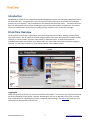
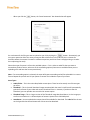
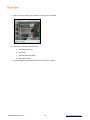
The PrimeTime user interface, shown below, gives you multiple options for finding, viewing, and interacting
with video content. You can search for content using key words in the search box, select from multiple content
channels, or view the newest, top-rated, most viewed, or featured content. The interface contains an
embedded video player that enables you to watch videos you select from the content list without leaving the
interface. You can share, comment on, rate, and tag material in the interface as well.
Logging In
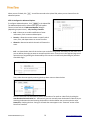
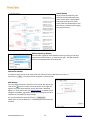
When you log into PrimeTime, you will see the interface shown above. This is a basic user view, which does not
permit the uploading of new content. However, depending on your role, as defined in PrimeTime, your view
may include options for uploading new content or adjusting system settings. See Admin Tab section for more
information on administration of PrimeTime.
©2010 MediaPlatform, Inc.
2
www.mediaplatform.com