1
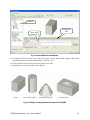
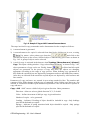
Note: It should be realized that using quadratic elements reduces error of finite element
approximation on one side, but increases computation time due to increased numbers of
nodes and integration points on the other side. Thus the choice of higher order elements
should be made only when justified. 3D solid elements can be both, linear and quadratic.
Shell element can be only quadratic.
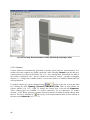
3.7.4.1.4 Final Notes on Meshing
The finite element mesh quality has a very important influence on the quality of the analysis
results, the speed, and memory requirements. Refining only the important parts can save a lot
of processor time and disk space.
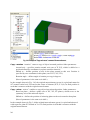
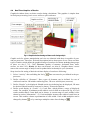
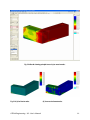
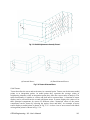
A bad mesh, like a single layer of volume elements in a region where bending plays a
significant role, can produce very wrong results – see the "Mesh Study" example in the
ATENA Engineering Example Manual. A minimum of 4-6 elements per thickness is
recommended for at least qualitative results in bending. Alternatively, shell elements may be
used (see section 3.7.2.2.7).
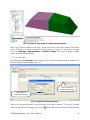
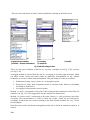
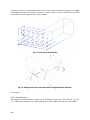
Another frequent example of a problematic mesh are elements with extreme aspect ratios, in
other words, the ratio of element edge lengths = longest to shortest edge of an element. A
maximum of 3:1-4:1 is recommended for volume elements and also for surface elements in
2D models or on membranes. The higher the aspect ratio, the worse the conditioning of the
system matrix, which can lead to numerical problems in the solver. For shell elements, it is no
problem when the edges in the thickness direction are much shorter than the others, however,
for the ratio of the two other directions (i.e., in-plane), the same condition as for normal
volume elements should be fulfilled (i.e., up to 3-4:1).
3.7.5 Run
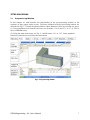
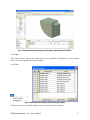
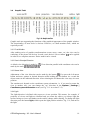
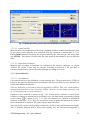
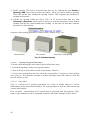
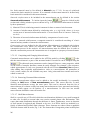
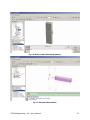
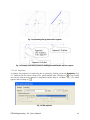
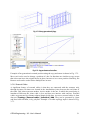
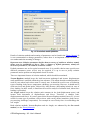
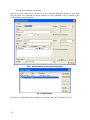
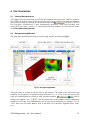
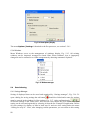
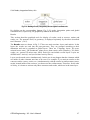
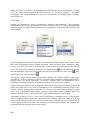
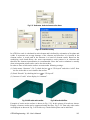
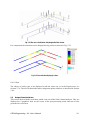
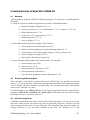
Input of solution parameters can be accessed through the data tree shown in Fig. 3-96.
Fig. 3-96 Data tree for Run.
3.7.5.1 Solution Parameters
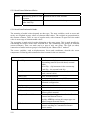
This section defines methods and parameters for solution of nonlinear equations. There are
two default sets:
1) Standard Newton-Raphson method.
2) Standard arc-length method.
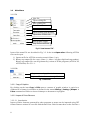
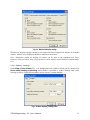
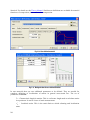
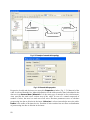
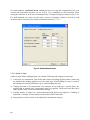
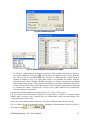
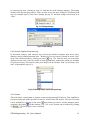
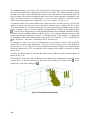
In order to enter user-defined solution parameters data, open the data tree item Run |
Solution parameters, and click on
button next to data table. This opens a
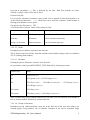
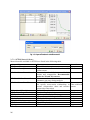
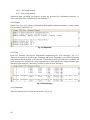
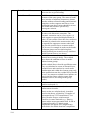
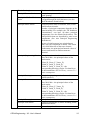
window, in which values of all parameters can be edited. Example in Fig. 3-97 shows a userdefined set, named “Newton-Raphson 100 iterations”, with some parameters changed from
default values: 100 iterations, residual error tolerance 0.001.
66