1
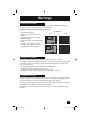
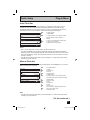
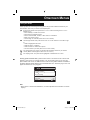
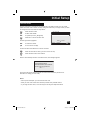
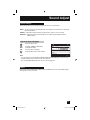
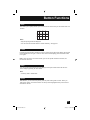
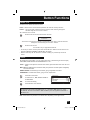
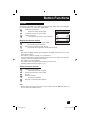
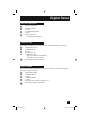
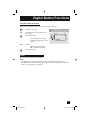
Sound Adjust Sound Settings These settings allow you to change and adjust the sound on your television. BASS – You can increase or decrease the level of low-frequency sound in the TV’s audio with the bass adjustment. TREBLE – Use treble to adjust the level of high-frequency sound in your TV’s audio. BALANCE – Adjust the level of sound between the TV’s left and right speakers with the balance setting. Adjust the Sound Settings Press the MENU button π† √® π† To BASS, TREBLE or BALANCE To adjust the setting To move to the next setting SOUND ADJUST PREVIOUS BASS TREBLE 00 00 BALANCE 00 Press the MENU button when finished RESET NEXT PAGE Note: SELECT OPERATE MENU EXIT • You can reset the sound adjustments (BASS, TREBLE and BALANCE) you set at once as the default setting when you select reset. See page 56. • You can adjust BALANCE only when A.H.S. is off. See page 63. Reset Reset resets all Sound Adjustments (Bass, Treble and Balance) at once to the default settings. See page 56 on how to use reset. 57 LCT1976 A.indd 57 9/29/05 10:33:39 AM