1
RADOSYS User Manual
File Ref. RS_Man82
Page
5-35
Revised at 7/8/2013
Second use of chemicals. {Relevant text to be inserted here}
5.6.3 TRACK SIZE OPTIMIZATION
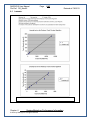
TA-software + Sample images for optimal track sizes.
{Relevant text to be inserted here}
5.6.4 SYSTEM CALIBRATION
{Relevant text to be inserted here}
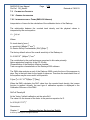
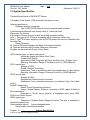
5.6.5 SETTING UP NETWORK CONNECTION (RSV6X VERSION)
Two options are available to set up network connection with the standard Radosys
notebook type computer. HP-nx6110.
Ethernet (cabled) network and/or wirless network (if you have a wireless access point in
the building).
5.6.5.1.1 Ethernet Network
Ethernet (cabled) network and wirless network (if you have a wireless access point in
the building).
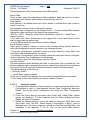
For the Ethernet network, there is nothing to do, just connect the cable to the laptop
computer. If you have a DHCP server at your company, it will get a network IP address
automatically.
If you have to set up IP addresses manually on the windows computers, you have to do
it manually also under linux:
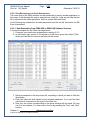
Go to "K menu" -> System -> Control Center (YaST).
Type the administrator password (RMet2000).
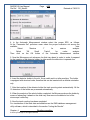
Click on "Network devices" on the left and "Network Card" on the right.
Select "Hwelett-Packard Company nx6110" and click "Edit".
Set up IP address, Netmask, DNS server, Gateway address as your local network
administrator provides them.
5.6.5.1.2 Wireless Network
To set up the wireless network, you need to do the following:
Go to "K menu" -> System -> Control Center (YaST).
Type the administrator password (RMet2000).
Click on "Network devices" on the left and "Network Card" on the right.
Select "Ethernet network card" and click "Edit".
Set up IP address if required by your network administrator, or leave it on automatic.
Click "Next" and set up the parameters of your wireless network.
If the settings are successful, the blue wireless light on the computer should light up.
Chapter 5.
Advanced operation
© 2013 by Radosys Kft. All rights reserved