1
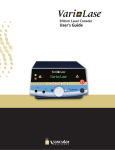
Laser Console User’s Manual Manufactured for: Vascular Solutions, Inc. 6464 Sycamore Court Minneapolis, MN 55369 763-656-4300 www.vascularsolutions.com Vari-Lase Laser Console, Instruction Manual Copyright 2008 P/N 42-0421 Rev H 11/14 Vari-Lase Laser Console User’s Guide Page 1 Table of Contents Table of Contents .......................................................................................................................................... 2 Caution ........................................................................................................................................................... 3 Introduction ................................................................................................................................................... 4 Intended Use.................................................................................................................................................. 4 ............................................................................................................................................. 4 Clinical Procedure ......................................................................................................................................... 6 Installation and User Obligations ................................................................................................................ 6 Important Safety Information ....................................................................................................................... 7 Labels and Symbols...................................................................................................................................... 8 Description of Operating Console ............................................................................................................... 9 Operation ..................................................................................................................................................... 11 Output Power Verification .......................................................................................................................... 13 Definition and Retrieval of Treatment Parameter Sets ............................................................................. 13 Remote Interlocking .................................................................................................................................... 14 System Set-up and Status Display Controls ............................................................................................. 15 Laser Settings ............................................................................................................................................. 16 Service / Adjustment Functions ................................................................................................................. 16 Cleaning and Maintenance ......................................................................................................................... 18 Power Connection and Replacement of Fuses ......................................................................................... 18 Connection and Release of Foot Switch ................................................................................................... 19 Trouble Shooting......................................................................................................................................... 19 Warnings and Stop Codes .......................................................................................................................... 20 Protective Eyewear ..................................................................................................................................... 23 Service ......................................................................................................................................................... 23 Storing and Transportation ........................................................................................................................ 23 Technical Specifications for the Vari-Lase Laser Console ...................................................................... 23 Warranty Terms and Provisions ................................................................................................................ 24 Patents ......................................................................................................................................................... 25 Appendix A .................................................................................................................................................. 26 P/N 42-0421 Rev H 11/14 Vari-Lase Laser Console User’s Guide Page 2 Caution 1. 2. 3. 4. 5. 6. The Vari-Lase laser console is a Class 4 laser, which emits invisible laser radiation. Avoid exposure to direct or scattered radiation. Patient, operator and others in contact with the laser must wear suitable protective eyewear. Protective eyewear must be of a quality corresponding to the standards IEC 825 and EN 207. The Vari-Lase laser console should be used only with the Platinum Bright Tip laser fiber. Read the operating instructions thoroughly before connecting the unit to the power and prior to use. The unit must be set, regulated and used in accordance with the instructions for use. Failure to observe usual safety precautions may present a risk of hazardous exposure to laser radiation. When the laser is not in use, ensure that it is rendered inaccessible to unauthorized personnel. Remove the key to disable the unit. Restrictions on use of Class 4 laser equipment U.S. Federal Law restricts this device to sale by or on the order of a physician. The Vari-Lase laser system is intended solely for physicians trained in the use of these instruments. The safety precautions for Class 4 laser equipment must be followed. The physician is responsible for evaluating each patient's suitability to undergo laser surgery and furthermore to inform the patient about any risks involved, the actual treatment, pre- and postoperative care and any other relevant information. P/N 42-0421 Rev H 11/14 Vari-Lase Laser Console User’s Guide Page 3 Introduction Congratulations on the purchase of this Vari-Lase laser console, among the most advanced and user-friendly diode lasers available. It constitutes the fruition of many years of experience in the manufacturing and development of high technology medical laser equipment. Rigorous quality control and factory testing ensure the very highest levels of quality and reliability. The unit incorporates various fail-safe systems and conforms to international standards for medical electrical equipment, IEC 601-1 and those specifically for laser equipment IEC 601-2-22 and IEC 825. This manual is intended to provide you with an overview of the operation of this laser console. Further instructions regarding its use in particular situations may be obtained in the Instructions for Use provided with the Vari-Lase Endovenous Laser Procedure Kit. Intended Use Indications The Vari-Lase procedure is indicated for the treatment of varicose veins and varicosities associated with superficial reflux of the Great Saphenous Vein and for treatment of incompetence and reflux of superficial veins in the lower extremity. Contraindications The Vari-Lase procedure is contraindicated in patients with an aneurysmal section in the vein segment to be treated. The Vari-Lase procedure is contraindicated in patients with severe peripheral vascular disease, as evidenced by an ankle-brachial index of < 0.5. The Vari-Lase procedure is contraindicated in patients with thrombus in the vein segment to be treated. Warnings Treatment of a vein located close to the skin surface may result in a skin burn. Paresthesia may occur from thermal damage to adjacent sensory nerves. Appropriate eye protection must be worn by the patient and all operating personnel to protect from damage by direct or reflected laser energy. Complications As with all medical procedures, complications may occur. For the endovenous laser treatment of varicose veins, these may include: P/N 42-0421 Rev H 11/14 vessel perforation thrombosis pulmonary embolism phlebitis hematoma infection paresthesia skin burns Vari-Lase Laser Console User’s Guide Page 4 Precautions The Vari-Lase procedure should be performed only by physicians who are thoroughly trained in percutaneous, endovenous techniques and procedures and knowledgeable in the use of this laser console. Inspect the laser fiber before use and avoid touching the laser lenses and Platinum Bright Tip fiber end to avoid damage to the fiber and the instrument optics. Exercise care in handling of the Platinum Bright Tip laser fiber during the procedure to reduce the possibility of accidental breakage, bending or kinking. Important Note Additional information concerning the Platinum Bright Tip laser fiber handling and use can be found in the instruction manual provided with the Platinum Bright Tip laser fiber. P/N 42-0421 Rev H 11/14 Vari-Lase Laser Console User’s Guide Page 5 Clinical Procedure Follow the Instructions for Use accompanying the endovenous laser procedure kit and components being used, and accepted medical practice. The techniques, procedures and equipment described do not represent ALL medically acceptable protocols, nor are they intended as a substitute for the physicians experience and judgment in treating any specific patient. Each Vari-Lase Endovenous Laser Procedure will require the following components: Vari-Lase 810nm Laser Console Safety eyewear for patient and all operating personnel Duplex ultrasound console and transducer for mapping and guidance Procedure kit and sterile procedure pack Installation and User Obligations The Vari-Lase laser console is designed to operate within normal room temperature (15-27°C/ 59-81°F) and humidity conditions. The unit must be allowed to acclimatize before use following exposure to extreme temperature or humidity. Do not install the unit close to radiators or other sources of heat convection. The unit may overheat due to excessive room temperature in combination with operation at high output power. In case of overheating the system will automatically shut down for a short cooling period. After a few seconds the system will be ready for continued treatment. We advise against the use of lasers at a distance of less than 2.5 meters from short-wave or microwave equipment, since unstable laser irradiation may occur. No attempt should be made by unauthorized persons to open the unit with a view to repair. Failure to observe this caution may present a serious safety hazard and will void the warranty. Vascular Solutions, Inc. cannot be held liable for events resulting from negligence, abuse or incorrect operation of the unit. Please acquaint yourself thoroughly with the instructions for use, and in the event of doubt contact Vascular Solutions, Inc. P/N 42-0421 Rev H 11/14 Vari-Lase Laser Console User’s Guide Page 6 Important Safety Information The Vari-Lase laser console is designed and tested for maximum safety for both the user and patient. It is however, ultimately the operator's responsibility to introduce safe practices, which ensure the safety of personnel and equipment. Electrical safety WARNING Only Vascular Solutions authorized personnel should attempt to inspect and/or repair the Vari-Lase laser console. The system must be protectively connected to ground. If used in North America at 220V, the power circuit must be center-tapped. Avoid exposure to laser radiation in excess of the allowable limits listed in Title 21 U.S. Code of Federal Regulation, parts 1040.10 and 1040.11, during the installation and operation of the Vari-Lase laser console. Optical safety WARNING Injury to the eyes and the epidermis can result from either direct or scattered radiation. The power density of the light emitted from lasers can be high enough to cause severe burns to the skin when directly exposed to the beam. WARNING All personnel in the operating room must be protected from stray and scattered radiation by wearing the appropriate protective eyewear to guard against ocular injury. Never look directly into any laser beam. Use surgical instruments with a dull and dark anodized finish whenever possible. Shiny surfaces can reflect laser beams. Take extreme care if shiny surgical instruments are used. Fire and explosion precautions Combustible material can ignite if exposed to certain wavelengths of laser radiation. WARNING Do not operate the laser in the presence of explosive gases and liquids as well as highly concentrated oxygen. The following precautions can minimize the danger of fire: a. Surround the surgical field with wet gauze or towels. b. If possible, eliminate flammable materials from the surgical field. c. Have a fire extinguisher nearby. Always place the laser in “Standby” mode whenever possible. This will prevent accidental firing of the laser. P/N 42-0421 Rev H 11/14 Vari-Lase Laser Console User’s Guide Page 7 Precautions against transfer of diseases The cleansing and sterilization instructions provided by this manual must always be followed to avoid transfer of diseases through patient contact with operation components. WARNING Insufficient cleansing or sterilization of operation components that come into contact with the patient may result in transfer of diseases. Labels and Symbols The type plate is situated at the rear of the laser system. Explanatory label and Laser Warning label must be affixed on the front of the system. Serial number plate is situated on the back panel of the console. Symbol on type plate indicates Type BF Applied Part. P/N 42-0421 Rev H 11/14 Vari-Lase Laser Console User’s Guide Page 8 Description of Operating Console 1. 2. 3. 4. 5. 6. 7. 8. 9. 10. 11. 12. 13. 14. 15. 16. 17. P/N 42-0421 Rev H 11/14 Selector - used for parameter selection. Selector - used for parameter selection. Selector - used for parameter selection. Selector - used for parameter selection. Program key. Provides the possibility of choosing any preprogrammed set of treatment parameters. Menu key. Provides access to the various menus. Step Left key. This key is used for menu browsing and operation. Step Right key. This key is used for menu browsing and operation. Clear key. Used for resetting. Enter key. Confirms the parameters currently displayed. Jog Shuttle. Turning the jog shuttle clockwise will increase any selected parameter, turning it counter-clockwise will decrease the parameter. Ready key. When activated the laser is ready to emit energy. See “Operation” section on page 11 for more details. Standby key. When activated, the Vari-Lase laser console is placed in “Standby” mode. Parameters can be modified, but no laser output can be generated. Emergency Stop key. See “Operation” section on page 11. Laser Ready Indicator. Lit when the Vari-Lase laser console is placed in Ready mode and foot switch is not activated. Laser Emission Indicator. Lit when laser emission occurs. Key switch. Unit is disabled when the key is in off-position or when the key is removed. Lit when the unit is activated. Vari-Lase Laser Console User’s Guide Page 9 18. Platinum Bright Tip Fiber Connection. Laser pulses are delivered via a fiber assembly. 19. Not currently in use. 20. Slot for Code Plug connected to the fiber. 21. Laser Beam Input Port for verification purpose. See paragraph “Output Power Verification” on page 13. 22. Release button for air foot switch connector. 23. Connector for air foot switch. 24. Connector for Remote Interlock. 25. Power Switch. 26. Power Lead Connector. 27. Fuse Holder and Voltage Selector, see paragraph “Power Connection and Replacement of Fuses” on page 18. 25 P/N 42-0421 Rev H 11/14 Vari-Lase Laser Console User’s Guide 26 27 Page 10 Operation Preparing for use 1. 2. 3. Plug the foot switch tube into the socket (23). Switch on the power switch at the rear of the unit (25). Connect interlocking or insert dummy plug in the connector located at the rear of the unit (24). 4. Enable the unit by inserting and turning the key in the switch (17). Check that the indicator above the switch is lit. 5. Visually inspect the QSC adapter lens for contamination or damage. 6. Insert code plug with QSC connector. 7. Remove the protection cap from the Platinum Bright Tip laser fiber connector. SMA-to-QSC 8. Insert the Platinum Bright Tip adapter laser fiber connector carefully in the SMA socket of the SMA-toQSC adapter. Tighten the screw carefully. 9. Remove plug from the laser port. 10. Insert the SMA-to-QSC adapter in the Vari-Lase laser console. 11. While the Vari-Lase laser console is powering up, laser emission is disabled, all keys and selectors are disabled, and parameters are set to default WARNING Do not place the QSC adapter into the laser console without a Platinum Bright Tip fiber connected, or else the laser beam may be activated. 12. Set the treatment parameters (see below). 13. Bring the Vari-Lase laser console into “Ready” mode by pressing the Ready key (12). After a required 3 seconds safety-delay, the unit will become ready and the Laser Ready indicator (15) will be lit. 14. Start treatment, using the foot switch. Each time the foot switch is activated, laser radiation will be emitted and the Laser Emission Indicator (16) will be lit. Setting of treatment parameters Power, fluence, pulse width, and pulse repetition rate can be set to prepare for the required treatment. Operating the selectors (1, 2, 3, and 4) and the jog shuttle (11) does the setting. The treatment parameter to be set is selected by pressing the associated selector (1, 2, 3, or 4) located below the display. When a parameter is selected, it can be modified by turning the jog shuttle. When all parameters are properly set for treatment, press (10) to enter the parameters. One can also press the Ready key (12) to enter the parameters and bring the unit directly into “Ready” mode. Pressing the C key (9) during setting of a parameter terminates the setting without changing the parameter. Output power The output power level is shown in the display. P/N 42-0421 Rev H 11/14 Vari-Lase Laser Console User’s Guide Page 11 Fluence The fluence level is shown in the display. Pulse width The pulse width is shown in the display. Pulse repetition frequency Output can be set to single pulse or CW. The frequency is shown in the display. Please note: Fluence is a physical property closely connected to output power and pulse width. Hence, changing one treatment parameter may unavoidably affect the others. To ease operation the Vari-Lase laser console automatically re-computes and updates all affected parameters when power, fluence, or pulse width is set by the user. Further, due to the dependency between the parameters, maximum value of fluence, pulsewidth, and frequency depends on the setting of the other parameters. Standby mode and Ready mode When the Ready key is pressed, the unit enters “Ready” mode. In this mode, laser radiation will be emitted when the foot switch is pressed. Pressing the M, C, or P key or any selector key will return the system to “Standby” mode. Ready Standby When the Standby key is pressed, the unit enters “Standby” mode. For safety reasons the laser should always be brought into “Standby” mode whenever not treating. In “Standby” mode laser radiation cannot be emitted. If the system remains idle in “Ready” mode for 250 seconds, it will automatically return to “Standby” mode for the sake of operator and patient safety. Start and stop of laser radiation CAUTION When the Laser Ready Indicator is on, the Vari-Lase laser console emits radiation immediately upon activation of the foot switch. When the laser is active, the yellow Laser Emission Indicator flashes and an audible tone signal will be heard. Foot Switch Operation When the foot switch is pressed, the Vari-Lase laser console starts radiating. Releasing the footswitch stops emission. Emergency Stop Key When the Emergency Stop Key (14) is pressed the Vari-Lase laser console stops emitting radiation and all functions are blocked. The power switch (25) must be turned OFF for approximately 15 seconds and ON again for restart. P/N 42-0421 Rev H 11/14 Vari-Lase Laser Console User’s Guide Page 12 Output Power Verification The Vari-Lase laser console provides advanced built-in facilities for output power verification purpose. CAUTION All personnel in the operating room must be protected by protective eyewear during the measurement. 1. 2. 3. 4. 5. 6. 7. 8. Set up the laser in the usual manner, connect a good fiber (pristine at both ends and no breaks or kinks) and adjust the power level to 15 Watts. Press the M key (6) to enter the Function Menu. Press the “►” key (8) to access Function Menu 2. Press the key under “Measure Power” on the display (1). Align the tip of the fiber with the Laser Beam Input Port (21) and keep it aligned during the entire measuring process. The fiber tip must not touch the sensor at the back of the port; the fiber tip should be even with the front of the laser case, and centered in front of the Laser Beam Input Port. Activate the footswitch - and keep the footswitch pressed during the whole measuring process. The Vari-Lase laser console automatically tests the laser output by measuring the power level for a predetermined time - wait for this to complete. The measured output, stated as a percentage of expected output, is displayed. Repeated measurements may cause the built-in power meter to heat up. If so, a message will appear urging the user to wait 5 minutes before further measurements are undertaken. The measured output should read between 80% and 120%. If the reading is outside these limits, repeat the test once with a new fiber. Insure that the fiber is held in the proper position and the footswitch is pressed during the entire measuring process. Press the “C” key (9) twice to return to the main menu. Definition and Retrieval of Treatment Parameter Sets The Vari-Lase laser console features the possibility of defining 16 different sets of treatment parameters, which can later be retrieved for fast unit set-up. The parameters are not affected by unit power-off. Definition and storage of a parameter set Go through the following steps to define a set of treatment parameters for later retrieval: 1. 2. 3. 4. 5. P/N 42-0421 Rev H 11/14 Make sure the unit is in laser “Standby” mode. Use the Selector keys (1 through 4) and the Jog Shuttle (11) to define a set of treatment parameters. Press the M key (6) to enter the Function Menu. Press Selector (4) to enter the “Save Program” function. Turn the Jog Shuttle (11) to assign a unique number to the defined Vari-Lase Laser Console User’s Guide Page 13 6. 7. set of parameters. Any set previously assigned this number will be overridden. For easy operation, an optional textual name may be assigned too. To do this, press Selector key (2) to enter the “Change-name” function; use the Step Left (7), Step Right (8), and the Jog Shuttle (11) to spell out the textual name. Press Selector key (4) to save the parameter set together with the assigned number and name. Or press the Selector key (3) to exit without saving the parameters. Retrieving a parameter set Go through the following steps to retrieve a predefined set of parameters: 1. 2. Press the P key (5); Turn the Jog Shuttle (11) until the number or name of the desired set of parameters appears in the upper rightmost corner of the display; 3. Press (10) or the P key (5) to select the parameters for treatment; or press the Ready key (12) to select the parameters and bring the unit directly into ready mode. Remote Interlocking The Vari-Lase laser console provides an interlocking feature that can be employed for deactivation of laser emission when doors are opened to the treatment area. If remote interlocking is not required The unit is supplied with a special interlocking dummy plug that must be inserted in the interlocking socket (24) in case no interlocking is required. If remote interlocking is required If the interlocking feature is required to ensure a safe entry to the treatment area, an appropriate micro-switch may be mounted on the doorframe in a way that ensures contact closure when the door is closed. The jumper between pin 2 and 5 of the dummy plug must be removed and the micro-switch must be wired to these pins instead. Multiple doors can be wired in series if needed. P/N 42-0421 Rev H 11/14 Vari-Lase Laser Console User’s Guide Page 14 System Set-up and Status Display Controls A number of system features, which may be set up by the user, exist. To do this please follow the below procedure: 1. Make sure the unit is in “Standby” mode; 2. Press the M key (6) to enter the Function Menu; 3. Press Selector (2) to enter the User Setup function. Four set-up options will be displayed. Press the Step Right or the M key to display two more. These six options are described below: Sound Level Turn the Jog Shuttle to change the volume of the internal speaker. Press (10) when a satisfactory volume is found. Display Contrast Turn the Jog Shuttle to change the display contrast. Press (10) when a satisfactory display contrast is found. Aiming Beam Turn the Jog Shuttle to adjust the brightness of the aiming beam. Press (10) when the desired brightness is found. The effect will be visible next time “Ready” mode is entered. Choose Language Turn the Jog Shuttle to see the languages, which can be used for display text. Press (10) when the desired language is found. Status Display 1 / Status Display 2 The user can choose two selectable status readings to be displayed during operation. The two readings can be chosen from a group of four: None: No status is displayed Pulses: The number of pulses generated ActiveTime: The amount of time laser has been radiated Joules: The amount of joules generated One reading is chosen by using menu entry “Status Display 1” and the other by using menu entry “Status Display 2.” Use the Jog Shuttle to browse through the four options. Press (10) when the desired status reading is found. The reading will be displayed whenever the unit is in “Standby” or “Ready” mode. The user may want to reset the readings; e.g. before a patient treatment is initiated. To do this, please follow the below procedure: 1. 2. 3. P/N 42-0421 Rev H 11/14 Make sure the unit is in “Standby” mode. Press the M key (6) to enter the Function Menu. Press Selector (3) to reset the status display readings. Vari-Lase Laser Console User’s Guide Page 15 Laser Settings The Vari-Lase laser console permits the user to change the fiber system and still gain the full benefit of the displayed operation parameters. Service / Adjustment Functions The Vari-Lase laser console provides the user with various features for setting and reading of equipment parameters. These adjustable parameters are organized into six service groups that can be accessed when the unit is in “Service” mode. Follow the procedure below to enter “Service” mode: 1. Make sure the unit is in “Standby” mode. 2. Press the M key. 3. Press Step Right. 4. Press the Service Setup selector. 5. The unit is now brought into “Service” mode. The following six groups of service settings are accessible to the user: USER SETTINGS: Standard user controls like display contrast, sound level, etc. ACCESS CODES: Access codes can be entered for service or maintenance purpose. For safety reasons access is only granted to authorized personnel. UNIT IDs: Reports various IDs associated with each individual VariLase laser console. CODEPLUG SETTINGS: Standard user set-up values which are stored in the Code Plug. TIME LOG: This group contains time logging and timing functions. LOG FUNCTIONS: Provides the possibility of copying the internal unit operation log to the Code Plug, which can then be sent to the Vari-Lase laser console manufacturer for inspection. Service mode controls Use the Jog Shuttle to browse the service settings. Use the Step Left or Step Right keys to change from one group of service settings to another. Use the Change selector to enable changing of a parameter (please note, the Change feature only exists for a subset of the parameters). There are two types of parameter input modes: Limited Range Parameters: Operate the Jog Shuttle to change the parameters. Press the Save selector to store the new value. Large Number Selection. Operate the Jog Shuttle to change the value of the current digit. Press Step Right or Step Left to select another digit. Press the Save selector to store the new value. The service settings are described in more detail in the following table. P/N 42-0421 Rev H 11/14 Vari-Lase Laser Console User’s Guide Page 16 USER SETTINGS 100 101 102 103 104 Sound Level This setting changes the volume of the internal speaker. The volume changes instantly, but will not be saved until “Save” is pressed. Display Contrast This setting changes the contrast of both displays. The contrast changes instantly, but will not be saved until “Save” is pressed. Language This setting changes the language used for displayed text. Status Display 1 This setting features the selection of status reading 1 (as described on page 15) to be displayed. Status Display 2 This setting features the selection of status reading 2 (as described on page 15) to be displayed. ACCESS CODES 200 Access Code This setting is to be used by authorized service personnel only. UNIT IDs 300 301 304 Serial Number The unit serial number is displayed here. Type Number The unit type number is displayed here. SW Version The software version is displayed here. CODEPLUG SETTINGS 418 419 Aiming Beam Level Brightness of the aiming beam. The brightness changes instantly but will not be saved until “Save” is pressed. Aiming Beam Color Determines the color of the aiming beam. TIME LOG 500 501 509 Power On Time Reports the total power-on time of the laser in minutes. Laser Active Total Time Reports the total Laser Active time at any power level in minutes. Total Joules Reports the total number of joules emitted from the laser. LOG FUNCTIONS 1101 Copy Log to Code Plug Press Selector key (4) to copy the entire contents of Internal Apparatus Log and all the internal laser settings to the inserted Code Plug. Press Selector key (1) to confirm and wait for the copying to complete, it may take some time. The log is stored in a previously unused part of the Code Plug; all previous Code Plug contents remains unchanged, and the system can be used as normal. P/N 42-0421 Rev H 11/14 Vari-Lase Laser Console User’s Guide Page 17 Cleaning and Maintenance The Vari-Lase laser console requires no maintenance except for periodic calibration of the power meter. Please refer to Appendix A for a routine maintenance schedule. Do not expose the unit or accessories to moisture or extremes of temperature or humidity. Do not attempt to sterilize any part of the equipment but the handpieces. Calibration of Power Meter Every 24 months the power meter should be recalibrated. Cleaning Visually inspect the QSC adapter lens before each use for contamination or damage. Use only compressed air to clean the lens if contamination is present. Replace the QSC adapter if the contamination cannot be removed with compressed air. Clean the unit using a cloth moistened in a mixture of 30% alcohol and 70% water. Pure undiluted alcohol or detergents should not be used. During cleaning, the unit must be switched off and disconnected from the power supply. Any dirt must be cleaned from the fiber lens. The combination of high output power and a delicate fiber necessitates a clean fiber lens to avoid damage. Even specks of dust may be sufficient to cause fatal contamination. The touch of a finger, rubbing of the tip against a piece of clothing, or occurrence of airborne dust can contaminate the lens. Power Connection and Replacement of Fuses The equipment is connected to the power via the power connector (26) on the back panel of the unit, and the power switch (25) is switched ON. The unit is equipped with 2 pcs. glass fuses (T6.3AL), which protect the unit in case of electrical fault. If the unit cannot be switched on, try to replace the fuses before the unit is sent in for repair. To replace the fuses: 25 26 P/N 42-0421 Rev H 11/14 27 1. Remove the power cord. 2. Refer to the picture to the left. Insert a screwdriver into the small slot as shown, and release the fuse socket by wrenching the screwdriver. 3. Pull out the fuse socket (27). 4. Replace the fuses and re-insert the fuse socket. The fuse socket can be inserted in either of the two possible directions, as the Vari-Lase laser console automatically switches to the actual input voltage. When inserting the fuse socket for 220V power supply in North America, the outlet must be of the center-tapped type. Vari-Lase Laser Console User’s Guide Page 18 Connection and Release of Foot Switch A connector (23) for the foot switch is provided on the front panel. For connection simply plug in the foot switch connector. For release, push the release button (22). Trouble Shooting Symptom Possible Cause No light in display when switched on Low output power Defective fiber Low pulse width combined with low frequency Decrease the value of one or Fluence is a physical property closely connected to output power more of the other treatment parameters and pulse width. Due to the dependency between the parameters, maximum value of fluence, pulse width and frequency depends on the setting of the other parameters. Defective power fuses Low power supply Recommendation Fluence, pulse duration, or frequency cannot be set as high as it could be previously A temperature fault message is displayed and the Vari-Lase laser console stops radiating Aiming beam has faded or is looking diffused P/N 42-0421 Rev H 11/14 Overheated diode due to combination of high room temperature, high power setting and high duty cycle Internal laser cooling system ineffective As the aiming beam passes through the same optical system as the working beam, it provides a good method of checking the unit. If the aiming beam spot is not present at the distal end of the fiber, its intensity is reduced or if it looks diffused, the fiber might be damaged. Change fuses Wait at least 5 sec for power up Change fiber Choose higher pulse width Wait a few seconds for the system to cool down. If the problem remains try to reduce room temperature. Reduce output power. Reduce duty cycle (shorter dwell time, longer breaks). Return for repair. Call Vascular Solutions, Inc., Customer Service Check the unit by undertaking an output power verification as described in the paragraph “Output Power Verification” on page 13. Vari-Lase Laser Console User’s Guide Page 19 Warnings and Stop Codes The table below provides a complete overview over the various warnings and fault messages that can be displayed by the Vari-Lase laser console. If one of the faults occurs repeatedly, note the message and contact Vascular Solutions. Error code Error message Cause Recovery 0 EMERGENCY STOP Emergency button has been pressed. Laser shuts down. Cycle key switch to recover. 1 I/O SYSTEM FAULT This is an internal laser system fault situation. Laser shuts down. Cycle key switch to recover. 2 DETECTOR STOP This is an internal laser system fault situation. Laser shuts down. Cycle key switch to recover. 3 OVER CURRENT STOP This is an internal laser system fault situation. All laser circuits are shut down. Cycle key switch to recover/retry. Note: Do not repeatedly provoke an over-current stop. The laser diodes could be damaged. 4 POWER HIGH FAULT This is an internal laser system fault situation. Laser shuts down. Cycle key switch to recover. 5 POWER LOW FAULT This is an internal laser system fault situation. Laser shuts down. Cycle key switch to recover. 6 VDIODE FAULT This is an internal laser system fault situation. Laser shuts down. Cycle key switch to recover. 7 5V MIN FAULT This is an internal laser system fault situation. Laser shuts down. Cycle key switch to recover. 8 5V MAX FAULT This is an internal laser system fault situation. Laser shuts down. Cycle key switch to recover. 9 10V MIN FAULT This is an internal laser system fault situation. Laser shuts down. Cycle key switch to recover. 10 10V MAX FAULT This is an internal laser system fault situation. Laser shuts down. Cycle key switch to recover. 11 10V SCAN MIN FAULT This is an internal laser system fault situation. Laser shuts down. Cycle key switch to recover. 12 10V SCAN MAX FAULT This is an internal laser system fault situation. Laser shuts down. Cycle key switch to recover. 13 12V MIN FAULT This is an internal laser system fault situation. Laser shuts down. Cycle key switch to recover. 14 12V MAX FAULT This is an internal laser system fault situation. Laser shuts down. Cycle key switch to recover. 15 32V MIN FAULT This is an internal laser system fault situation. Laser shuts down. Cycle key switch to recover. 16 32V MAX FAULT This is an internal laser system fault situation. Laser shuts down. Cycle key switch to recover. P/N 42-0421 Rev H 11/14 Vari-Lase Laser Console User’s Guide Page 20 17 -5V MIN FAULT This is an internal laser system fault situation. Laser shuts down. Cycle key switch to recover. 18 -5V MAX FAULT This is an internal laser system fault situation. Laser shuts down. Cycle key switch to recover. 19 -5V UREG MIN FAULT This is an internal laser system fault situation. Laser shuts down. Cycle key switch to recover. 20 -5V UREG MAX FAULT This is an internal laser system fault situation. Laser shuts down. Cycle key switch to recover. 21 POWER DOWN Low power supply. Saves data internally and shuts down system. Check power. 22 TEMPERATURE 1 STOP Laser diode temperature high. The laser is shut down. Normal operation will resume when temperature is reduced. 23 TEMPERATURE HIGH Internal temperature is too high. The laser is shut down. Normal operation will resume when temperature is reduced. 24 TEMPERATURE 2 STOP Laser diode temperature high. The laser is shut down. Normal operation will resume when temperature is reduced. 25 PFC TEMPERATURE STOP This is an internal laser fault The laser is shut down. Normal situation. The Power Factor operation will resume when Controller temperature is too high. temperature is reduced. This temperature can be preset in Service/Setting mode. 26 DRIVER TEMPERATURE This is an internal laser fault STOP situation. The Laser Diode Driver temperature is too high. This temperature can be preset in Service/Setting mode. 27 CONNECT FIBER All laser controls are disabled until Resumes normal operation when a fiber is mounted. the fiber is mounted. 28 CONNECT INTERLOCK All laser controls are disabled until Resumes normal operation when connected. an interlock connector/switch is installed. Pin 2 (GND) and 5 (Interlock input) must be shorted on the interlock connector. 29 CONNECT CODEPLUG All laser controls are disabled until Resumes normal operation when a Code Plug has been installed. connected, but clears user settings to default values. 30 CONNECT SENSOR BOARD This is an internal laser system fault situation. Laser shuts down. Cycle key switch to recover. 31 AIMING LASER FAULT The aiming laser draws an unusually high current and might be damaged. Laser shuts down. Cycle key switch to recover. 32 SETTING WRITE ERROR This is an internal laser system fault situation. Laser shuts down. Cycle key switch to recover. 33 IIC BUS RELEASE FAULT Laser shuts down. Cycle key switch to recover. P/N 42-0421 Rev H 11/14 This is an internal laser system fault situation. The laser is shut down. Normal operation will resume when temperature is reduced. Vari-Lase Laser Console User’s Guide Page 21 34 CONNECT FB SENSOR This is an internal laser system fault situation. Laser shuts down. Cycle key switch to recover. 35 EEPROM PAGE ERROR This is an internal laser system fault situation. Laser shuts down. Cycle key switch to recover. 36 VAUX MIN FAULT This is an internal laser system fault situation. Laser shuts down. Cycle key switch to recover. 37 VAUX MAX FAULT This is an internal laser system fault situation. Laser shuts down. Cycle key switch to recover. 38 PARAMETER ERROR Parameter(s) in the Code Plug or laser is out of range. Pressing the Standby key will initialize the parameters to default values. Laser output is disabled. Resumes normal operation when the Standby key has been pressed. 39 PULSE TIMING ERROR This is an internal laser system fault situation. Laser shuts down. Cycle key switch to recover. 40 SAFETY PARAMETER ERROR This is an internal laser system fault situation. Laser shuts down. Cycle key switch to recover. 41 CENTRE DIODE TEMPERATURE STOP Laser diode temperature high. The laser is shut down. Normal operation will resume when temperature is reduced. 42 ATTACHED SCANNER IS A scanner which is not compatible Check whether the scanner is a NOT COMPATIBLE with the laser is attached. type intended to be compatible. Check whether the scanner or the scanner cable is damaged. Cycle key switch. 43 SCANNER ERROR An error has occurred while interfacing to the scanner. Check whether the scanner or the scanner cable is damaged. Cycle key switch. 44 DIODE TEMP HIGH FAULT A high diode temperature is measured. All fans will be working at full speed to cool the system. P/N 42-0421 Rev H 11/14 Vari-Lase Laser Console User’s Guide Page 22 Protective Eyewear Protective eyewear must be of a quality corresponding to the standards IEC 825 and EN 207. According to these specifications, the protective eyewear must be marked with the following: Type of laser: Wavelength: Protective class : D 800-830nm L4 (Continuous wave laser) (Or larger wavelength interval) (Or higher) Service In the event of malfunction or fault, please contact Vascular Solutions, Inc. Customer Service at 888-2406001 or 763-656-4300. Storing and Transportation The system should be stored under temperature conditions in the range of 0-50°C (32-122°F), air humidity below 80%, and air pressure > 0.7 atm. If transporting the unit to other destinations (for instance to another clinic or in connection with service), the Vari-Lase laser console should always be transported in the original packaging material. When returned to Vascular Solutions for service or repair, the equipment must be shipped in the original packing material to avoid any damage during transportation. Technical Specifications for the Vari-Lase Laser Console Laser Type: Output Power: Continuous Wave Diode Laser. Laser Class 4 (IEC825) Range Maximum Precision Mode of Operation: Wavelength: Target Indicator: Fiber Connection: Fiber Diameter: Numerical Aperture of Fiber: Start/Stop Functions: Emergency Stop: Warning Signals for Laser Radiation: 1W to 30W in steps of 1W 35W, depending on transmission in connected fiber Better than 10% at maximum output power Pulsed beam or continuous wave 810nm ± 10nm Red indicator light through fiber (635nm) Quick Safe Connect 600µm 0.37 or larger Foot switch Large button on front panel P/N 42-0421 Rev H 11/14 Flashing yellow indicator and intermittent sound Vari-Lase Laser Console User’s Guide Page 23 Laser Ready Warning: Laser Ready Time-Out: Emission: Frequency Range Pulse Width Nominal Ocular Hazard Distance Beam Divergence Output Power Meter: Range Accuracy Protection Against Ingress of Water: Power Supply: Power Consumption: Indication of Power Connection: Fuses: Patient Leakage Current: Earth Leakage Current: Operating Environment: Yellow indicator on front panel and target indicators 250 seconds Min. 0.3Hz / Max. 100Hz 10 - 1000 msec Bare fiber: 10m Bare fiber: 0.7 rad 1W to 150W Better than ± 20% Class IPX0 Power connection (100-240V, 50/60Hz). North America: use center-tapped circuit when connecting the equipment to 240V, single-phase power. 30 - 300 VA Green indicator 2 pcs T6.3 AL Typically 0 (< 100µA) Typically 300µA (< 500µA)< 300µA at 110V and at center-tapped 240V Room temp. 15-27°C/ 59-81°F, Humidity 10-80%, Air pressure > 0.7 atm 1 type BF Safety Class: Application in Presence of Flammable Anaesthetic Mixtures: Not suited Size: 51.5 x 30.0 x 15.0cm Weight: Approx. 12kg Warranty Terms and Provisions This equipment has been manufactured by Asah Medico A/S for Vascular Solutions, Inc. to rigorous standards of production and quality control based on international standards. In the event of a fault or breakdown which may be attributable to faulty production or materials, Vascular Solutions, Inc., will make good all repairs within a period of one year from the date of purchase. The warranty covers all repair costs including labor resulting from malfunction or fault arising from normal use of the equipment as described in the instruction manual issued by Vascular Solutions, Inc. and supplied with the equipment. The warranty shall only entitle the buyer the right to request repair or replacement of defective parts of the goods. Please note that this warranty does not extend to Platinum Bright Tip fibers, consumables, eyewear and other accessories which may be supplied with the equipment. Furthermore, Vascular Solutions, Inc. shall in no event be liable for operating loss, loss of time or profits or any similar consequential or P/N 42-0421 Rev H 11/14 Vari-Lase Laser Console User’s Guide Page 24 indirect losses. Only if personal injury or damage to property is caused directly by a defect in the products supplied, which defect may be ascribed to Vascular Solutions, Inc., shall Vascular Solutions, Inc. be liable for defects in components supplied by others to Vascular Solutions, Inc. The equipment should always be handled with care. When returned for repair, the equipment should therefore be shipped in the original packing material or alternative packaging supplied by Vascular Solutions, Inc., to avoid any damage during transportation. Patents This product may be covered by one or more of the following patents: 6,769,433; 6,752,803; 6,258,084; and corresponding international patents. P/N 42-0421 Rev H 11/14 Vari-Lase Laser Console User’s Guide Page 25 Appendix A TABLE A-1 ROUTINE MAINTENANCE SCHEDULE Service Frequency Performed by Check the exterior of the unit making certain that there are no loose electrical connections or damage Daily Clinic or hospital staff Test of fiber Daily Clinic or hospital staff Verify output power (see page 12) Daily Clinic or hospital staff Perform Power Meter Calibration Every 24 months Vascular Solutions, Inc. authorized personnel only TABLE A-2 POWER METER CALIBRATION PROCEDURE Note: This chapter highlights the instructions for the Verification of Calibration of the Vari-Lase laser system. These instructions are provided to comply with Federal Regulations. These procedures should be performed only by a Vascular Solutions, Inc. authorized representative. Calibration verification performed by any other individual will void any manufacturer's warranty, stated or implied. 1) 2) 3) 4) 5) 6) Enter “Service” mode Set the “Power Meter Gain” setting 800 to: 100%. Check that the power-meter temperature is close to ambient temperature (+/- 3°C). The power-meter temperature can be read from service setting 802. Set the measurement power to 0W and start the power measurement by pressing Ready. The power meter head temperature is displayed at the end of the measurement cycle. Set the laser power to 30W using service setting 705 and measure the output power using an external calibrated power meter. Point the fiber into the internal power meter and measure the power using service setting 802. Set the “Power Meter Gain” setting 800 to: Power Meter Gain = 100% External Power Meter Reading Internal Power Meter Reading Note: The “Power Meter Loss” is as default set to 0.1 by the factory and should not be changed. This value is based on the power meter head material properties. P/N 42-0421 Rev H 11/14 Vari-Lase Laser Console User’s Guide Page 26