1
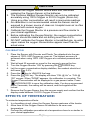
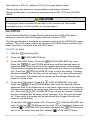
5. Lock the display by pressing the
LOCK/UNLOCK key.
6. To disable the HIGH Alarm, raise the HIGH Alarm setting above 100%. “--” will be displayed next to the Up arrow on the display. The LOW alarm
will still function while the HIGH alarm is disabled.
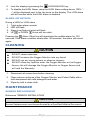
ALARM SITUATION:
During a HIGH or LOW alarm.
1.
2.
3.
4.
Triple pulse alarm sounds.
LED will flash.
Alarm Low/High set point will flash.
UP
or DOWN
Arrow will turn dark.
Pressing the
Alarm Silent key will deactivate the audible alarm for 120
seconds. If the alarm condition exists after 120 seconds, the alarm will sound
again.
CLEANING
CAUTION
DO NOT steam autoclave.
DO NOT immerse the Oxygen Monitor into any liquid.
DO NOT use any strong solvent or abrasive cleaners.
DO NOT allow any liquid to enter the Oxygen Monitor or the Oxygen
Sensor; this will damage the Oxygen Monitor or Oxygen Sensor and
will void the Warranty.
1. Disconnect all connections before cleaning.
2. Clean exterior surfaces of the Oxygen Monitor and Coiled Cable with a
cloth dampened with mild detergent and water.
3. Wipe dry with a clean cloth.
MAINTENANCE
SENSOR REPLACEMENT
Reference “SENSOR INSTALLATION”
CAUTION
Sensor Replacement must be performed by a Qualified Medical Personnel.
14 | P a g e