1
MENU DESCRIPTION AND NAVIGATION
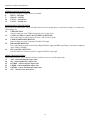
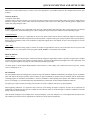
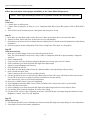
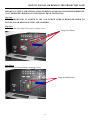
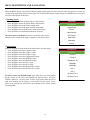
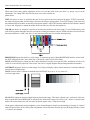
When the MENU button is pressed on either the remote control or the rear panel, the main menu will appear on-screen. An
example of the main menu is shown to the right. The UP and DOWN buttons on the rear panel, and IR Remote Control will
move the selected item on the menu.
» Opening Screen
•
•
•
•
•
•
Press ENTER to access the Input Source selection menu
Press ENTER to access the Aspect Ratio selection menu
Press ENTER to access the Picture setting menu
Press ENTER to access the Input Position setting menu
Press ENTER to access the ISF and Custom Presets menu
Press ENTER to view Information about the Projector
Calibration
>
Input Source
Aspect Ratio
Picture
Input Position
ISF Presets
The active source is indicated by an arrow to the left of the source;
note that in the example to the right, Composite is the current source.
Information
Calibration
Service
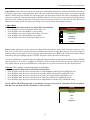
» Input Source
Indicates selection has been made for the Input Source selection menu
• Press ENTER to select the Composite input
• Press ENTER to select the S-Video 1 input
• Press ENTER to select the S-Video 2 input
• Press ENTER to select the Component SD input
• Press ENTER to select the HD/RGB 1 input
• Press ENTER to select the HD/RGB 2 input
• Press ENTER to select the DVI 1 input
• Press ENTER to select the DVI 2 input
• Press ENTER to select the HD Pass Thru 1 input
• Press ENTER to select the HD Pass Thru 2 input
Input Source
>
Composite
S Video 1
S Video 2
Component SD
HD/RGB 1
HD/RGB 2
DVI 1
DVI 2
To select a source via the main menu, press either the up or down buttons
on the remote or rear panel and highlight the desired source, and press
ENTER. Otherwise, you may select a source by pressing either the left or
right arrow buttons (on the remote or rear panel) when no menus are onscreen, or by pressing one of the direct access buttons on the remote control
(recommended).
18
HD Pass Thru 1
HD Pass Thru 2