1
Contents
SPT32 Menu
7
File Menu............................................................................................................................................ 7
New...................................................................................................................................... 7
Open.................................................................................................................................... 7
Save..................................................................................................................................... 7
Save As............................................................................................................................... 8
Print ..................................................................................................................................... 8
Note..................................................................................................................................... 8
Exit ....................................................................................................................................... 8
Edit Menu........................................................................................................................................... 9
Undo.................................................................................................................................... 9
Redo .................................................................................................................................... 9
Cut ....................................................................................................................................... 9
Copy.................................................................................................................................... 9
Paste .................................................................................................................................... 9
Delete .................................................................................................................................. 9
Delete All.......................................................................................................................... 10
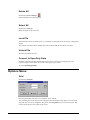
Select All........................................................................................................................... 10
Lock File............................................................................................................................ 10
Unlock File........................................................................................................................ 10
Convert to OpenPoly Data............................................................................................. 10
Options Menu.................................................................................................................................. 10
Grid .................................................................................................................................... 10
Intelli Layer....................................................................................................................... 11
Pool Mode........................................................................................................................ 11
Align.................................................................................................................................. 11
Controller Menu
12
Settings Menu ................................................................................................................................. 12
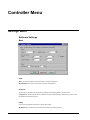
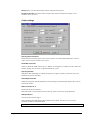
Software Settings ............................................................................................................ 12
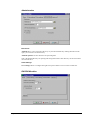
Hardware Settings........................................................................................................... 19
Mode Settings ................................................................................................................. 21
Cutter Settings................................................................................................................. 22
Safety Settings................................................................................................................. 22
Define mat profiles .......................................................................................................... 23
Services Menu................................................................................................................................. 24
Change blade ................................................................................................................... 24
New initialization ............................................................................................................. 24
Parking position............................................................................................................... 24
Test pressing ................................................................................................................... 24
Manual Mover................................................................................................................. 27
Help Menu........................................................................................................................................ 27
Help index......................................................................................................................... 27
Context sensitive Help.................................................................................................... 28
Direct help “?“ ................................................................................................................. 28
Hotkeys help .................................................................................................................... 28
StepPartout for Windows 95 SPT 32
SPT32 Menu • iii