1
Chapter 1 - Release 4.0 Change Notes
NOTE
19
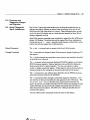
In 4.0 BETA, a special filter program for formatting mail messages will be provided.
If you use word wrap and you need to send the file to a UNIX utility or another
user, you can use the fmt(l) command from the 'Extras' text menu (see 'Extras'
Menu below), or from a function key assigned in your - / • textswrc file; see
the SunView Beginner's Guide for more information on using such a filter.
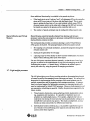
Often you want to perform some operation on the contents of the selection in a
text window and have its results appear in the text window; for example, you
might want to capitalize a sequence of words, or insert quotation marks around a
sentence. Before Release 4.0, you could do this by assigning the operation to a
function key in your. textswrc file. In Release 4.0, this is still supponed, but
you can also operate on the selection from a new 'Extras' pull-right menu. The
default Extras menu in /usr / lib/ . text_extras_menu includes filters to
'Format', 'Capitalize', 'Shift Lines', 'Insert Brackets', 'Remove Brackets', and
'Pretty-print C' These work the same way as Fll...TER keys in your. textswrc
file: just select pending-delete the text to act on and choose the desired filter; the
text will be replaced by the output of the filter.
'Extras'Menu
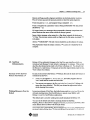
You are encouraged to create your own 'Extras' menu just as you can create your
own SunView "root" menu. You do this by creating a
- / . text_extras_menu of your own, using the same syntax as for the
- / . rootmenu file; then change Extras_menu..filename in the Text category of
defaul tsedit to point to this file. The text extras file is re-read every time
you bring up the text menu, so once you have created your own you can change it
while running tools and the changes will take show up immediately in the
'Extras' pull-right menu.
Keyboard Control of the
Caret and Editing
"shift means reverse, control means
motion, and meta means menu"
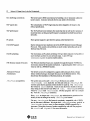
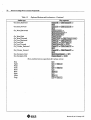
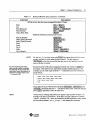
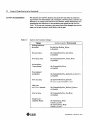
Table 1-3
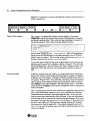
You can move the caret around the text window using the keyboard. In general,
( Control l-key sequences move the caret, and ~-key sequences are keyboard
equivalents of menu actions such as editing, finding, etc. On the Sun-3 keyboard
you can use the CI&riJ or ( R12ht ) key as the ~ key. On the new Sun keyboard, the ~ keys are marked with diamonds CiJ. In general, holding down
the ~ key reverses the direction of an action. The following motions and
actions are available:
Keyboard Motions and Accelerators
Key sequence
Action type
Erase actions (in 3.x also)
Erase_Char_Backward
Erase_Char_Forward
Erase- Word- Backward
Erase- Word- Forward
Erase_Line_Backward
Erase- Line- End
I Delete)
( ShIft-Delete)
(Control-W)
(Shtft-Control-WJ
( Control-U )
( Shtft-Control-U I
lVays of moving the caret from the keyboard.
Revision 50, of 19 January 1981