1
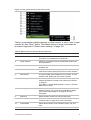
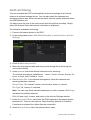
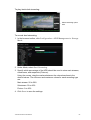
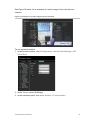
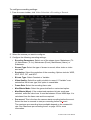
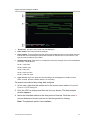
To configure recording settings:
1. From the menu toolbar, click Video Schedule > Encoding > Record.
2. Select the camera you want to configure.
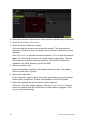
3. Configure the following recording settings:
•
Encoding Parameters: Select one of the stream types: Mainstream (TLHi, Mainstream (TL-Lo), Mainstream (Event), Mainstream (Alarm), or
Substream.
•
Stream Type: Select the type of stream to record, either video or video
and audio.
•
Resolution: Select the resolution of the recording. Options include: WDR,
4CIF, 2CIF, CIF, and QCIF.
•
Bit rate Type: Select Constant or Variable.
•
Video Quality: Select the quality at which to record. If “Variable” was
selected as the bit rate type, this option is unavailable.
•
Frame Rate: Select the recording frame rate.
•
Max Bitrate Mode: Select the general default or customized option.
•
Max Bitrate (Kbps): If the customized maximum bit rate mode was
selected, enter the value here. It must be between 32 and 4096 kbps. It is
calculated from the frame rate and time required.
•
Pre-record: This is the time the camera starts recording before the event.
Select the time in seconds to start pre-recording before the event.
The maximum pre-recording times available depend on the constant bit
rate. See “Maximum pre-recording times” on page 156 for more
information.
90
TruVision DVR 42 User Manual