1
Quick Start Guide
Connections
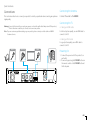
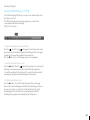
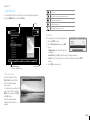
Connecting the Antenna
This section describes how to connect your product to match your particular devices and to gain optimum
signal quality.
Connect the aerial to the LNB IN.
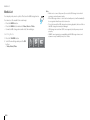
Connecting the TV
Warning: Connect all devices before you plug any power cords into the wall outlet. Always turn off the product,
TV and other devices before you connect or disconnect any cables.
2-1 Using an HDMI cable
Note: If you encounter any problems setting up your product, please contact your local retailer or HUMAX
Customer Service.
For the best picture quality, use an HDMI cable to
connect to the TV.
2-2 Using an RCA cable
For good picture quality, use an RCA cable to
connect to the TV.
Antenna
HDMI
RCA Cable
TV
1
2-2
2-1
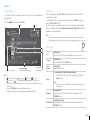
Powering On
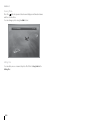
1. Connect the power cord of the product to a
wall outlet.
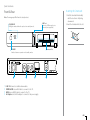
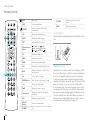
2. Power on by pressing the STANDBY button on
the remote control or the STANDBY button at
the front panel.
GB5