1
3
Creating Schemas for Siebel Integration Objects
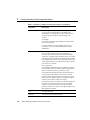
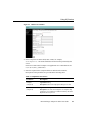
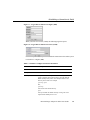
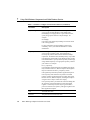
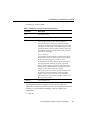
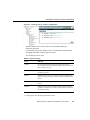
Table 3-1 Siebel 6.3 or Higher Connection Parameters (Continued)
Parameter
Description
Object Manager
The BEA Application Explorer connection logon box allows
you to specify an Object Manager. If the default value
(EAIObjMgr) is not appropriate for a given Siebel instance,
specify an appropriate and active Object Manager. For
example:
SCCObjMgr
Is the name of the Siebel Object Manager used for the Siebel
Call Center application.
For more information on Object Manager selection and
availability, refer to your Siebel documentation or Siebel
administrator.
Repository Name
The BEA Application Explorer connection logon box allows
you to specify a repository name. This specification is
necessary only where a Siebel instance maintains multiple
repositories. The default value (Siebel Repository) is provided
in the Repository Name field. It is the default repository used in
most Siebel installs. To specify another repository name simply
change Siebel Repository to an appropriate repository name for
your instance. For example:
Devo_1 Repository.
Is used for BEA Application Explorer metadata interrogation.
Only the Business Services, Business Objects and Integration
Objects contained in the Devo_1 Repository will be
interrogated and presented by the BEA Application Explorer.
If the repository name entered is not present in the Siebel
instance, the BEA Application Explorer window will present
Business Services, Business Objects, and Integration Objects
categories with no objects within each category.
If no repository name is provided in the connection dialog then
all repositories in the Siebel instance will be interrogated
together. Common objects (same object Type and Name)
present in more than one repository will appear together in the
BEA Application Explorer.
3-8
User
The Siebel user name.
Password
The password for the Siebel user name.
BEA WebLogic Adapter for Siebel User Guide