1
Encryption user privileges
20
Encryption user privileges
In the Management application, resource groups are assigned privileges, roles, and fabrics.
Privileges are not directly assigned to users; users get privileges because they belong to a role in a
resource group. A user can only belong to one resource group at a time.
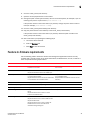
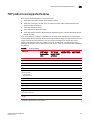
The Management application provides three pre-configured roles:
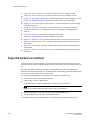
• Storage encryption configuration.
• Storage encryption key operations.
• Storage encryption security.
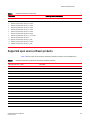
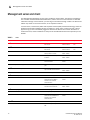
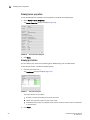
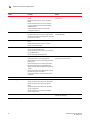
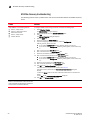
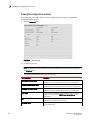
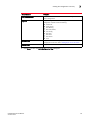
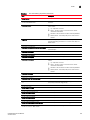
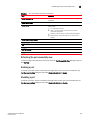
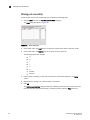
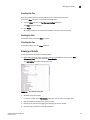
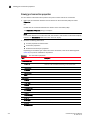
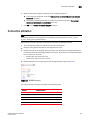
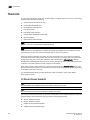
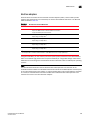
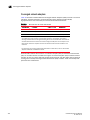
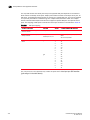
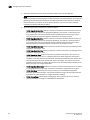
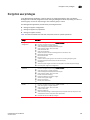
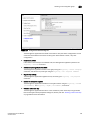
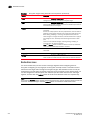
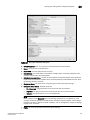
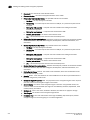
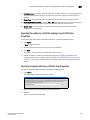
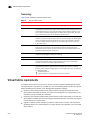
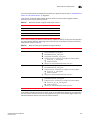
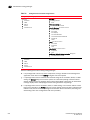
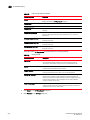
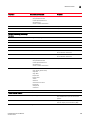
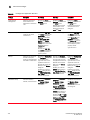
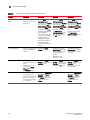
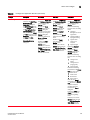
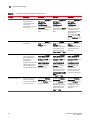
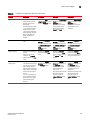
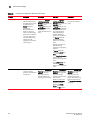
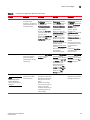
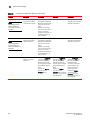
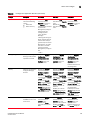
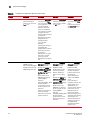
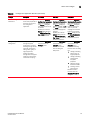
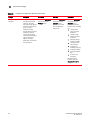
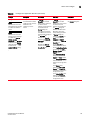
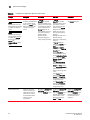
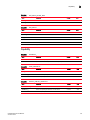
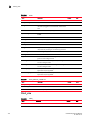
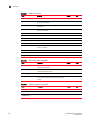
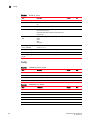
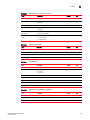
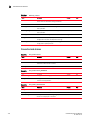
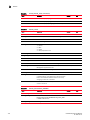
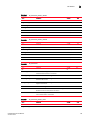
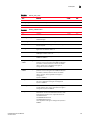
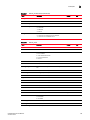
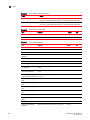
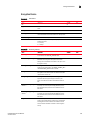
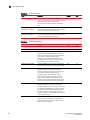
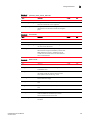
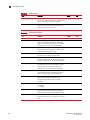
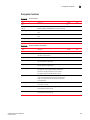
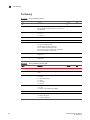
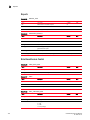
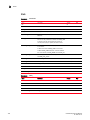
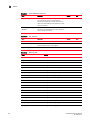
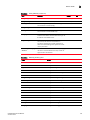
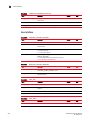
Table lists the associated roles and their read/write access to specific operations.
Privilege
Read/Write
Storage Encryption
Configuration
Enables the following functions from the Encryption Center dialog box:
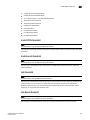
Storage Encryption Key
Operations
Enables the following functions from the Encryption Center dialog box:
Storage Encryption
Security
Enables the following functions from the Encryption Center dialog box:
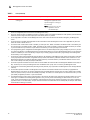
•
•
•
•
•
•
•
•
•
•
•
•
•
•
•
•
•
•
•
•
•
•
•
•
•
•
•
•
•
•
•
DCFM Enterprise User Manual
53-1001775-01
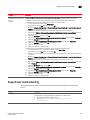
Launch the Configure Encryption dialog.
View switch, group, or engine properties.
View the Encryption Group Properties Security tab.
View encryption targets, hosts, and LUNs.
View LUN centric view
View all re-key sessions
Add/remove paths and edit LUN configuration on LUN centric view
Rebalance encryption engines.
Decommission LUNs
Edit smart card
Create a new encryption group or add a switch to an existing encryption group.
Edit group engine properties (except for the Security tab)
Add targets.
Select encryption targets and LUNs to be encrypted or edit LUN encryption settings.
Edit encryption target hosts configuration.
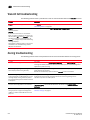
Launch the Configure Encryption dialog.
View switch, group, or engine properties,
View the Encryption Group Properties Security tab.
View encryption targets, hosts, and LUNs.
Initiate manual LUN re-keying.
Enable and disable an encryption engine.
Zeroize an encryption engine.
Restore a master key.
Edit key vault credentials.
Launch the Configure Encryption dialog.
View switch, group, or engine properties.
View encryption targets, hosts, and LUNs.
Create a master key.
Backup a master key.
View and modify settings on the Encryption Group Properties Security tab (quorum size,
authentication cards list and system card requirement).
Establish link keys for LKM key managers.
495