1
Change password
Here you change your passwords. Protect your phone from
unauthorized access with own passwords.
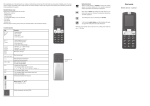
1. Press Menu. By pressing
or
select the entry Settings
and confirm with OK.
2.Select Security and press OK.
3.Select Change password and press OK.
4.Select PIN to change your PIN code. You have to enter your
old PIN code and then 2x the new PIN code, confirming each
time with OK. You received the PIN code together with the
SIM card from your service provider.
5.Select PIN2 to change your PIN2 code. You have to enter
your old PIN2 code and then 2x your new PIN2 code,
confirming each time with OK. You received the PIN2 code
together with the SIM card from your service provider.
6.Select Phone password to change your phone password.
You have to enter your old password and then 2x the new
password, confirming each time with OK. By default the
password is: 1122.
Restore factory settings
Here you can restore the factory settings of your phone. The
phone passwords will then be: 1122
1. Press Menu. By pressing
or
select the entry Settings
and confirm with OK.
2.Select Restore factory settings and press OK.
English 48