1
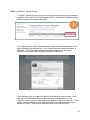
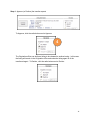
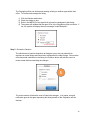
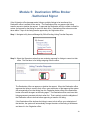
Module 1: New Features Agents will be able to request a listing transfer from one office to another in a few short steps. The ezListingTransfer Request link is now available for an agent to submit a transfer request electronically. There are several new features in using this ezListingTransfer request: No more faxing the Listing Transfer Request form by Agents requesting their listings to be transferred from one office to another. Listings must have the agent as the Listing Agent and be eligible to transfer. Eligibility depends on status of the listing, whether the listing was already transferred or the whether the listing agent ID was changed by the Origination office. The online form is submitted to the Origination office’s Broker or Authorized Signer for approval electronically, similar to ezJoin applications. Their approval must be completed within 7 days of the request or the request will be cancelled. If approved, the request is submitted to the Destination office’s Broker or Authorized Signer for approval electronically. Their approval must be completed within 7 days of the Origination office’s Broker or Authorized Signer approval or the request will be cancelled. Email notifications are sent to the agent that the ezListingTransfer request has been submitted for approval. Email notifications are sent to the Origination office’s Broker or Authorized Signer for approval and the Destination office’s Broker or Authorized Signer for approval. Reminder email notifications are sent to the Broker or Authorized Signer before the 7 day timeframe for approval expires. Email notification is sent to the Origination office that the transfer was completed. Once an ezListingTransfer is approved by the Destination office, the listing transfer is completed immediately by the system. 3