1
Simulator Reference Manual
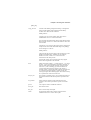
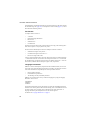
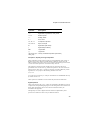
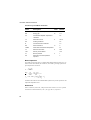
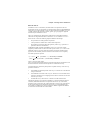
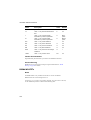
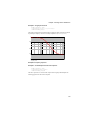
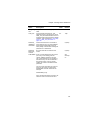
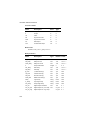
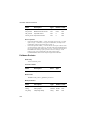
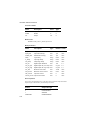
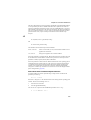
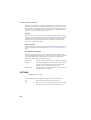
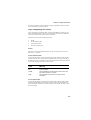
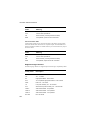
Global Settings
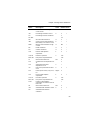
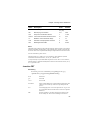
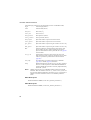
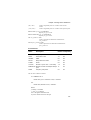
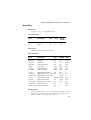
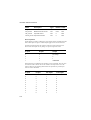
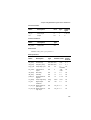
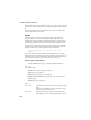
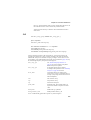
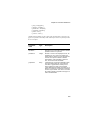
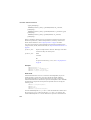
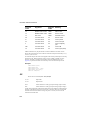
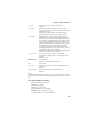
Name
Type
Default
Description
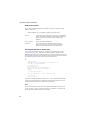
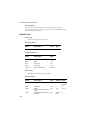
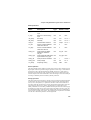
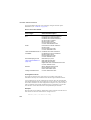
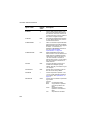
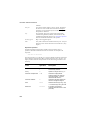
NoStopOnUnknownParam
String
WARN
Specifies action to be
taken in the event of an
unknown parameter
being encountered in a
.MODEL statement.
Choices are:
TRUE: No action
taken, simulation
continues normally
FALSE: An error will be
raised and the
simulation will abort
WARN: A warning will
be displayed but the
simulation will continue
This will be overridden
by a .OPTIONS setting
of the same name. See
page 235
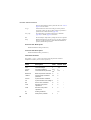
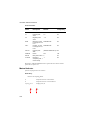
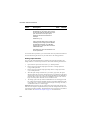
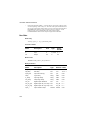
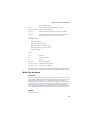
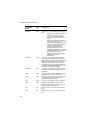
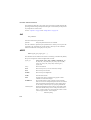
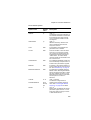
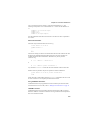
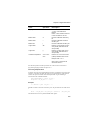
MaxVectorBufferSize
Numeric 32768
See “Data Buffering”
below
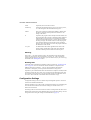
TotalVectorBufferSize
Numeric Available RAM/10 See “Data Buffering”
below
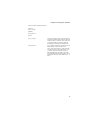
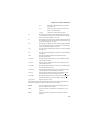
TempDataDir
String
%STARTDIR%
Location of temporary
binary data file if
data_file is not
specified on command
line
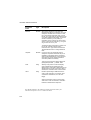
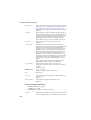
LibraryDiagnostics
String
Full
Controls output of
messages relating to
model library search.
Specify None to
disable
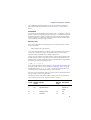
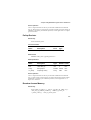
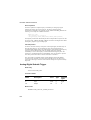
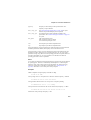
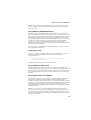
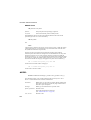
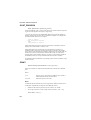
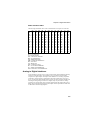
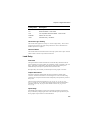
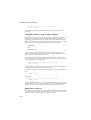
Data Buffering
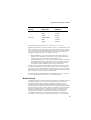
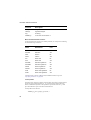
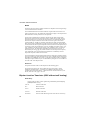
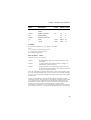
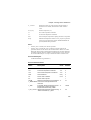
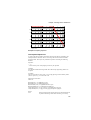
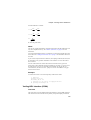
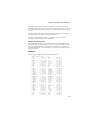
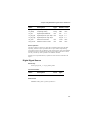
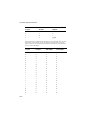
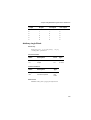
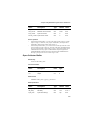
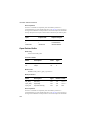
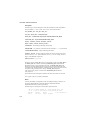
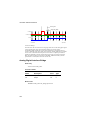
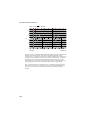
The simulator buffers data before writing it to disk. By doing so the binary data file can
be organised more efficiently allowing data to be recovered from it quickly. There is a
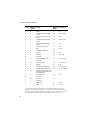
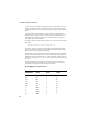
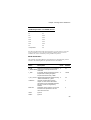
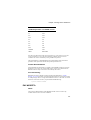
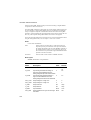
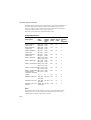
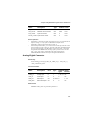
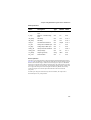
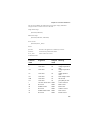
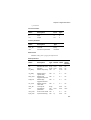
relationship between buffer size and read in time as illustrated by the following table.
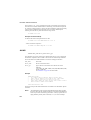
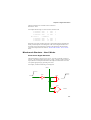
This shows the time taken to read in a 14MByte vector from a 1GByte data file with
the system disk cache cleared. The tests were performed with three different buffer
sizes on two different systems. One system was an old notebook computer with an IDE
disk system. The other was a machine with a high performance SCSI Ultra 320 disk.
18