1
Chapter 14
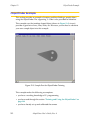
4-Axis SCARA Robot with Camera on Link #2
4-Axis SCARA Robot with Camera on Link #2
The instructions in this section will work for a camera mounted on SCARA, XY,
XYZ, or XYZ-Theta type robots. The strategies shown in this section can be
extended to define a guided vision application with the camera mounted on any
axis of a motion device.
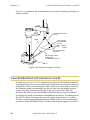
When you use a robot-mounted camera, the camera calibration transformation
defines the location of the vision coordinate frame relative to the robot link on
which the camera is mounted. In order to use location information from the vision
system, you must know the relationship between the link holding the camera and
the robot world coordinate system.
For a camera mounted on the robot, we conceptually break down the robot into a
series of links connected by joints. Each link can be considered as having its own
coordinate system. For example, the world coordinate system is the same as the
coordinate system of the base of the robot (link #0). For Adept SCARA robots, the
origin of the world coordinate system is on the joint-1 axis at the level of the robot
base.
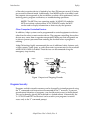
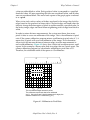
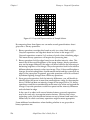
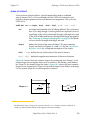
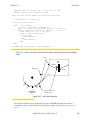
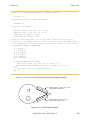
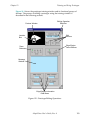
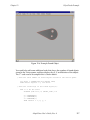
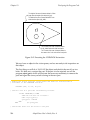
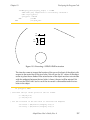
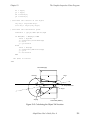
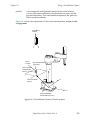
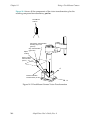
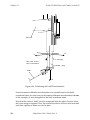
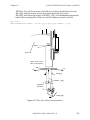
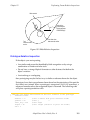
The outer link of an Adept SCARA robot is link #2. (Figure 14-3 shows the “link2”
coordinate frame.) We define the coordinate system for link #2 as follows:
• The origin is fixed relative to the outer link, at the center of the quill, at the
height of the quill flange when joint 3 is at its zero position.
• The Z axis points down.
• The X axis points away from joint #2, as if it is an extension of the outer link.
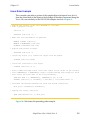
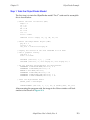
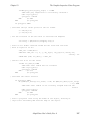
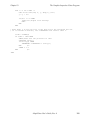
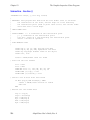
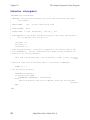
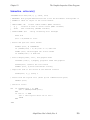
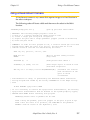
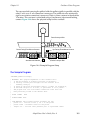
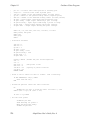
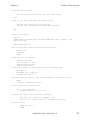
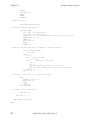
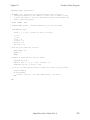
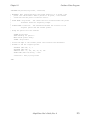
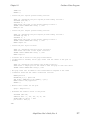
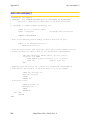
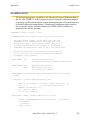
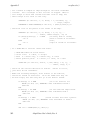
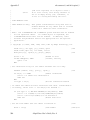
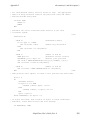
The following program shows how to locate and acquire a part with a camera
mounted on link #2.
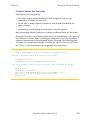
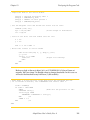
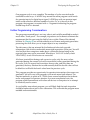
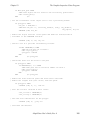
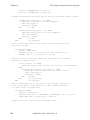
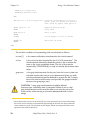
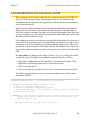
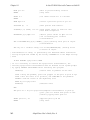
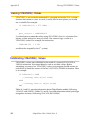
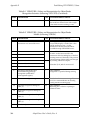
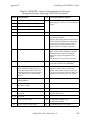
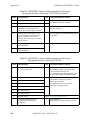
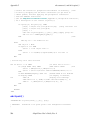
.PROGRAM pickup.part.lk2()
;pick up part with link 2 camera
; ABSTRACT: The following sample program is used to:
;
1) Move to a picture-taking location
;
2) Locate a single part using blob recognition
;
3) Acquire the part with a single pneumatic gripper (vacuum or mechanical)
;
4) Raise the part 50 mm
;
; COMMENTS: In order for this program to run, a location called "pic.loc" must
;
already exist. When the robot is at pic.loc, the part must be in the
;
camera's field of view.
LOCAL jt[], link2, obj.loc, part.loc, vis.loc, $ret
AdeptVision User’s Guide, Rev. A
261