1
SYSTEM DESCRIPTION & RELAY SETUP
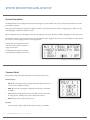
BATTERY CAPACITY TRIGGER MENU
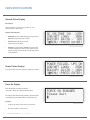
This menu allows you to control a relay based on
battery capacity during a power failure. When the
battery capacity drops below the set battery capacity,
the relay is turned ON. The relay can be used to put the
cabinet into Flash so the backup time can be increased.
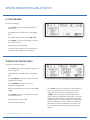
To Setup a Battery Capacity Trigger:
Select NEXT to get to the battery capacity trigger panel,
if not already on it.
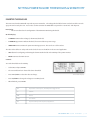
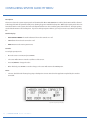
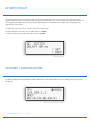
Battery Capacity Trigger Menu Display
Select SET. The cursor will now be in the trigger pane.
Press LEFT/RIGHT to move the cursor.
Press UP/DOWN to change the capacity trigger point.
After entering the capacity point, move the cursor to ON
or OFF.
Press ENTER. The save menu will appear and the cursor
will move to it.
Review changes and select YES.
The relay is now configured.
RELAY STATUS MENU
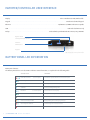
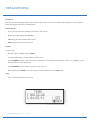
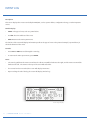
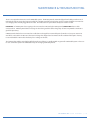
Selecting “STATUS” from the Relay menu brings up the
follows display:
The real time status of all 8 relays is shown on this
display. The “C” under the R1 relay heading indicates
that Relay 1 is energized and the normal open contact
is Closed. The “O” under the other relay headings indicates that the other relays are not energized and the
normal open contacts are Open.
Relay Status Menu Display
This display shows status only and has nothing that can
be changed by the user.
U P S T E A LT H U S E R M A N U A L / 2 0