1
MailEnable Webmail End User Manual
Chapter 1
INTRODUCTION TO MAILENABLE SOFTWARE
MailEnable Webmail Introduction.
W ebmail is an email service that uses a web browser as an interf ace allowing the viewing,
sending, receiving, editing and deleting of email just as you would with your standard email clients
such as Outlook or Eudora. Webmail has many advantages for business and consumers alike, there
is also a distinct advantage f or mobil e users as access to email can be achieved through any
computer in the world that has access to the internet and contains a web browser.
The MailEnable Webmail service is similar to services such as hotmail, yahoo and other
Webmail services that are available through the internet, with easy access emails can be viewed
while on a remote server instead of having to download messages with each account login. A unique
advantage with MailEnable Webmail is larger files can be attained through the service than with the
other industry email services previously mentioned. With MailEnable there is no limit on email size
this ensures that all files are receiv ed which can be detrim ental to business and users ali ke as files
can be received anywhere in the world without rejection.
A positive feature of MailEnable is it's virus protection as all scanning and cleaning of email
and files is seamless, it can be completely configured at a server level so a user is not aware of the
scanning but can be sure that viruses are not accepted and are not inadvertently sent to other users.
Most virus protection applications are configurable and supported using the MailEnable Webmail
service this allows v arying degrees of protection and gives the f reedom to set and personalise the
attribute of email virus scanning.
MailEnable Webmail Requirements and Getting Started.
To access MailEnable Webmail a user has to firstly have an account, this should be arranged
through the department of Manager MIS, MEPCO Compuer Center, Multan.
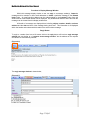
Once an account has been established an authorized user simply logs on to a PC and
accesses the internet then using a web browser the user can access the Webmail internet sight logon
screen where logging into a user inbox is required.
(If unsure how to access the internet and use a browser on a PC, contact [email protected])
(If unsure what your web address for MailEnable is contact [email protected]).
(In this case and the case throughout this manual we will use MAILENABLE.COM for our example where you
see this you should change MAILENABLE.COM to your respective DNS name.
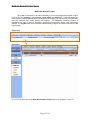
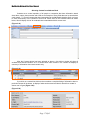
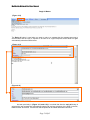
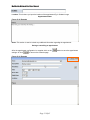
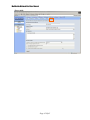
(Figure 1.1)
www.mail.mepco.com.pk/mewebmail
Page 3 Of 45