1
3) Micro SD Card
The Log Box comes with a 2GB micro SD card. This card will allow you to log approximately 350
hours of engine data at the fast baud rate (every 52ms). There is a provision in the plastic case to
remove the micro SD card however, we do not recommend regular removal of the micro SD card.
The micro SD card contents are available when you plug the log box into your computer via the
supplied USB cable.
4) Updating the firmware
The firmware (software) that runs on the Log Box is easily updateable to allow you to install future
enhancements. The Log Box comes preinstalled with the latest version of the firmware.
To update the firmware:
1) Download the latest version of the firmware from the Woolich Racing web site
http://woolichracing.com/downloads.aspx
2) Plug the Log Box into your computer using the suppled USB cable
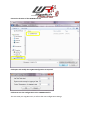
3) Save the file “firmware.bin” to the Log Box
4) The next time the Log Box starts the firmware will be updated
5) Installing the FTDI Drivers
To install the FTDI drivers you should move the Mode Selection switch into either Engine Data mode
(mode selection switch right) or ECU Flashing mode (mode selection switch left).
Windows 7
On Windows 7 computers the Log Box should be automatically detected and installed onto the
computer. All you need to do is plug the Log Box into the computer’s USB port and the relevant
drivers will be downloaded, installed and configured onto your computer. If you experience any
difficulty refer to the FTDI Installation Guides below.
Windows XP
On Windows XP computers you may need to download and install the drivers for the Log Box
from the following location:
http://www.ftdichip.com/Drivers/CDM/CDM20814_Setup.exe
FTDI Installation Guides
Installation guides for various operating systems can be found on the FTDI site:
http://www.ftdichip.com/Support/Documents/InstallGuides.htm