1
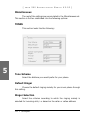
Administrator‘s
Manual
snom 200
Version v2.03
snom technology AG
Pascalstr. 10B
10587 Berlin, Germany
© 2004 snom technology Aktiengesellschaft.
All Rights Reserved. This document is supplied by snom technology AG. No part of this
document may be reproduced, republished or retransmitted in any form or by any means
whatsoever, whether electronically or mechanically, including, but not limited to, by way of
photocopying, recording, information recording or through retrieval systems, without the
express written permission of snom technology AG.
snom technology AG reserves the right to revise this document and make changes at any
time and without the obligation to notify any person and/or entity of such revisions and/or
changes.
Trademarks
PowerDsine is a registered trademark of PowerDsine LTD.
RedHawk is a registered trademark of Red Hawk/CDT.
Tedas is a registered trademark of Tedas Technology GmbH.
All other trademarks and registered trademarks are the property of their respective
owners.
Foreword
Congratulations on the purchase of your snom 200 Voice-over IP
telephone!
Telephony is part of our everyday life. Over a period of more
than 100 years a form of communication has evolved that is impossible
to ignore. In spite of the new technology base of the snom 200, most of
its look and feel will be very familiar to you and you should be able to use
it intuitively.
The world of the Internet, on the other hand, has opened up a
whole range of new possibilities. Many users work with web browsers and
own one or more email accounts. These users will find it easy to manage
the phone via its web interface or to make a call to, for example, “sip:
[email protected]”.
We are confident that developments in the computer industry will
follow those in the telecom world.
VoIP is not only about transporting speech over data networks.
It is about interoperability and breaking up a vertical market, as well
as streamlining business processes by seamlessly integrating the
telephone into computer networks and applications. With its technical
flexibility, snom’s commitment to all open and relevant standards and
our cooperation with other vendors in the VoIP industry, the snom 200
represents a safe investment for the future.
We would like to take this opportunity to wish you a great time
in the world of VoIP.
snom technology AG
snom technology AG •
3
[
S N O M
200 ADMIN
I S T R A T O R
MAN
U A L
V2.03 ]
Note to the reader
This manual is an administrator manual describing the snom 200
running in administrator mode. You will find the user mode and
further information in the user manual.
The current version of this user manual can be obtained from:
http://www.snom.com/download/
4 •
Table of Contents
Foreword....................................................................3
Note to the reader ...................................................................... 4
Installation ................................................................9
Delivery Content ........................................................................ 9
Safety Notes .............................................................................. 9
Power supply................................................................................................................................................................................................. 9
Setting up the Phone .................................................................................................................................................................... 10
Cleaning ........................................................................................................................................................................................................... 10
Connecting the phone ................................................................................................................................................................ 10
Keypad.................................................................................... 11
Initialization............................................................................. 12
Booting .............................................................................................................................................................................................................. 12
Selecting the language ............................................................................................................................................................. 13
DHCP Configuration......................................................................................................................................................................... 13
Selecting the IP Address .......................................................................................................................................................... 14
Selecting the Netmask ................................................................................................................................................................ 14
Selecting the IP Gateway........................................................................................................................................................ 14
Selecting the DNS Server ....................................................................................................................................................... 15
Selecting the Tone Scheme ................................................................................................................................................. 15
Selecting the Timezone ............................................................................................................................................................. 15
Logging on the first account ............................................................................................................................................... 16
Logon ......................................................................17
Mobility ................................................................................... 17
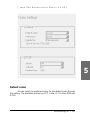
Logon wizard ........................................................................... 17
Registration menu..................................................................... 18
Select outgoing line ........................................................................................................................................................................ 19
DND ...................................................................................... 20
Challenge/Authentication ........................................................... 21
Basic Functions ........................................................23
Idle state................................................................................. 23
snom technology AG •
5
[
S N O M
200 ADMIN
I S T R A T O R
MAN
U A L
V2.03 ]
Dialing ................................................................................... 23
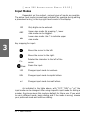
Input Modes ............................................................................................................................................................................................... 24
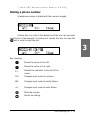
Dialing a phone number ......................................................................................................................................................... 25
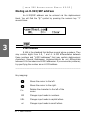
Dialing an H.323/SIP address .......................................................................................................................................... 26
Dialing an IP address .................................................................................................................................................................... 27
Number guessing................................................................................................................................................................................ 28
Terminating a call .................................................................... 28
Incoming call ........................................................................... 28
Accepting a call ..................................................................................................................................................................................... 29
Denying/blocking a call.............................................................. 29
Adjusting the volume ................................................................ 30
Mute / Unmute ........................................................................ 30
Handset / Handsfree / Headset .................................................. 31
Programmable Keys .................................................................. 31
Line ......................................................................................................................................................................................................................... 32
Destination................................................................................................................................................................................................... 33
Intercom.......................................................................................................................................................................................................... 33
Park orbit........................................................................................................................................................................................................ 33
Voice recorder ......................................................................................................................................................................................... 34
DTMF .................................................................................................................................................................................................................... 34
snom200 Menus ....................................................................... 35
Call Forwarding...................................................................................................................................................................................... 35
Forwarding Options ......................................................................................................................................................................... 35
Configuration ............................................................................................................................................................................................ 36
Volume Settings ................................................................................................................................................................................... 37
General Settings .................................................................................................................................................................................. 38
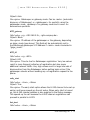
Other Settings......................................................................................................................................................................................... 40
System Info ................................................................................................................................................................................................ 40
SW Update ................................................................................................................................................................................................... 41
Information ................................................................................................................................................................................................. 41
Advanced Functions ................................................43
Hold and resume ..................................................................... 43
Transfer................................................................................... 44
Direct Transfer ......................................................................... 44
Consultation Transfer ................................................................................................................................................................... 44
Conference .............................................................................. 45
Call Diversion ........................................................................... 45
Diverting all calls................................................................................................................................................................................. 45
Divert when Busy ............................................................................................................................................................................... 46
Divert when not answered .................................................................................................................................................... 46
6 •
Table of Contents
[
S N O M
200 ADMIN
I S T R A T O R
MAN
U A L
V2.03 ]
Call completion......................................................................... 46
On busy ............................................................................................................................................................................................................ 46
DTMF Tones ............................................................................. 47
Message Waiting Indication (MWI) .............................................. 47
Conducting a Software Update.................................................... 48
Additional PBX Features ............................................................. 48
Pickup .................................................................................................................................................................................................................. 48
Conference ................................................................................................................................................................................................... 49
Call Register ............................................................51
Phone book.............................................................................. 51
Adding an entry .................................................................................................................................................................................... 52
Editing an entry .................................................................................................................................................................................... 53
Export.................................................................................................................................................................................................................. 54
Import................................................................................................................................................................................................................. 56
Call Lists .......................................................................................................................................................................................................... 58
Speed Dial ............................................................................... 60
Dialing................................................................................................................................................................................................................. 60
Editing speed dial entries ....................................................................................................................................................... 60
Deny List ................................................................................. 61
Browsing ......................................................................................................................................................................................................... 61
Adding a number ................................................................................................................................................................................ 62
Removing a number ....................................................................................................................................................................... 63
Settings ................................................................................. 63
.................................................................................................................................................................................................................................
63
Settings Files ............................................................................................................................................................................................ 63
Downloading procedure............................................................................................................................................................. 64
Settings Details ........................................................................ 65
Redirection ................................................................................................................................................................................................. 66
Basic .................................................................................................................................................................................................................... 66
SIP Line Settings ............................................................................................................................................................................... 68
SIP Stack Settings .......................................................................................................................................................................... 70
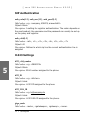
SIP Authentication .......................................................................................................................................................................... 74
H.323 Settings ..................................................................................................................................................................................... 74
Gateway prefixes (H.323 only) .................................................................................................................................... 76
PBX key codes (H.323 only) ............................................................................................................................................. 77
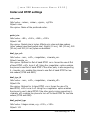
Codec and DTMF settings ..................................................................................................................................................... 79
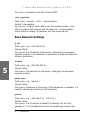
Base Network Settings ............................................................................................................................................................. 80
Advanced Network Settings .............................................................................................................................................. 82
Update .............................................................................................................................................................................................................. 83
Miscellaneous ......................................................................................................................................................................................... 83
snom technology AG •
7
[
S N O M
Other Settings
200 ADMIN
I S T R A T O R
MAN
U A L
V2.03 ]
......................................................................................................................................................................................
84
Settings via Web Browser .......................................................... 85
Settings Options ...................................................................... 87
Redirection ................................................................................................................................................................................................... 87
Base ....................................................................................................................................................................................................................... 88
SIP ........................................................................................................................................................................................................................... 92
Outbound Proxy .................................................................................................................................................................................... 95
NAT ......................................................................................................................................................................................................................... 95
SIP timers ..................................................................................................................................................................................................... 97
Others ................................................................................................................................................................................................................. 98
Dial Plans........................................................................................................................................................................................................ 99
H.323 ................................................................................................................................................................................................................101
Codecs .............................................................................................................................................................................................................104
Network .........................................................................................................................................................................................................107
Time Settings ........................................................................................................................................................................................108
Appendix ................................................................119
Standard Conformance .............................................................119
Index .....................................................................121
8 •
Table of Contents
Installation
1
Delivery Content
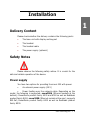
Please check whether the delivery contains the following parts:
§
The base unit with display and keypad
§
The handset
§
The handset cable
§
The power supply (optional)
Safety Notes
Please observe the following safety advice. It is crucial for the
safe and reliable operation of the device.
Power supply
You have two options for providing the snom 200 with power:
§
An external power supply (48 V)
§
Power feeding over the network cable. Depending on the
model, the following is supported: snom200A (Ethernet sockets at the
bottom): PowerDsine product family 4000 and 6000 as well as RedHawk
product family 8400; snom200B (Ethernet sockets at the rear): supports
802.3af; PowerDsine product family 6000 as well as RedHawk product
family 8500.
snom technology AG •
9
[
S N O M
200 ADMIN
I S T R A T O R
MAN
U A L
V2.03 ]
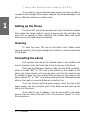
If you want to use an external power supply, use the one that is
included in the package. Other power supplies may cause damage to the
phone, affect the behavior or induce noise.
1
Setting up the Phone
The snom 200 should only be placed on even, horizontal surfaces
that enable the rubber pads to ensure a secure grip. Do not place the
snom 200 on carpets or other materials that contain fibers that could
block the air vents and cause overheating.
Cleaning
To clean the snom 200 use an anti-static cloth. Please avoid
cleaning liquids as they might damage the surface or internal electronics
of the phone.
Connecting the phone
First connect one end of the handset cable to the handset and
then to the jack on the left-hand side of the phone (see illustration).
Next plug the Ethernet (network) cable into the RJ45 connector,
which is named “NET” or “S0” and is the nearest to the middle of the
phone (as shown below), and plug the other end into the network side
to establish a data link. The second RJ45 connector at the edge of the
phone named “PC” or “UP0“ is for daisy-chaining further Ethernet devices
without the need for a second Ethernet connection line.
If you are using an external power supply, insert the plug of the
power supply into the connector next to the data line and hook up the
casing into the mains.
If you want to use a headset, it can be connected to the audio
jacks on the rear side of the snom 200. The connector named “in“ is for
the microphone.
10 •
Installation
[
S N O M
200 ADMIN
I S T R A T O R
MAN
U A L
V2.03 ]
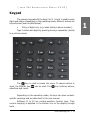
Keypad
The numeric keypad with the keys 0 to 9, * and # is used to enter
digits and letters. Depending on the operating mode, different actions can
be performed (see the table below):
§
Entry of digits only (e.g. when dialing a phone number),
Type in letters and digits by pressing the keys repeatedly (similar
to a cellular phone).
The
key is used to invoke the menu. To cancel actions or
input, the CANCEL key
can be used. The
key confirms actions,
selections and inputs.
Depending on the operating mode, the keys can have contextspecific meanings and are described in this user manual.
Softkeys F1 to F3 are context-sensitive function keys. Their
current mapping is depicted in the bottom line on the display through
texts.
snom technology AG •
11
1
[
S N O M
200 ADMIN
I S T R A T O R
MAN
U A L
V2.03 ]
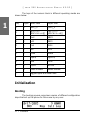
The keys of the numeric block in different operating modes are
shown below:
1
Key
Digits Lower case
Upper case
0
0
(SPC)_0
(SPC)_0
1
1
.@1,?!-/():
;&%*#+<=>$[]
.@1,?!-/():
;&%*#+<=>$[]
2
2
abc2
ABC2
3
3
def3
DEF3
4
4
ghi4
GHI4
5
5
jkl5
JKL5
6
6
mno6
MNO6
7
7
pqrs7$
PQRS7$
8
8
tuv8
TUV8
9
9
wxyz9
WXYZ9
#
#
Guess number
Guess number
*
*
Toggles upper and lower case
Initialization
Booting
The booting process comprises a series of different configuration
steps that set up the phone for future use by any user.
12 •
Installation
[
S N O M
200 ADMIN
I S T R A T O R
MAN
U A L
V2.03 ]
If the phone does not reach this operation mode and also fails
to reach the logon mode (see below), you should consult your network
administrator or Internet service provider or refer to the “Administrator
Manual”.
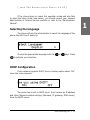
Selecting the language
The phone will ask the administrator to select the language of the
phone the first time it boots up.
Choose the appropriate language with the
to activate your selection.
or
keys. Press
DHCP Configuration
If the network supports DHCP, then on bootup option select “On“
when the menu appears:
The phone has a built-in DHCP client. It will receive an IP address
and other Network-related settings (Netmask, IP gateway, DNS server)
from the DHCP server.
snom technology AG •
13
1
[
S N O M
200 ADMIN
I S T R A T O R
MAN
U A L
V2.03 ]
If, on the other hand, DHCP is not used, select “Off“ in the menu
above. The administrator will subsequently be asked for the following
settings.
1
Selecting the IP Address
The administrator can provide a static IP address for the phone
if DHCP is not used.
A valid IP address appropriate to the network in which the phone
is being used can be provided.
Selecting the Netmask
Similarly, the administrator will be asked to provide IP addresses
for Netmask:
Selecting the IP Gateway
If a valid Netmask has been provided, the administrator will be
asked for the IP address of the IP gateway:
14 •
Installation
[
S N O M
200 ADMIN
I S T R A T O R
MAN
U A L
V2.03 ]
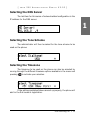
Selecting the DNS Server
The last item for this series of networkrelated configuration is the
IP address for the DNS server:
1
Selecting the Tone Scheme
The administrator will then be asked for the tone scheme to be
used on the phone:
Selecting the Timezone
The timezone to be used on the phone can also be selected by
moving through the different timezone options available in the menu and
pressing
to activate your selection.
If the settings explained above are set up properly, the phone will
ask for the first account registration.
snom technology AG •
15
[
S N O M
200 ADMIN
I S T R A T O R
MAN
U A L
V2.03 ]
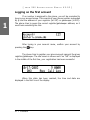
Logging on the first account
1
If no number is assigned to the phone, you will be prompted to
type in your account name. This consists of your phone number succeeded
by @ and the address of your registrar (for SIP) or gatekeeper (H.323).
The phone tries to guess the correct registrar/gatekeeper address, so it
could look something like this:
After typing in your account name, confirm your account by
pressing the
key.
The phone tries to register your given account name at the given
registrar/gatekeeper. The idle screen is shown and if no “NR“ is displayed
in the middle of the first line, your registration has been successful.
When this state has been reached, the time and date are
displayed in the first line of the display.
16 •
Installation
Logon
Mobility
In office environments, different employees sometimes share
desktops at the same time or at different points in time (e.g. employees
working different shifts etc). The phones that are located at the desktops
need to be able to cater for this.
To ease the effort of assigning the appropriate phone number to
the phone for each different employee, the snom200 offers the so-called
mobility features, which are described in the next sub-chapters.
Logon wizard
If no number is assigned to the phone, you will be prompted to
type in your account name. This consists of your phone number succeeded
by @ and the address of your registrar (for SIP) or gatekeeper (H.323).
The phone tries to guess the correct registrar/gatekeeper address, so it
could look something like this:
After typing in your account name, confirm your account by
pressing the
key.
The phone tries to register your given account name at the given
registrar/gatekeeper. The idle screen is shown, and if no “NR“ is displayed
in the middle of the first line, your registration has been successful.
snom technology AG •
17
2
[
S N O M
200 ADMIN
I S T R A T O R
MAN
U A L
V2.03 ]
Registration menu
2
Suppose that you want to logon a user 777 by using the third
registration line.
Press “Edit” to start editing the registration line information. First
type in the phone number of the user:
After confirming with
should be typed in.
18 •
Logon
the registrar/gatekeeper address
[
S N O M
200 ADMIN
After pressing
I S T R A T O R
MAN
U A L
V2.03 ]
the whole registration line is shown again.
2
Logoff user
Choose the registration line where you want to logoff the user
and press “Edit”.
Remove the current phone number with
. Confirm this and
the following registrar/gatekeeper entry by pressing
. Registrar/
gatekeeper entry can remain filled in for later use.
Select outgoing line
Select the registration line you want to use as your outgoing
identity for the next call by pressing “Next”.
snom technology AG •
19
[
S N O M
200 ADMIN
I S T R A T O R
MAN
U A L
V2.03 ]
And activate the chosen registration line by pressing “Activate”.
2
By choosing a different registration line, your originator phone
number is changed to this line. This means that different people can start
calls from the same phone with their own originator phone number and
the called phone will display this current outgoing line information. The
current outgoing line is marked at the registrations screen with a “*”
directly in front of the registered SIP line.
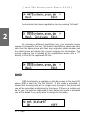
DND
DND functionality is available on the idle screen of the snom200
phone. DND is short for “Do Not Disturb“. If this mode is activated, it
means that incoming calls will no longer come through to the phone and
you will be completely undisturbed by the phone. If there is a mailbox set
up for you, the calls are redirected to this. Before this mode is activated
you will be asked if you really want to change to this mode.
20 •
Logon
[
S N O M
200 ADMIN
I S T R A T O R
MAN
U A L
V2.03 ]
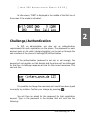
In idle screen, “DND” is displayed in the middle of the first line of
the screen if the mode is activated.
2
Challenge/Authentication
In SIP, an administrator can also set up authentication
requirements for each registration on the phone. The password for each
account name on its realm (domain/registrar) can be set up through the
web interface of the phone in Settings/SIP/Authentication.
If the authentication password is not set, or set wrongly, the
account will not register on that domain and the phone will be challenged
for that line. A challenge response will ask for the correct username. This
can look like:
It is possible to change the username as it could have been typed
incorrectly by mistake. Confirm your change by pressing
.
You will then be asked for the password for that registration
account. Type in the password in the window that will look like the
following:
snom technology AG •
21
[
2
S N O M
200 ADMIN
I S T R A T O R
MAN
U A L
V2.03 ]
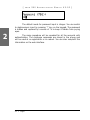
The default mode for password input is integer. You can switch
to alphanumeric input by pressing ‘*’ key on the keypad. The password
is hidden and replaced by a series of *s to keep it hidden from prying
eyes.
The same procedure will be repeated for all the accounts with
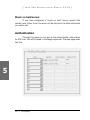
authentication. The challenge responses are stored in the phone and
will be used at re-registration or on reboot. You can also view/edit this
information on the web interface.
22 •
Logon
Basic Functions
Idle state
In idle state, the phone shows the date and time in the first line
of the display and the second line shows the currently valid functions
mapped onto the three softkeys.
3
Dialing
There are two methods with which to begin a call from the idle
state of snom 200. You can either start dialing with the handset resting
in the cradle and then pick it up, or you can pick up the handset and then
dial the number. In the latter case you will have to press
to indicate
that the number is complete and dialing can commence.
display.
The snom 200 shows the current communication status in the
snom technology AG •
23
[
S N O M
200 ADMIN
I S T R A T O R
MAN
U A L
V2.03 ]
Input Modes
Dependent on the context, various types of inputs are possible.
The active input mode is sometimes indicated (by example during editing
a phonebook entry) in the top right-hand corner of the display:
3
123
Only digits can be entered.
ABC
Upper case mode. By pressing *, lower
case mode can be toggled.
abc
Lower case mode. Use * to activate upper
case mode.
Key mapping for input:
Moves the cursor to the left.
Moves the cursor to the right.
C</Clear
Deletes the character to the left of the
cursor.
Clears the input.
123
Changes input mode to numbers.
URL
Changes input mode to capital letters.
url
Changes input mode to small letters.
As indicated in the table above, with “123”, “URL” or “url” the
input mode can be changed. After using a specific input mode for dialing a
number, the phone saves this mode as default for future use. If you want
to use a different mode, begin dialing and if the mode is wrong, choose
your preferred mode and continue dialing.
24 •
Basic Functions
[
S N O M
200 ADMIN
I S T R A T O R
MAN
U A L
V2.03 ]
Dialing a phone number
A telephone number is dialed with the numeric keypad.
If block dial is on (this is the default) and the user has not done
anything for a few seconds, the phone will remind the user to press the
key in order to start the call.
3
Key mapping:
Moves the cursor to the left.
Moves the cursor to the right.
C<-
Deletes the character to the left of the
cursor.
123
Changes input mode to numbers.
URL
Changes input mode to capital letters.
url
Changes input mode to small letters.
Dials the number.
Aborts the dialing.
snom technology AG •
25
[
S N O M
200 ADMIN
I S T R A T O R
MAN
U A L
V2.03 ]
Dialing an H.323/SIP address
An H.323/SIP address can be entered via the alphanumeric
block. You will find the “@” symbol by pressing the numeric key “1”
several times.
3
E.164 numbers
E.164 is the standard that defines normal phone numbers. They
may contain digits from 0-9, * and #. H.323 differentiates between
these numbers and “H.323 addresses” that may contain alphanumeric
characters. Several Gatekeeper implementations do not differentiate
between E.164 numbers and H.323 addresses. If you encounter problems,
try specifying the number as an H.323 address.
__________________________________________________________
Key mapping:
Moves the cursor to the left.
Moves the cursor to the right.
C<-
Deletes the character to the left of the
cursor.
123
Changes input mode to numbers.
URL
Changes input mode to capital letters.
url
26 •
Changes input mode to small letters.
Basic Functions
[
S N O M
200 ADMIN
I S T R A T O R
MAN
U A L
V2.03 ]
Dials the H.323/SIP address if entered
correctly.
Aborts the dialing.
Dialing an IP address
The IP address can be entered via the numeric block. Please use
the “*” key instead of the dot (“.”)!
3
Key mapping:
Moves the cursor to the left.
Moves the cursor to the right.
C<-
Deletes the character to the left of the cursor.
123
Changes input mode to numbers.
URL
Changes input mode to capital letters.
url
Changes input mode to small letters.
Dials the IP address if entered correctly.
Aborts the dialing of the IP address.
snom technology AG •
27
[
S N O M
200 ADMIN
I S T R A T O R
MAN
U A L
V2.03 ]
Dialing an IP Address
When calling an IP address, the called phone or computer cannot
determine which user you want to reach. In SIP mode it is assumed that
“anonymous” is being called, and with H.323 no assumptions are made.
This works with many phones and applications. Therefore, you should
only use this method in exceptional cases, as the entry of IP addresses is
rather cumbersome.
__________________________________________________________
3
Number guessing
For your convenience, this functionality offers you the first
number from dialed numbers, missed calls, received calls or phonebook
that matches the beginning of the number you have already typed in.
If the displayed number is not what you expected, you can get
the next matching number by pressing the “#” key (in alphanumeric
modes). Otherwise, continue typing your desired number or press the
or
function key and the number guessing is temporarily switched
off for this session of editing a phone number.
Terminating a call
You can end a call by setting the handset on its cradle, pressing
the hook switch or pressing Cancel. The snom 200 will terminate the call
and return to the idle state.
Incoming call
screen.
28 •
When your snom 200 is called, it rings and displays the following
Basic Functions
[
S N O M
200 ADMIN
I S T R A T O R
MAN
U A L
V2.03 ]
Accepting a call
Picking up the handset or pressing
snom 200 is now in a call.
will accept the call. The
3
Key mapping:
Hold / resume call.
Xfer
Transfer call.
Handsfree mode on/off.
Mute/Unmute
/
Mutes / unmutes the microphone.
Changes the volume.
HeadRJ / Head Switch to HeadsetRJ connector, Headset
/Hand
chinch connector or Handset.
See below for a further description.
Denying/blocking a call
When the snom 200 signals an incoming call, you have the option
to deny the call with “Deny”.
snom technology AG •
29
[
S N O M
200 ADMIN
I S T R A T O R
MAN
U A L
V2.03 ]
If you decide to press “Deny All”, the caller will be placed on the
deny list and will always be denied automatically.
Adjusting the volume
While conducting a call, you can use the arrow keys to invoke the
volume control.
3
Key mapping:
Reduces the volume in single steps.
Increases the volume in single steps.
Sets the volume and returns.
Returns without setting the volume.
Mute / Unmute
Sometimes during a call the user may want to mute the
microphone. This can be done by pressing the function key “Mute”. Press
“Unmute” to re-enable the microphone.
30 •
Basic Functions
[
S N O M
200 ADMIN
I S T R A T O R
MAN
U A L
V2.03 ]
Handset / Handsfree / Headset
The snom200 supports calls being made while using the handset
or the handsfree capability. During a call, it is possible to easily switch
between both modes by pressing the function key
.
If a headset is connected and the audio output is set to headset,
the snom200 will treat the headset as the output device for calls. For
using snom200 in a call- center environment, the connected headset will
be the default case for dealing with the phone. The
key is therefore
used to accept incoming calls.
3
Key mapping:
Switch to handsfree/handset mode.
Accept incoming calls while headset mode
is on.
Returns to the idle state.
Programmable Keys
options:
The five programmable keys on snom200 have the following
§
Line
§
Destination
§
Intercom
§
Park Orbit
§
Voice Recorder
Each of these buttons has an LED indicating the status of the
respective programmable key at any given time.
Some features are common to all of these options:
snom technology AG •
31
[
S N O M
200 ADMIN
I S T R A T O R
MAN
U A L
V2.03 ]
a.
Pressing any button when its LED is blinking and the phone
is ringing will receive the call.
b.
Pressing the button when a call is in progress at that key,
indicated by the constantly on LED, will put the call on hold.
c.
Pressing any button while editing a number for dialing at
that key will erase the number and the phone will go to idle state.
Each of these different options will now be explained in detail.
Line
3
“Line” can be used in one of the following ways:
a.
To map a local sip line: A user can assign the local lines to
programmable keys by selecting this option and setting the url of the local
line as argument to that key setting, e.g. if a phone has 2 registrations,
[email protected] and [email protected]. The user has the option
to map two programmable keys to each one of these lines by selecting
‚Line‘ and setting the respective sip url as argument. In this case, all the
calls to a particular line will go to its matching programmable key, e.g. if
[email protected] is mapped at key P2, the LED on that key will start
blinking if there is an incoming call on that line. Similarly, if the user
presses P2 in the idle state, [email protected] will become the active
line for that call. This feature enables the customer to use his different sip
accounts as he would use different PSTN phone lines. It is also possible
to assign different ringtones for each sip line in order to make an acoustic
differentiation. This can be done either at the proxy or at Settings/Sip/
Lines page on the phone web interface.
b.
To map a sip url for call pickup: Selecting this option
with an sip url as argument will subscribe to dialog state changes of the
phone with that registration. The LED on that key will show the status
of the registration as idle, talking or ringing by varying frequencies of
blinking. This allows the user to pick up a ringing call remotely simply
with the press of a button. An example of its usage can be mapping the
office reception phone line at the phone of a secretary. If for some reason
a ringing phone is not answered at the reception, the secretary can see its
ringing status by the blinking LED and pick up the call simply by pressing
that programmable key. In this way, no calls go unanswered.
32 •
Basic Functions
[
S N O M
200 ADMIN
I S T R A T O R
MAN
U A L
V2.03 ]
c.
Free Key: ‚Line‘ is also the default setting for the
programmable keys. If no argument is set, the keys are treated as free.
Outgoing and incoming calls not bound to any other key go to the first
such free key.
Destination
The user can map a sip url to a particular programmable key by
setting this option and providing the url as argument. This option can be
used in the following ways:
a.
If the sip line [email protected] is bound to key P3 with
this option, all calls coming to the phone from this number will go to P3.
b.
If, on the other hand, P3 is pressed during the idle state,
[email protected] will be dialed, as it is set as destination for this key.
c.
In the ringing state, if the call comes from any line other
than [email protected], pressing P3 will transfer the incoming call to
[email protected].
Intercom
This option is similar to ‚Destination‘ with the exception that
pressing the key bound to ‚Intercom‘ enables the intercom mode and
the phone will be directly connected to the set snom phone if the other
side has enabled the intercom mode. This feature is useful in an office
environment as a quick access button to connect to the operator or
secretary.
Park orbit
snom4s provides its customers with the opportunity to set up
parking orbits at the media server, where calls can be parked and picked
up. The option ‚Park Orbit‘ enables the phone to provide this feature.
Suppose key P4 is bound to [email protected]. The LED on this key
now displays the status of calls, if any, that are parked on this orbit.
If the LED is blinking, this means that a call is parked there and the
user can easily pick up this call by pressing P4. If, on the other hand,
the user wants to park a call, pressing P4 during the call will park it at
[email protected] until the same or another user picks it up later.
The caller will hear the holding music. This feature is useful for call center
snom technology AG •
33
3
[
S N O M
200 ADMIN
I S T R A T O R
MAN
U A L
V2.03 ]
environments and all such places where there is a great inflow of calls and
some kind of queuing is required to manage them.
Voice recorder
This option can be set up with a valid voice recording account.
Suppose that [email protected] offers voice recording and is bound to
key P5 on the phone. Its usage is explained in the following:
a.
During a call, by pressing P5 the user is able to record the
conversation he is having with the other party. Pressing button P5 again
will end the recording process. The recorded media can later be listened
to by accessing the recorder account [email protected].
3
b.
This feature is also useful for recording short messages
or memos to self. By pressing P5 in the idle state a user can record an
important message to be listened to later.
c.
The same applies for recording the proceedings of a debate
or discussion,
phone.
d.
To keep audio minutes of a meeting, or
e.
To record an important conference call hosted at the
DTMF
In H323 mode, this line type offers the ability to set up
the programmable keys as additional function keys concerning PBX
functionality controlled via DTMF key codes. Upon a key press to the
programmable key set up as DTMF line type, the specified number
sequence is dialed as DTMF key codes.
34 •
Basic Functions
[
S N O M
200 ADMIN
I S T R A T O R
MAN
U A L
V2.03 ]
snom200 Menus
By pressing the
key in idle state, the menu is invoked. The
following submenus are available: Call Forwarding, Forwarding Options,
Configuration, Volume Settings, General Settings, Other Settings, System
Info, SW Update, Information.
Key mapping:
3
Goes to the previous submenu.
Goes to the next submenu.
Enters the submenu.
Returns to the previous screen
state.
Call Forwarding
In the Call Forwarding menu, an administrator can set up the
options for call forwarding.
Forwarding Options
set up.
In the Forwarding Options menu, call forwarding on busy can be
snom technology AG •
35
[
S N O M
200 ADMIN
I S T R A T O R
MAN
U A L
V2.03 ]
Call forwarding is explained in detail in a later chapter entitled
“Transfer”.
__________________________________________________________
3
Configuration
In this menu, basic configuration of the phone can be changed.
The menu looks like this:
Reset
By pressing the softkey “Reset”, you can reset the phone to
factory settings. This operation clears all the settings on the phone and
restores the default factory settings. This should only be used with the
utmost care, which is why a second screen requiring the administrator
password appears. Press
to confirm your password or
to return
to the menu.
36 •
Basic Functions
[
S N O M
200 ADMIN
I S T R A T O R
MAN
U A L
V2.03 ]
If the correct administrator password is given, the phone will ask
for a reboot.
Reboot
By pressing the softkey “Reboot”, you can restart the phone
without unplugging the power cable. This is called a “Soft Restart“. This
operation also requires confirmation.
DHCP
Pressing the softkey “DHCP” takes you to the DHCP submenu
that looks like this:
If your network supports DHCP, press softkey “On”. The phone
has a built-in DHCP client. It will receive an IP address and other Networkrelated settings (Netmask, IP gateway, DNS server) from the DHCP
server.
If you press the softkey “Off”, you will be asked for basic network
settings as explained in the earlier chapter entitled “Initialization”.
Volume Settings
In the menu sub-item “Volume Settings” the following window is
displayed:
snom technology AG •
37
3
[
S N O M
200 ADMIN
I S T R A T O R
MAN
U A L
V2.03 ]
Here, the volume of the handset speaker, headset speaker or
casing speaker can be adjusted. Select one of the three choices.
A tone is played back at the selected volume and you can decide
on the desired setting.
Key mapping:
3
Reduces the volume in single steps.
Increases the volume in single steps.
Sets the volume and returns.
Returns without setting the volume.
General Settings
In the menu sub-item “General Settings“, the following window
is called up:
Lang
Select the appropriate Language as explained in the “Initialization“
chapter above.
RingTone
Select the submenu “RingTone“. Here, the ring tone can be set.
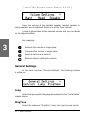
38 •
Basic Functions
The selected ring tone is played back and you can decide on the
desired setting.
Key mapping:
Moves the cursor to the next ring tone.
Moves the cursor to the previous ring
tone.
Activates the selection and returns.
3
Returns without changing the ring tone.
Contrast
Select the submenu “Contrast“ in the “General Settings“ menu.
Here, the display contrast can be adjusted.
The selected contrast is displayed and you can decide on the
desired setting.
snom technology AG •
39
[
S N O M
200 ADMIN
I S T R A T O R
MAN
U A L
V2.03 ]
Key mapping:
Reduces the contrast in steps.
Increases the contrast in steps.
Sets the contrast and returns.
Returns without setting the contrast.
Other Settings
3
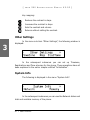
In the menu sub-item “Other Settings”, the following window is
displayed:
In the subsequent submenus you can set up Timezone,
Registrations and Tone schemes for the phone. These operations have all
been explained in the earlier chapter entitled “Initialization”.
System Info
The following is displayed in the menu “System Info”:
In the subsequent submenus you can see the Network status and
total and available memory of the phone.
40 •
Basic Functions
[
S N O M
200 ADMIN
I S T R A T O R
MAN
U A L
V2.03 ]
SW Update
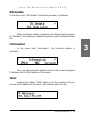
In the menu item “SW Update” the following window is displayed:
When a software update is available, the softkey display changes
to “Available”, and pressing it reboots the phone to get the desired binary
file.
Information
In the menu item “Information”, the following window is
activated:
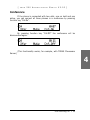
Here, you can look up the software version, the currently assigned
IP address and the MAC address of the phone.
IPAdr
Pressing the softkey “IPAdr” takes you to this submenu and you
can see the IP address of the phone. This window looks like this:
snom technology AG •
41
3
[
S N O M
200 ADMIN
I S T R A T O R
MAN
U A L
V2.03 ]
MAC
Similarly, “MAC” softkey in the “Information” menu takes you to
this submenu and you can see the MAC address of the phone. This window
could look like this:
3
Version
This submenu accessed by pressing the “version” softkey in
the “Information” menu shows the firmware version on the phone. The
display in this submenu could look like this:
42 •
Basic Functions
[
S N O M
200 ADMIN
I S T R A T O R
MAN
U A L
V2.03 ]
Advanced
Functions
Hold and resume
When a call is in progress, pressing the flash key “R” puts the
call on hold, i.e. the speech is set to mute (neither party can hear the
other).
4
Pressing the flash key again will resume the call. While a call is on
hold, you can establish a second call by dialing the desired number.
Key mapping:
The call being held is terminated.
Resumes the call being held.
Xfer
*,#,digits
Transfers the call being held.
Can be used to initiate another call.
Handsfree mode on/off.
snom technology AG •
43
[
S N O M
200 ADMIN
I S T R A T O R
MAN
U A L
V2.03 ]
Transfer
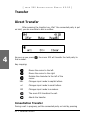
Direct Transfer
After pressing the transfer key „Xfer“ the connected party is put
on hold, you are now able to dial a number.
4
As soon as you press
that number.
, the snom 200 will transfer the held party to
Key mapping:
Moves the cursor to the left.
Moves the cursor to the right.
URL
Deletes the character to the left of the
cursor.
Changes input mode to capital letters.
url
Changes input mode to small letters.
123
Changes input mode to numbers.
The snom 200 transfers the call.
Aborts the transfer.
Consultation Transfer
During a call in progress, put the connected party on hold by pressing
44 •
Advanced Functions
[
the
S N O M
200 ADMIN
I S T R A T O R
MAN
U A L
V2.03 ]
key.
While the call is on hold, you can establish a second call by dialing the
desired number. When the second call is established, you can consult
the second party, i.e. to announce the call. By pressing the transfer key
“Xfer” or hook on the handset, you can then connect the two parties.
Conference
If the phone is connected with two calls, one on hold and one
active, you can connect all three phones in a conference by pressing
function key “Cnf.On”.
By pressing function key Cnf.Off“, the conference is disconnected
again and the calls are dropped.
Call Diversion
All kinds of call diversions can be set, changed and deactivated in
the submenu “Call Forwarding” and “Forwarding Options”. The one that is
currently active is marked with a preceding “*”.
Diverting all calls
By selecting the option “Always” in submenu “Call Forwarding”,
every incoming call is diverted immediately to the number set without
ringing the phone.
To disable this feature simply select “Off”.
snom technology AG •
45
4
[
S N O M
200 ADMIN
I S T R A T O R
MAN
U A L
V2.03 ]
Divert when Busy
By activating the option “Busy” in submenu “Forwarding Options”,
every incoming call is diverted to the number set if another call is already
in progress.
Divert when not answered
In sub-item “Time” of submenu “Call Forwarding”, you can set
the number of seconds after which every incoming unanswered call is
diverted to the number you have also set up here.
Note: To activate immediate call divert, see above.
Call completion
4
The call completion functionality helps the user to establish calls
successfully even if the other party is busy or not answering.
On busy
This is helpful if the party you are trying to reach is busy. If call
completion support is enabled, the following window will appear:
By pressing “CC” key, call completion is activated and the phone
waits for the other party return to idle. Pressing “Cancel” cancels the call
completion attempt.
46 •
Advanced Functions
[
S N O M
200 ADMIN
I S T R A T O R
MAN
U A L
V2.03 ]
When the other party becomes idle, the following window
appears:
By pressing
key, the phone will dial the number again in
order to establish a connection to the other party that was previously
busy and is now idle again.
DTMF Tones
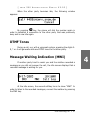
During a call, e.g. with a voicemail system, pressing the digits 09, * or # will generate and send DTMF tones to the other party.
Message Waiting Indication (MWI)
If another party tried to reach you and the mailbox recorded a
message as you did not answer the call, the idle screen displays that a
recorded message is waiting for you.
At the idle screen, the second softkey turns to show “MWI”. In
order to listen to the recorded messages, connect the mailbox by pressing
the MWI key.
snom technology AG •
47
4
[
S N O M
200 ADMIN
I S T R A T O R
MAN
U A L
V2.03 ]
Conducting a Software Update
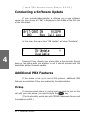
If your provider/administrator is offering you a new software
version for your phone, an “SW” is displayed in the middle of the first line
of the idle screen.
In this case, the menu item “SW Update” will show “Available”.
4
Pressing F2 key reboots your phone after a few seconds. During
boot-up, the phone asks you whether or not it should proceed with the
bootloader and/or firmware update.
Additional PBX Features
If the phone is set up to use H.323 protocol, additional PBX
features are available if they are enabled by the administrator.
Pickup
If someone else’s phone is ringing and you want to pick up the
call with your own phone, you need to press the
key.
(This functionality works also with TEDAS Phoneware Server and
Innovaphone ip400.)
48 •
Advanced Functions
[
S N O M
200 ADMIN
I S T R A T O R
MAN
U A L
V2.03 ]
Conference
If the phone is connected with two calls, one on hold and one
active, you can connect all three phones in a conference by pressing
function key “Cnf.On”.
By pressing function key “Cnf.Off” the conference will be
disconnected again.
Server.)
(This functionality works, for example, with TEDAS Phoneware
4
snom technology AG •
49
[
S N O M
200 ADMIN
4
50 •
Advanced Functions
I S T R A T O R
MAN
U A L
V2.03 ]
Call Register
Phone book
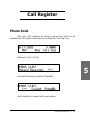
The snom 200 contains an internal phone book that can be
reached from the phone’s idle state by pressing the “Call Log” key,
followed by the “à“ key
5
and and finishing by pressing “PhoneBk”,
which leads to a screen like the one below:
snom technology AG •
51
[
S N O M
200 ADMIN
I S T R A T O R
MAN
U A L
V2.03 ]
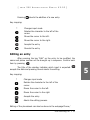
Key mapping:
Next
Edit
Clear
/ Off Hook
Scrolls to the next item.
Enters the edit mode for the selected
entry.
Deletes current item.
Dials the number of the selected entry.
Returns to the idle state.
Adding an entry
In order to add a new entry, go on to the list item <New item>
and press “Edit”.
5
Then enter the name and phone number and confirm each item
by pressing
.
52 •
Call Register
[
S N O M
Pressing
200 ADMIN
I S T R A T O R
MAN
U A L
V2.03 ]
aborts the addition of a new entry.
Key mapping:
*
Changes input mode
Deletes the character to the left of the
cursor.
Moves the cursor to the left.
Moves the cursor to the right.
Accepts the entry.
Cancels the entry.
Editing an entry
After pressing the key “Edit” on the entry to be modified, the
name and phone number will be brought up in sequence. Confirm each
item by pressing
.
The title of the window indicates which input is expected.
accepts the data and pressing Cancel aborts the editing.
5
Key mapping:
*
Changes input mode
Deletes the character to the left of the
cursor.
Moves the cursor to the left.
Moves the cursor to the right.
Accepts the entry.
Aborts the editing process.
Editing of the phonebook can also be done via the webpage Phone /
snom technology AG •
53
[
S N O M
200 ADMIN
I S T R A T O R
MAN
U A L
V2.03 ]
Phonebook.
5
Export
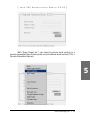
To save the content from an already full phonebook, right-click
onto the link at the bottom of the page Phone / Phonebook named “here”
from “Click here to save the current address book.”
54 •
Call Register
[
S N O M
200 ADMIN
I S T R A T O R
MAN
U A L
V2.03 ]
With “Save Target As…” can save the phone book content in a
comma-separated file containing the current address book entries (CSV =
Comma Separated Values).
5
snom technology AG •
55
[
S N O M
200 ADMIN
I S T R A T O R
MAN
U A L
V2.03 ]
Import
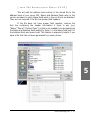
To load an Address book from a file, click on the Browse button on
the page Phone / Phonebook in the section entitled “Upload Address Book
(CSV)”. Select the pre-stored csv file from the storage medium and then
press the “Load” button just below the edit box.
5
56 •
Call Register
[
S N O M
200 ADMIN
I S T R A T O R
MAN
U A L
V2.03 ]
This will add the address book entries in the stored file to the
address book of your snom 200. Name and Address fields refer to the
column numbers in which these fields exist in the csv file to be attached.
They are not required if the file has proper field headers.
If the file does not have proper field headers, remove the
first line containing the header information if there is any (e.g.
“Name”,“Phone”,“Content Type”), as this is not needed if you are specifying
the Name and Address fields explicitly. Enter 1 in the Name field and 2 in
the Address field, and press Load. This feature is especially helpful if you
have a file that has not been generated by a snom phone.
5
snom technology AG •
57
[
S N O M
200 ADMIN
I S T R A T O R
MAN
U A L
V2.03 ]
It should not matter if some of the entries already exist in the
phone book. They will not be duplicated if both Name and Number are the
same. If the number field is the same but the name is not, the file entries
will replace the old ones (just like editing the old entry to save a different
Name).
Call Lists
The snom 200 maintains lists of missed, received and dialed calls
that can be accessed by pressing the “call log” key from the idle state.
Pressing “à” or “ß” leads to the next or previous screen.
5
Key mapping:
Scrolls to the next call.
Scrolls to the previous call.
Details
Shows details of this call.
Clear
Deletes the current entry.
/ Off Dials the number of the current entry.
Hook
Returns to the idle state.
58 •
Call Register
[
S N O M
200 ADMIN
I S T R A T O R
MAN
U A L
V2.03 ]
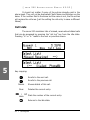
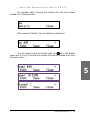
For example, after choosing the missed calls, the most recent
missed call is displayed first.
After pressing “Details”, the call details are displayed.
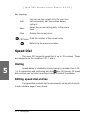
You can step through the Details with the
key. Call details
shown are To, From, Time and the number of times you missed a call from
the same phone.
5
snom technology AG •
59
[
S N O M
200 ADMIN
I S T R A T O R
MAN
U A L
V2.03 ]
Key mapping:
Edit
Save
Clear
You can use the current entry for your next
call and possibly edit the number before
calling it.
Saves the current calling party to the phone
book.
Deletes the current entry.
/ Off Hook Dials the number of the current entry.
Returns to the previous window.
Speed Dial
The snom 200 supports speed dial of up to 33 numbers. These
are mapped onto the numbers 0-30, * and #.
5
Dialing
Speed dialing is initiated by simply typing in a number from 0-30,
* or # respectively and confirming with the
key. In this way, 33 speed
dial numbers can be called up without having to look at the display.
Editing speed dial entries
The speed dial numbers can be conveniently set up with the builtin web interface page of your phone.
60 •
Call Register
[
S N O M
200 ADMIN
I S T R A T O R
MAN
U A L
V2.03 ]
Deny List
The snom 200 gives you the option of putting numbers on a deny
list to prevent you being disturbed.
Browsing
Via the submenu Phone / Phonebook you can reach the phonebook
window, which also provides the information for the deny list.
snom technology AG •
61
5
[
S N O M
200 ADMIN
I S T R A T O R
MAN
U A L
V2.03 ]
5
The numbers to be denied are displayed here and marked with
contact type “deny”.
Adding a number
While you are being called you can press the deny list key “Deny
All”. This will not only deny the call but will also add the number to the
deny list.
62 •
Call Register
[
S N O M
200 ADMIN
I S T R A T O R
MAN
U A L
V2.03 ]
In addition, any number can be added to the deny list by adding
a new entry via the phonebook webpage and marking it as “Deny List”.
Pressing “Deny” on an incoming call will only deny that instance
of the call and will not put it on the Deny List.
Removing a number
Removing a number from the deny list is possible via the
phonebook webpage by clicking onto the small red crossed icon at the
end of the line that you want to delete.
Settings
A long list of different settings is available for snom200 that can
be used to control the behavior of the phone. These settings are explained
in the following.
Settings are non-volatile name/value pairs that are stored in the
flash of the phone. They include registration information, dialled numbers,
network settings and other information that should be available after
rebooting. Settings can be made read only on a per setting basis. This is
useful in environments where an operator sets up the phones and wants
to avoid users changing settings that affect the stability of the phone. In
this way, expensive trouble ticket searching can be reduced and the total
cost of ownership of the phone be minimized.
Settings Files
Setting files are ASCII-based files containing lines (terminated
with newline or carriage return/newline pairs). Comments start with a #
or a < character. The < and > characters allow easy integration of html
tags. Names may consist of the characters a-z, A-Z, 0-9 and _.
snom technology AG •
63
5
[
S N O M
200 ADMIN
I S T R A T O R
MAN
U A L
V2.03 ]
Appending a name with an “!“ character means that this setting
becomes writable by the user. Appending the name with an “&“ states
that the setting is read only (this is the default). If a setting is marked
writable, the value in the settings file is only written to the phone if that
setting has not yet been set up at the phone. In order to overwrite such
settings, do not append the setting name with “!“.
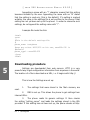
A sample file looks like this:
<html>
<pre>
#This is the default settings file
#
phone_name: testphone
#user may select H323/SIP on his own, snom200-SIP is
#default:
phone_type!: snom200-SIP
</pre>
<html>
Downloading procedure
5
Settings are downloaded from web servers. HTTP is a very
powerful way to get configuration information from anywhere in the world.
The location of a file is described as a URL, i.e. it begins with http://.
This is how the Settings are set up:
read.
1.
The settings that were stored in the flash memory are
2.
DNS is set up. This allows the phone to get settings from
internet URLs.
3.
The phone reads its generic settings. It then checks
the setting “setting_server“ and loads the settings stored in the URL
provided. If this setting has not been set up, the phone checks at http:
64 •
Call Register
[
S N O M
200 ADMIN
I S T R A T O R
MAN
U A L
V2.03 ]
//www.snomag.de/snom200/snom200.htm. For a description of the file
format, see below.
4.
The phone repeats step 3 with a different filename that
contains its MAC address. The MAC address is a unique identification ID
of Ethernet devices. snom devices have the form 000413xxxxxx, where
xxxxxx is a hexadecimal number identifying the snom device. The MAC
address is prepended with a - and applied before the last dot in the
URL. An example would be http://www.snom.de/snom200/snom2000004131214EF.htm.
5.
The de facto settings are added. These settings may differ
from what has been set up because DHCP may have changed them. The
settings include:
•
the IP address of the device,
•
the net mask,
•
the IP gateway,
•
the hostname,
•
the DNS domain, first and second DNS server,
•
the UTC offset in seconds,
•
the time server,
•
DHCP on or off
5
Settings Details
Each setting is described by its name, which you should add to
the config file followed by a colon and its specific value. Name is followed
by Valid values, where the valid values are described. Each possible value
is bracketed in <>.The braces can be left out if you are using the values
stored in a config file. Default shows the value that is set by default after
you have removed all of the settings with a manual update or a reset
values operation! Lastly, Description gives brief details of each setting.
snom technology AG •
65
[
S N O M
200 ADMIN
I S T R A T O R
MAN
U A L
V2.03 ]
Redirection
redirect_event
Valid values: <all>, <busy>, <none>, <time>
Default: None
Description: Event that causes redirection. <all> redirects always,
<none> never, <busy> when the phone is in use and <time> after a
timeout.
redirect_time
Valid values: e.g. <15>
Default: Blank
Description: Number of seconds after which the phone will redirect the
incoming call.
redirect_number
Valid values: e.g. <tb,sf> or <sip:[email protected];q=0.8,[email protected];q=0.
9>.
5
Default: Blank
Description: The redirection target. If the proxy executes the redirection,
this may be a comma-separated list of alternate destinations (including
probabilities).
redirect_busy_number
Valid values: e.g. <tb,sf> or <sip:[email protected];q=0.8,[email protected];q=0.
9>.
Default: Blank
Description: The redirection target when the redirect is set to busy.
Basic
language
Valid values: <English>, <Spanish>, <German>, <French>, <Polish>,
<Turkish>, <Serbian>, <Croatian>
66 •
Call Register
[
S N O M
200 ADMIN
I S T R A T O R
MAN
U A L
V2.03 ]
Default: English
Description: Selects the language.
contrast
Valid values: Between <0> and <15>
Default: 5
Description: Display contrast.
phone_type
Valid values: <snom200-SIP>, <snom200-H323>
Default: snom200-SIP
Description: Identifies the phone as an H.323 or SIP device. <snom200SIP> makes it a SIP device and <snom200-H323> an H.323 device.
desktop
Valid values: <reg>, <stat>
Default: reg
Description: Different desktop styles. Currently supported styles are
<reg> for showing SIP registrations and <stat> for showing call
statistics.
5
image_src
Valid values: <true>, <false>
Default: False
Description: The pictures for the internal web interface are taken from
the phone (<false>) or loaded via the Internet (<true>). Thus if you
have a slow connection to the remote phone, <true> will significantly
speed up the displaying of the phone‘s webpages.
guess_number
Valid values: <true>, <false>
Default: True
Description: Number guessing or auto completion while typing in
numbers to dial.
snom technology AG •
67
[
S N O M
200 ADMIN
I S T R A T O R
MAN
U A L
V2.03 ]
block_edit
Valid values: <true>, <false>
Default: True
Description: After you have typed in the complete number to dial, you
need to press the enter key or take the phone off the hook (<true>).
Setting the value to <false> has the effect that the phone dials each
digit as soon as you have typed it in. This is called "Overlap Dialing".
deny_all_feature
Valid values: <true>, <false>
Default: True
Description: If set to <true>, the "Deny All" option is offered on
incoming calls. Otherwise it is disabled.
admin_mode
Valid values: <true>, <false>
Default: True
Description: Administrator mode (all settings are accessible) or user
mode (only a few basic settings are accessible).
5
admin_mode_password
Valid values: Numbers and character strings of unspecified length, e.g.
<1234>, <0fg5gju>, <nhcndeve>
Default: 0000
Description: The password for entering the Administrator mode on the
snom phone.
SIP Line Settings
The SIP stack on the phone supports seven lines, which are
identified with the numbers 1 through 7. Line-specific settings are
appended with the line number.
user_realname[1-7]
Valid values: e.g. <Jim Testa>
68 •
Call Register
[
S N O M
200 ADMIN
I S T R A T O R
MAN
U A L
V2.03 ]
Default: Blank
Description: This is the real name of the user that is displayed for line x.
user_name[1-7]
Valid values: e.g. for <sip:[email protected]>, the user_name[1-7]
would be abc.
Default: Blank
Description: The account name for line x. This is a mandatory setting to
set up a SIP line!
user_host[1-7]
Valid values: e.g. for <sip:[email protected]> the user_host would be
<company.de>.
Default: Blank
Description: The registrar for line x. This is also a mandatory setting to
set up an SIP line!
user_q[1-7]
Valid values: Values between <0.0> and <1.0>
Default: 1.0
Description: The probability of the registration for line x. This probability
is used by some proxies to call the registered phones one by one
(sequential and parallel forking proxy).
user_action[1-7]
Valid values: <none>, <proxy>, <redirect>
Default: None
Description: The action that should be performed by the registrar for line
x. If specified <redirect>, it will act as a redirect server. <proxy> will
make it work as a proxy only.
user_expiry[1-7]
Valid values: <60>, <600>, <3600>, <7200>, <28800>, <86400>
Default: 86400 (one day)
Description: The proposed expiry time of the registration in seconds for
snom technology AG •
69
5
[
S N O M
200 ADMIN
I S T R A T O R
MAN
U A L
V2.03 ]
line x.
user_mailbox[1-7]
Valid values: e.g. <abc> or <sip:[email protected]>.
Default: Blank
Description: The SIP url of the mailbox associated with line x.
user_ringer[1-7]
Valid values: <Ringer1>, <Ringer2>, <Ringer3>, <Ringer4>,
<Ringer5>, <Ringer6>, <Ringer7>
Default: Blank
Description: The ringing melody to be used if a call comes to that line.
active_line
Valid values: [1-7]
Default: 1
Description: Number of the active SIP line. This is the line that is used
as the originator of an outgoing call.
5
SIP Stack Settings
sip_postfix
Valid values: e.g. <proxy.company.de>
Default: Blank
Description: Register postfix, which is automatically chosen as registrar
if the logon wizard is used to logon an SIP user and the registrar has not
been set up through the logon wizard.
sip_proxy
Valid values: e.g. <proxy.company.de>, <192.168.0.24>
Default: Blank
Description: Address or path of the outbound proxy that is used for
calling.
route_proxy
70 •
Call Register
[
S N O M
200 ADMIN
I S T R A T O R
MAN
U A L
V2.03 ]
Valid values: <true>, <false>
Default: False
Description: Treat as initial route (<true>), <false> for address only
nat_detection
Valid values: auto, upnp, stunclient, static, off
Default: Auto
Description: NAT detection according to you network.
stun_server
Valid values: e.g. <217.115.141.99:5062>
Default: Blank
Description: IP address of a STUN server (hostname:port) if you have
one.
stun_binding_interval
Valid values: Integer values e.g. 5, 10.
Default: Blank
Description: STUN binding interval in seconds.
5
rtp_port_start
Valid values: Valid port numbers.
Default: Blank
Description: First dynamic RTP port
rtp_port_end
Valid values: Valid port numbers.
Default: Blank
Description: Last dynamic RTP port
network_id_name
Valid values: Valid name.
snom technology AG •
71
[
S N O M
200 ADMIN
I S T R A T O R
MAN
U A L
V2.03 ]
Default: Blank
Description: Network identity (hostname)
network_id_port
Valid values: Valid port number.
Default: Blank
Description: Network identity (port)
use_nw_port
Valid values: <true>, <false>
Default: False
Description: Use local SIP port (<false>) or network port (<true>)
sip_retry_t1, sip_retry_t2
Valid values: Integer values, e.g. <500>.
Default: 500, 4000
Description: The time for resending SIP messages in milliseconds. They
should be set to 500 and 4000 respectively.
5
session_timer
Valid values: Integer values, e.g. <2400>, <3200>.
Default: 3600
Description: Default time for session timer in seconds. 0 disables the
session timer, 3600 is a reasonable value.
max_forwards
Valid values: Integer values, e.g. <40>, <60>.
Default: 70
Description: The maximum number of hops allowed for an SIP request/
response.
tcp_threshold
Valid values: Integer values, e.g. <1000>
Default: 1300
Description: Set the threshold value for choosing TCP transport layer for
72 •
Call Register
[
S N O M
200 ADMIN
I S T R A T O R
MAN
U A L
V2.03 ]
SIP messages.
trace
Valid values: <true>, <false>
Default: True
Description: Enable tracing output of the current protocol stack.
logon_wizard
Valid values: <true>, <false>
Default: False
Description: Logon wizard and mobility features available in the snom
key menu (for SIP only).
user_phone
Valid values: <true>, <false>
Default: True
Description: Use user=phone in SIP signalling.
refer_policy
5
Valid values: <auto>, <refer>, <bye>
Default: Auto
Description: Choose between REFER and BYE/Also method for initiating
a transfer. Auto makes an automatic selection depending on the
capabilities indicated by the other party.
sip_moh_server
Valid values: e.g. <sip:[email protected]>, <mh>, <192.168.0.40>
Default: Blank
Description: SIP Address of music on hold server. The music is
automatically played if the phone is on hold.
snom technology AG •
73
[
S N O M
200 ADMIN
I S T R A T O R
MAN
U A L
V2.03 ]
SIP Authentication
auth_realm[1-9], auth_user[1-9], auth_pass5[1-9]
Valid values: e.g. <company, 456876, answerIs42>
Default: Blank
Description: A setting for registrar authentication. The realm depends on
the used product; the username and the password can usually be set up
on the proxy and registrar.
auth_valid[1-9]
Valid values: <all>, <1>, <2>, <3>, <4>, <5>, <6>, <7>
Default: All
Description: Defines to which sip line the current authentication line is
assigned.
H.323 Settings
h323_e164_number
5
Valid values: e.g. <3884576>
Default: Blank
Description: E164 number assigned to the phone.
h323_ID
Valid values: e.g. <kitchen>
Default: blank
Description: H.323 ID assigned to the phone.
h323_URL_ID
Valid values: e.g. [email protected]
Default: blank
Description: H.323 URL ID assigned to the phone.
gkgw_mode
Valid values: <auto>, <gatekeeper>, <gateway>, <none>
74 •
Call Register
[
S N O M
200 ADMIN
I S T R A T O R
MAN
U A L
V2.03 ]
Default: Auto
Description: Gatekeeper or gateway mode. Can be <auto> (automatic
discovery of Gatekeeper) or <gatekeeper> for explicitly using the
gatekeeper mode, <gateway> for gateway mode and <none> for
autonomous operation.
h323_gateway
Valid values: e.g. <192.168.0.9>, <gtk.company.de>
Default: Blank
Description: IP address of the gatekeeper or the gateway, depending
on gkgw_mode (see above). This field will be automatically set to
the discovered gatekeeper‘s IP Address if <auto> mode is selected in
"gkgw_mode".
h323_ttl
Valid values: e.g. <600>
Default: 600
Description: Time-to-live for Gatekeeper registration. Very low values
result in more frequent refreshes of registration but also cause
additional network traffic. Very high values result in large intervals of
disconnection from the Gatekeeper before getting back online if the
gatekeeper reboots without sending any un-registration request to the
phone.
5
early_start
Valid values: <true>, <false>
Default: True
Description: The early start option allows the H.245 channel to be set up
earlier, and hence speeds up the call setup. When early start is turned
on, the H.245 channel address is also supplied in the Setup message.
This speeds up the call because the H.245 channel negotiations can
proceed in parallel to H.225.
fast_start
Valid values: <true>, <false>
snom technology AG •
75
[
S N O M
200 ADMIN
I S T R A T O R
MAN
U A L
V2.03 ]
Default: False
Description: Fast start sends encoded OpenLogicalChannel messages
within the Setup messages and hence eliminates the need for a separate
H.245 channel for Codec capability negotiation. This will only work if
the other party is also supporting fast start. This feature in H.323 is
optional, meaning it can be ignored by an endpoint not supporting this
feature, hence making the snom phone revert to the normal H.245
signalling on a separate channel. Note that if Fast Start is being used,
Out of band DTMF might not work because the DTMF info is relayed on
the H.245 channel.
h323_h245_tunneling
Valid values: <true>, <false>
Default: False
Description: H.245 Tunnelling option sends tunnelled H.245 messages
within an H.225 pdu. This also accelerates connection setup if both
parties are supporting this feature.
trace
5
Valid values: <true>, <false>
Default: True
Description: Enable tracing output of the current protocol stack.
h323_h450
Valid values: <true>, <false>
Default: False
Description: If flag is set to <true>, H.450 supplementary services are
used, otherwise (<false>) it is facility-based.
Gateway prefixes (H.323 only)
external_line_prefix
Valid values: e.g. <0>, <111>
Default: Blank
Description: Prefix used for reaching outside numbers via an H323
76 •
Call Register
[
S N O M
200 ADMIN
I S T R A T O R
MAN
U A L
V2.03 ]
gateway. This prefix will be replaced by the gateway_prefix in a dialled
number for calling outside numbers (see gateway_prefix).
gateway_prefix
Valid values: e.g. <*5>
Default: blank
Description: Prefix with which an ISDN gateway is registered at the
gatekeeper. The phone will replace this prefix with the external_line_
prefix in a dialled number if it is starting with the external_line_prefix
(see external_line_prefix).
Hence the user doesn’t have to dial numbers like 5*1234567 but can
instead dial 01234567 with the same effect.
PBX key codes (H.323 only)
key_seq_hold_on
Valid values: For example <*1>
Default: Blank
Description: Key code that is sent by the phone to the PBX if it is set and
the “R“ (hold on) key is pressed on the phone.
key_seq_hold_off
Valid values: For example <*2>
Default: Blank
Description: Key code that is sent by the phone to the PBX if it is set and
the “R“ (hold off) key is pressed on the phone.
key_seq_transfer_blind
Valid values: e.g. <*60#>
Default: Blank
Description: Key code that is sent by the phone to the PBX if it is set and
the “Xfer“ key is pressed on the phone for a blind transfer.
key_seq_transfer_consultation
Valid values: e.g. <*6>
Default: Blank
snom technology AG •
77
5
[
S N O M
200 ADMIN
I S T R A T O R
MAN
U A L
V2.03 ]
Description: Key code that is sent by the phone to the PBX if it is set and
the “Xfer“ key is pressed on the phone for a consultation transfer. The
phone needs to have 2 active calls in order to use this feature.
key_seq_divert
Valid values: For example <*3>
Default: Blank
Description: Key code that is sent by the phone to the PBX if it is set and
redirection is active with a redirection number.
key_seq_conf_on
Valid values: For example <*3>
Default: Blank
Description: Key code that is sent by the phone to the PBX if it is set and
the “Cnf.On“ key is pressed on the phone.
key_seq_conf_off
5
Valid values: e.g. <*30>
Default: Blank
Description: Key code that is sent by the phone to the PBX if its set and
the “Cnf.Off" key is pressed on the phone.
key_seq_pickup
Valid values: e.g. <#11>
Default: Blank
Description: Key code that is sent by the phone to the PBX to pick up
an alerting call. This is activated by pressing the ‘pickup’ key when the
key_seq_pickup is set.
key_seq_end
Valid values: e.g. <#>
Default: Blank
Description: The end symbol that is automatically appended to the
above key codes before they are sent to the PBX. The end symbol marks
the end of a key code sequence.
78 •
Call Register
[
S N O M
200 ADMIN
I S T R A T O R
MAN
U A L
V2.03 ]
Codec and DTMF settings
codec_name
Valid values: <ulaw>, <alaw>, <gsm>, <g729>
Default: ulaw
Description: Name of the preferred codec.
packet_size
Valid values: <80>, <160>, <240>, <320>
Default: 160
Description: Packet size in bytes. Affects only ulaw and alaw codecs
(other codecs have fixed packet size). Eighty (10 ms), 160 (20 ms), 240
(30 ms) and 320 (40 ms) bytes are available.
dtmf_type_oob
Valid values: <on>, <off>, <negotiate>, <lowrate_on>
Default: lowrate_on
Description: Options for Out of band DTMF. <on> forces the use of Out
of band DTMF, <off> turns it off. Using the <negotiate> option enables
the phone to use Out of band DTMF if the other party is also supporting
it. <lowrate_on> enables the phone to use Out of band DTMF for low
rate codecs (G729 and GSM).
dtmf_type_ib
Valid values: <on>, <off>, <negotiate>, <lowrate_off>
Default: On
Description: Options for In band DTMF. <on> forces the use of In
band DTMF, <off> turns it off. Using the <negotiate> option enables
the phone to use In band DTMF if the other party is also supporting it.
<lowrate_off> enables the phone to turn off In band DTMF for low rate
codecs (G729 and GSM).
dtmf_payload_type
Valid values: Integer values, e.g. <100>, <150>.
Default: 101
snom technology AG •
79
5
[
S N O M
200 ADMIN
I S T R A T O R
MAN
U A L
V2.03 ]
Description: Payload type for Out of band DTMF.
codec_negotiation
Valid values: <single>, <full>, <interoperable>
Default: Interoperable
Description: <single> option offers only the preferred codec. <full>
offers all codecs and answers with all codecs too. <interoperable>
option offers all codecs, but answers with the preferred one.
Base Network Settings
ip_adr
Valid values: e.g. <192.168.0.50>
Default: Blank
Description: The IP address of the device. Changing this parameter
requires a reboot. This parameter is mandatory in order to enable the
ethernet connection.
netmask
5
Valid values: e.g. <255.255.255.0>
Default: Blank
Description: The netmask for the device. Changing this parameter
requires a reboot.
phone_name
Valid values: e.g. <phone1>
Default: Blank
Description: Hostname of the phone. If this parameter is available, it is
used for identifying the device in SIP signalling.
gateway
Valid values: e.g. <192.168.0.1>, <10.0.0.1>
Default: Blank
Description: The IP address of default IP gateway (not the VoIP
gateway!!!). It is the address to which the packets get routed if the
80 •
Call Register
[
S N O M
200 ADMIN
I S T R A T O R
MAN
U A L
V2.03 ]
wanted packet address is not in the current subnet. Setting up this
parameter is mandatory in order to reach an external network.
dhcp
Valid values: <dhcp>, <off>
Default: dhcp
Description: Use DHCP (<dhcp>) or do not use DHCP (<off>).
time_server
Valid values: e.g. <192.53.103.103>
Default: SIP: Blank, H323: 192.53.103.103
Description: Address of the time server. If the SIP proxy is offering the
time during a registration, the time will be set to this value. In such a
case a time server is not needed.
utc_offset
Valid values: e.g. in Germany it is <+3600>.
Default: Blank
Description: Signed UTC offset in seconds.
dst
5
Format: offset mm.ww.dd hh:mm:ss mm.ww.dd hh:mm:ss
Valid values: e.g. for Germany <3600 03.05.07 02:00:00 10.05.07 03:
00:00>
Default: Blank
Description: Daylight saving time that observes yearly change and leap
years.
ntp_server
Valid values: e.g. <192.53.103.103>
Default: 192.53.103.103
Description: Address of the NTP time server.
snom technology AG •
81
[
S N O M
200 ADMIN
I S T R A T O R
MAN
U A L
V2.03 ]
Advanced Network Settings
dns_domain
Valid values: e.g. <company.com>
Default: Blank
Description: The DNS domain. Changing this parameter requires a
reboot. This parameter is mandatory in order to enable DNS searching.
dns_server1, dns_server2
Valid values: e.g. <194.25.2.129>
Default: Blank
Description: Server that may be used for DNS searches. Changing this
parameter requires a reboot. Setting up one of these parameters is
mandatory in order to enable DNS searching.
http_user, http_pass
Valid values: character strings, e.g. <john>, <jh24>
Default: Blank
Description: Username and password for accessing the embedded web
5
server on the phone.
http_proxy
Valid values: IP address or url
Default: Blank
Description: Sets the http proxy for outgoing http requests.
http_port
Valid values: e.g. <80>, <8080>
Default: 80
Description: Sets the port for http requests.
lcserver1, lcserver2
Valid values: e.g. <192.168.0.26>
Default: Blank (to use local LCServer on device)
Description: IP addresses of an alternative remote LCServer. You will not
82 •
Call Register
[
S N O M
200 ADMIN
I S T R A T O R
MAN
U A L
V2.03 ]
usually need to change this setting.
Update
setting_server
Valid values: e.g. <http://www.company.com/settings/snom200.htm>,
<130.149.12.54>
Default: http://www.snomag.de/snom200/snom200.htm
Description: URL of the settings file.
firmware_status
Valid values: e.g. <http://www.company.com/settings/snom200-
firmware.htm>
Default: <http://www.snom.de/download/snom200-firmware.htm>
Description: URL of the config file that consists of the bootloader and
firmware setting, see below.
bootloader, firmware
Valid values: e.g. <http://www.company.com/files/snom200ABC.bin>,
5
<130.149.12.54>
Default: <http://www.snomag.de/snom200/snom200.bin>
Description: URL of the image file for bootloader or firmware
respectively.
See the FAQ "How can I update a snom phone?" for more information
about this topic.
__________________________________________________________
Miscellaneous
preselection_nr
snom technology AG •
83
[
S N O M
200 ADMIN
I S T R A T O R
MAN
U A L
V2.03 ]
Valid values: Integer values & ‘+’ e.g. <001>
Default: Blank
Description: If a number is entered in this option, the phone dials this
pre-selected number automatically every time the phone is taken off the
hook. This is particularly useful for using calling/prepaid cards etc.
Other Settings
DND_mode
Valid values: <true>, <false>
Default: False
Description: <true> means that the phone is in “do not disturb“ (DND)
mode, <false> is normal behavior.
edit_alpha_mode
Valid values: <123>, <abc>, <ABC>, <kana>
Default: <123>
Description: Preferred or default editing mode for typing in phone
5
numbers/addresses unless the user changes it by dialing a different type
of phone number.
ring_sound
Valid values: Between <0> and <25>
Default: 0
Description: Selection of the ring tone style that signals incoming calls.
vol_speaker
Valid values: Between <0> and <15>
Default: 8
Description: Selection of the speaker volume. 1 is casing speaker, 2 is
handset speaker and 3 is both speakers together.
auto_connect
Valid values: <true>, <false>
Default: False
84 •
Call Register
[
S N O M
200 ADMIN
I S T R A T O R
MAN
U A L
V2.03 ]
Description: If it is <true>, the phone will automatically answer
incoming calls.
auto_connect_type
Valid values: <auto_connect_type_handsfree>, <auto_connect_type_
handset>
Default: auto_connect_type_handsfree
Description: If the above setting auto_connect is <true>, auto_connect_
type determines whether the auto-answered incoming call switches the
phone to handsfree mode or normal handset mode.
log_level
Valid values: Between <0> and <9>
Default: 5
Description: Log level of the maintenance web page, 9 is the most
verbose mode.
Settings via Web Browser
It is usually more convenient to use a web browser to configure
the settings. The snom 200 has an integrated web server for this purpose.
If the phone is connected to a network that provides DHCP, it can be
immediately accessed via the browser after boot-up. If you do not want
to use DHCP, you must specify the IP address, netmask, gateway, DNS
domain and DNS server statically to ensure correct operation.
snom technology AG •
85
5
[
S N O M
200 ADMIN
I S T R A T O R
MAN
U A L
V2.03 ]
5
§
Start your web browser (e.g. Netscape, IE).
§
Enter the IP address of the phone as the URL (e.g.
192.168.0.100). If you do not know the IP address, press
and have a
look at your phone’s submenu “Information” and select item IPAdr.
§
Settings).
§
86 •
You will find a selection menu at the top (Phone /
Move the mouse pointer over the menu item settings.
Call Register
[
appear.
§
S N O M
200 ADMIN
I S T R A T O R
MAN
U A L
V2.03 ]
You should now see a drop-down menu with submenus
§
Just click on the desired submenu (e.g. Base) and the
current settings of this submenu will be displayed.
You can now modify and store the values by using the mouse and
keyboard. To store the changes made, just click on the SAVE button. Do
NOT press SAVE if you want to discard the changes.
Settings Options
The following options are available in Administrator mode via web
interface.
Redirection
You can have all incoming calls diverted to a specific number. The
following options for redirection events are available:
§
Never: This deactivates all call diverts.
§
Always: All calls are diverted to the number specified in
“Number Redirect“.
§
When Busy: When a call is in progress, any other call
made to that number is rejected and will receive a busy indication. The
phone can be set in such a way that the second caller is diverted to
another number set in “Number Busy”.
§
After Timeout: Calls are diverted after the timeout in
seconds specified in “Timeout” to the number specified in “Number
Redirect”.
snom technology AG •
87
5
[
S N O M
200 ADMIN
I S T R A T O R
MAN
U A L
V2.03 ]
The following fields for diversion are available:
Timeout
Specifies the timeout in seconds after which the call should be
diverted.
Number redirect
5
Specifies the number to which the calls should be diverted.
Number busy
Specifies the number to which the calls should be diverted if the
phone is busy.
Base
Here you can set up the Base settings for the phone. The webpage
may look like this:
88 •
Call Register
[
S N O M
200 ADMIN
I S T R A T O R
MAN
U A L
V2.03 ]
5
Language
Your phone is able to show all display texts in different languages.
Here you can select the language that suits you the best.
snom technology AG •
89
[
S N O M
200 ADMIN
I S T R A T O R
MAN
U A L
V2.03 ]
Number Display Style
§
§
§
Specifies the display of incoming and outgoing callers:
Full Contact: Shows the complete URL
Name: Only the name is displayed
Number: Only the number is displayed
Download Embedded Images
The pictures for the internal web interface are taken from the
phone or loaded via the Internet. Thus if you have a slow connection to
the remote phone, loading them from the Internet will significantly speed
up the display of the phone’s web pages.
Call Completion
Turning this setting to “On“ will prompt the user to activate call
completion, if possible, while dialing a number. When the dialed party
becomes available again, your phone will be able to automatically redial
the number.
Auto Dial
5
This setting is switched off by default. You can set a timeout after
which a number is dialed automatically without pressing the
key or
taking the cradle off hook.
Number guessing
Here, the number guessing functionality can be activated or
deactivated.
Block Dial
Setting this to “On” will disable Overlap dialing and the user will
have to explicitly press
or pick up the handset to dial a number.
Block url dialing
You can block the dialing of sip urls by turning this setting on. In
this case only numeric numbers will be allowed as input.
90 •
Call Register
[
S N O M
200 ADMIN
I S T R A T O R
MAN
U A L
V2.03 ]
Deny All Feature
When turned on, this setting shows “Deny All“ softkey on
incoming calls to put the incoming numbers in the Deny List. Turning it off
will disable this feature.
Challenge Response on Phone
As explained in an earlier chapter, snom phones can handle
challenge responses on the phone. Turning this setting off will disable this
feature and you will only be able to handle authentication through the
web interface of the phone.
Call Waiting Indication
setting.
You can enable or disable the CWI on the phone through this
Dialtone during Hold
Turning this setting on will produce a dial tone when a call is
being held and the user is trying to dial the second number. Otherwise a
dial tone would not be played.
Disconnect on Onhook
Sometimes it is useful to disable disconnection of a call when the
handset is placed Onhook, e.g. during conference calls or handsfree mode
etc. This can be achieved by turning this setting off.
Administrator Mode
This setting allows you to switch between User & Administrator
modes of the phone.
Administrator Password
In Administrator mode, you can set up the admin password
through this setting. A password can be an alphanumeric string of any
length. You will also have to confirm the password in the following setting
to ensure no typing errors have been made.
snom technology AG •
91
5
[
S N O M
200 ADMIN
I S T R A T O R
MAN
U A L
V2.03 ]
SIP
If your phone is working in SIP mode, this mode of settings will
be available to you in order to tweak the behavior of the SIP stack and
related phone features. This section is further divided in to Line, Stack
and Authentication.
Lines
Through this page you can set up SIP lines you would like to use
on your phone. You have the option to set up to seven lines. Each line
setting looks like the following:
5
Name
Set the name you would like to associate with each line, e.g.
“John Smith”.
Account
This is the account with which you would register to a registrar/
proxy. It could be alphanumeric, e.g. “js”, or based on digit like “701” in
the screenshot above.
92 •
Call Register
[
S N O M
200 ADMIN
I S T R A T O R
MAN
U A L
V2.03 ]
Registrar
Specify the IP address or url of the registrar/proxy with which
you would like to register this account.
Mailbox
If you have set up a mailbox, specify the account name for that
mailbox here to associate it with this particular SIP line.
Ringer
Through this setting, you can select a distinctive ring tone that
will alert you when a call comes in at this particular line. In order for this
to work, you will have to have specified “Destination“ in setting ‘Ringer
Selection’ in Settings/Miscellaneous/Tones.
Q
You can set up the probability of registration for each line through
this setting. The default is 1.0.
Action
The action that should be performed by the registrar for line x.
If specified “Redirect“, it will act as a redirect server. "Proxy" will make it
work as a proxy only.
Expiry
You can select the time when the registration on this line expires.
The phone will send a fresh re-registration request at the expired time.
Stack
This section provides you with a detailed list of settings that
control the behaviour of SIP stack on the phone. The first group of
settings on the web page may look like this:
snom technology AG •
93
5
[
S N O M
200 ADMIN
I S T R A T O R
MAN
U A L
V2.03 ]
5
Register Postfix
setting.
94 •
Set the register postfix, if you wish to specify any, through this
Call Register
[
S N O M
200 ADMIN
I S T R A T O R
MAN
U A L
V2.03 ]
Outbound Proxy
Registrar is outbound proxy
If your registrar also acts as an outbound proxy, select “Yes”;
otherwise select “Use Path”.
Path
If your registrar is not an outbound proxy, you can specify the
path for the outbound proxy here.
Treat as initial route
Here you can select whether you want to treat the outbound
proxy as initial route or address.
NAT
NAT detection
Administrators can select the kind of NAT according to their
network through this setting. Available options are “Automatic“, “UPnP“,
“STUN”, “Static” or “Off”. The default is “Automatic”.
STUN server (IP-addr:port)
If you selected “STUN” as NAT detection type, specify the address
of the STUN server followed by the port number.
STUN binding interval (seconds)
Similarly, set the STUN binding interval time in seconds through
this setting.
Dynamic RTP port start
If you want to set up the RTP port dynamically, give the start port
number in this setting.
snom technology AG •
95
5
[
S N O M
200 ADMIN
I S T R A T O R
MAN
U A L
V2.03 ]
Dynamic RTP port end
Similarly, give the last port number in this setting for dynamic
RTP port selection.
Network identity (hostname)
setting.
Specify the hostname of the Network identity through this
Network identity (port)
Set the port number of the Network identity here.
Local SIP port
You can select whether you would like to use the local SIP port as
the default SIP port or as a network port using this setting.
The next group of settings looks like the following:
5
96 •
Call Register
[
S N O M
200 ADMIN
I S T R A T O R
MAN
U A L
V2.03 ]
5
SIP timers
Retry T1 (ms)
Set the retry timer 1 in milliseconds here.
Retry T2 (ms)
Set the retry 2 timer in milliseconds through this setting.
snom technology AG •
97
[
S N O M
200 ADMIN
I S T R A T O R
MAN
U A L
V2.03 ]
Session Timer (s)
here.
An administrator can specify the session timer for SIP in seconds
Dirty Host TTL (s)
Specify the Time To Live (TTL) for dirty hosts in seconds through
this setting.
Others
Max Forwards
If you want to specify the maximum number of forwards, you can
set it here.
ENUM Suffix
When using ENUM, you can specify a suffix here if desired.
Transport
5
Select the protocol for transport layer communication through
this setting.
Tracing
You can enable/disable SIP stack tracing here.
Logon Wizard
Turn this setting on if you would like to use the Logon wizard.
Switch it off to disable the Logon wizard.
Use user=phone
Turn this setting on if you want to use user=phone in SIP urls.
Otherwise select “off“ to disable it.
98 •
Call Register
[
S N O M
200 ADMIN
I S T R A T O R
MAN
U A L
V2.03 ]
Use Mapped Address
feature.
Through this setting you can switch on/off the mapped address
Publish Presence
Control the presence status information through this setting.
REFER policy
You can select the REFER policy as “Automatic“, “REFER“ or “BYE/
Also“ through this setting.
Dial Plans
The last group of settings looks like the following:
5
Dial Plan 1-7
You can select up to seven different dial plans through these
settings.
snom technology AG •
99
[
S N O M
200 ADMIN
I S T R A T O R
MAN
U A L
V2.03 ]
Music on hold server
If you have configured a “music on hold” server, specify that
contact here. Music from this server will be played to the other side when
you hold a call.
Authentication
Through this page you can set up the authentication information
for SIP lines. This will be used in challenge responses. The web page looks
like this:
5
100 •
Call Register
[
S N O M
200 ADMIN
I S T R A T O R
MAN
U A L
V2.03 ]
Line
Specify the line number for each authentication. The line number
you specify will be the one for which that information will be used.
Realm
Specify the realm (registrar) for each authentication request.
Username
Here you
authenticated.
can
set
the
username
for
each
line
to
be
Password
Lastly, set the password for each username, realm combination
to be used for challenge responses. In order to protect privacy, passwords
are not displayed in their true form.
H.323
This mode of settings will be available to you if your phone is
operating in H.323 mode . The web page may look like this:
snom technology AG •
101
5
[
S N O M
200 ADMIN
I S T R A T O R
MAN
U A L
V2.03 ]
5
E164 No.
phone.
Set the E164 number by which you would like to identify your
H323 ID
Alternatively, you can specify the H323 id for you phone.
102 •
Call Register
[
S N O M
200 ADMIN
I S T R A T O R
MAN
U A L
V2.03 ]
URL ID
Similarly, you have the option to set the H.323 id in the form of
a url through this setting.
GK/GW Mode
Through the GK/GW Mode setting, the administrator has an
option to select the mode for the registrar to either “Auto”, “Gatekeeper”,
“Gateway” or “None”.
GK/GW IP Address
Specify the IP address of the Gatekeeper or Gateway with which
you would like your phone to register.
GK TTL
If you selected “Gatekeeper” in the GK/GW Mode above, you can
specify the Time To Live (TTL) through this setting.
Message Center Number
setting.
Administrators can set the message center number through this
Dynamic RTP port start
If you want to set up the RTP port dynamically, then give the start
port number in this setting.
Dynamic RTP port end
Similarly, give the last port number in this setting for dynamic
RTP port selection.
Early Start
Here you can switch the early start feature of the H.323 stack on or off.
Fast Start
This setting allows you to enable/disable the fast start feature.
snom technology AG •
103
5
[
S N O M
200 ADMIN
I S T R A T O R
MAN
U A L
V2.03 ]
H.245 Tunneling
Through this setting, administrators can turn on/off the H.245
tunneling.
Tracing
tracing.
With this setting you can enable or disable H.323 signaling
H.450 Services
With this blanket setting, you can start or stop the H.450
services.
Logon Wizard
Turn this setting on if you would like to use the Logon wizard and
off to disable it.
5
Codecs
These settings affect the codecs that are being used for your
telephone calls. The web interface for this section of the settings may look
like the following screenshot:
104 •
Call Register
[
S N O M
200 ADMIN
I S T R A T O R
MAN
U A L
V2.03 ]
5
Default codec
You can select the preferred choice for the default codec through
this setting. The available options are G.711 ulaw, G.711 alaw, GSM and
G.729.
snom technology AG •
105
[
S N O M
200 ADMIN
I S T R A T O R
MAN
U A L
V2.03 ]
Packet size
You can select the packet size in bytes here. It affects only ulaw
and alaw codecs (other codecs have fixed packet size). Eighty (10 ms),
160 (20 ms), 240 (30 ms) and 320 (40 ms) bytes are available.
Negotiation
Here you can select the type of codec negotiation. “Single” offers
only the preferred codec. “Full” offers all codecs and also answers with
all codecs. “Interoperable” option offers all codecs but answers with the
preferred one.
Type of Service (TOS)
be 160.
You can set up the TOS in this setting. A value could, for example,
Inband
5
Select the options for Inband DTMF through this setting. “on”
forces the use of Inband DTMF, “off” turns it off. Using the “negotiate”
option enables the phone to use in band DTMF if the other party is also
supporting it. “off for low rate codecs” enables the phone to turn off
Inband DTMF for low rate codecs (G729 and GSM).
Outband
Here you can set up options for Out of band DTMF. “on” forces
the use of Out of band DTMF, “of” turns it off. Using the “negotiate” option
enables the phone to use Out of band DTMF if the other party is also
supporting it. “on” for low rate codecs“ enables the phone to use Out of
band DTMF for low rate codecs (G729 and GSM).
Payload Type
Set up the payload type for Out of band DTMF here, e.g. 101.
106 •
Call Register
[
S N O M
200 ADMIN
I S T R A T O R
MAN
U A L
V2.03 ]
Network
This section allows you to set up Network settings for your snom
phone. It is further subdivided into Base and Advanced settings.
Base
Through these settings you can set up the basic network settings
of your phone. The web interface for this looks like the following:
5
snom technology AG •
107
[
S N O M
200 ADMIN
I S T R A T O R
MAN
U A L
V2.03 ]
Identity Settings
MAC Address
This setting is read only and displays the MAC address of your
phone.
IP address
You can change the IP address of the device through this setting.
Changing this parameter requires a reboot. This parameter is mandatory
in order to enable the ethernet connection.
Netmask
Change the netmask for the device. Changing this parameter also
requires a reboot.
Phone name
5
Change the Hostname of the phone here. If this parameter is
available, it is used for identifying the device in SIP signalling.
Gateway
This setting shows the IP address of default IP gateway (not
the VoIP gateway). It is the address to which the packets get routed if
the wanted packet address is not in the current subnet. Setting up this
parameter is mandatory in order to reach an external network.
DHCP
Turn on or off the use of DHCP through this option.
Time Settings
NTP Time server
Specify the url or IP address of the NTP server here.
108 •
Call Register
[
S N O M
200 ADMIN
I S T R A T O R
MAN
U A L
V2.03 ]
Timezone
Select the time zone most appropriate to your geographical
location through this option.
Advanced
In this section you can alter the advanced network settings of
your phone. This page has the following settings:
REMOTE CONFIGURATION
5
Update Policy
You can select the best possible update policy you would like to
adopt for your phone.
Setting URL
Set up the url of the settings server from where you would like to
obtain the configuration file to configure your phone.
snom technology AG •
109
[
S N O M
200 ADMIN
I S T R A T O R
MAN
U A L
V2.03 ]
DNS
Domain
Specify the DNS domain for your phone here.
Server 1
Specify the IP address of the DNS server for your network here.
Server 2
5
Specify the IP address of the backup DNS server, if any, to be
used in your network.
HTTP
110 •
Call Register
[
S N O M
200 ADMIN
I S T R A T O R
MAN
U A L
V2.03 ]
User
Here you can select the HTTP username for your phone.
Password
Set up the HTTP password for your phone here.
HTTP Proxy
You can select the HTTP proxy address for your phone here.
HTTP port
Similarly, specify the HTTP port to be used by your phone through
this setting.
LCSERVER
5
Server 1
Specify the IP address of the remote LCServer if you want your
phone to connect to it. Normally, you would not need to set the LCServer
settings.
Server 2
You can set the IP address of the second remote LCServer
through this setting.
snom technology AG •
111
[
S N O M
200 ADMIN
I S T R A T O R
MAN
U A L
V2.03 ]
Miscellaneous
The rest of the settings are accumulated in the Miscellaneous set.
This section is further subdivided into the following options:
TONES
This section looks like the following:
5
Tone Scheme
Select the dialtone you would prefer for your phone.
Default Ringer
Choose the default ringing melody for your snom phone through
this setting.
Ringer Selection
Select the criterion according to which the ringing melody is
selected for incoming calls, i.e. based on the caller or callee address.
112 •
Call Register
[
S N O M
200 ADMIN
I S T R A T O R
MAN
U A L
V2.03 ]
Contact Type Specific Ringers
Specify the ringing melodies for different contact types in your
personalized phone book entries. These melodies will be used only if you
selected “Source“ in the Ringer Selection setting above.
PRESELECTION
This section looks like:
Prefix
Specify the number to be prefixed to each dialled number.
AUDIO
Here you can set up audio-related settings on your phone. These
settings may look like:
snom technology AG •
113
5
[
S N O M
200 ADMIN
I S T R A T O R
MAN
U A L
V2.03 ]
Mute Microphone
Setting this to on will mute the microphone of the phone. Tuning
it off will enable the microphone again. Specify the number to be prefixed
to each dialled number.
Disable Casing Speaker
Turn this setting on to disable your speaker.
Use Headset Device
Select the headset device you would like to use. Select none if
you don’t want to use any headset.
MWI Notification
Specify the type of MWI notification that will inform you when a
new message comes.
Call Releases Notification
5
Turn this on to enable late media when a call is released. Turning
it off will take you directly to the idle state when a call drops.
AUTO ANSWER
snom phones have auto-answering capabilities. Through these
settings you can control the behavior of auto answer. This section looks
like:
114 •
Call Register
[
S N O M
200 ADMIN
I S T R A T O R
MAN
U A L
V2.03 ]
Auto Answer
You can disable auto answer on you phone by turning this setting
off. Turn it on to enable auto answer again.
Type of Answering
If auto answer is on, you can select how you would like to receive
the incoming call, i.e. in handsfree mode or on the handset.
Key Mapping
Here you can change the key mapping on the phone to your wish.
The web page may look like:
5
snom technology AG •
115
[
S N O M
200 ADMIN
I S T R A T O R
MAN
U A L
V2.03 ]
Function Keys
You have the option to program the five keys with leds on your
snom200. This section helps you achieve this objective. Program the
keys P1-P5 to perform any of the 5 different functions. They include
“Line”, “Destination”, “Intercom”, “Park Orbit” and “Voice Recorder”. Each
of these was explained in detail in the chapter entitled “Programmable
Keys”. You also need to specify the number for each of the keys in order
to enable the specific key utility to work.
Break Key
The Break Key on the phone can be used either to disconnect
the connected call or as a Transfer hard key. You can make that choice
through this setting.
Block DND
Administrators have an option to disable the DND feature. This
can be achieved by turning “Block DND” setting on. If this setting is
turned on, the users on the phone will not get the DND option on their
phones. This can be useful in call center environments.
5
Update
This web page explains the update options you have on the phone.
The first section displays the available automatic firmware updates. If an
update process is available, it can be started by a click of the mouse. .
116 •
Call Register
[
S N O M
200 ADMIN
I S T R A T O R
MAN
U A L
V2.03 ]
The second half provides Manual Software Update feature. Here
you can select the binary files to be put on the phone yourself. This
section may look like:
5
Bootloader
Specify the address for the bootloader file you would like to place
on the phone through this setting.
Firmware
Similarly, you can provide the firmware address in this setting.
Press the “Load” button if you changed anything in these settings
and would like to load the binary files through the newly provided
addresses.
snom technology AG •
117
5
118 •
Call Register
Appendix
Standard Conformance
Name and address of manufacturer
snom technology AG
Pascalstraße 10B
10587 Berlin
The snom technology AG assures that the product
Type: VoIP Phone
Model: snom 200
conforms with the following standards
EMC standard 89/336/EWG incl. all appendices
Low voltage standard 73 / 23 / EWG
Safety Standards
EN 60950 1992 incl. all appendices
6
Electromagnetic Standards
EN 55022 / 9.98 Class B
EN 55024 / 9.98
EN 61000-3-2/1995+A1/1998+A2/1998+A14 /2000
EN 61000-3-3/1.95
Place, Date
Dr. Christian Stredicke
Berlin,15.Jan. 2004
Vorstand (MD)
snom technology AG •
119
6
120 •
Appendix
Index
A
Accepting a call 29
Account 92
Call completion 46, 90
Action 93
Call Diversion 45
Adding an entry 52
Call Forwarding 35.
Administrator Mode 91
Call Lists 58
Administrator Password 91
Denying a call 29
Advanced 109
Incoming call 28
blocking a Call 29
Advanced Functions 43
Advanced Network Settings 82
AUDIO 113
see also Transfer
Terminating a call 28
Call completion
On busy 46
Authentication 100
Auto Answer 114, 115
Auto Dial 90
Call Diversion
Divert when Busy 46
Divert when not answered 46
Call Register 51
Call Releases Notification 114
B
Call Waiting Indication 91
Base 80, 88, 107
Base Network Settings 80
Basic 66
blocking a Call.
see Call
Block Dial 90
Block DND 116
Challenge Response on Phone 91
Codecs 104
Conference 45, 49
Configuration 36
REMOTE CONFIGURATION 109
Consultation Transfer.
see Transfer
Block url dialing 90
Booting 12
Bootloader 117
D
Break Key 116
Default codec 105
Browsing 61
Default Ringer 112
7
Delivery Content 9
C
Denying a call.
Call 28
Deny List 61
see Call
Deny All Feature 91
snom technology AG •
121
Adding a number 62
Removing a number 63
Destination.
see Programmable Keys
DHCP 37, 108
F
Firmware 117
Forwarding 35.
Dialling 23, 60
see
Forwarding Options 35
Dialing an H.323 address 26
Function Keys 116
Dialing an IP address 27
Dialing a phone number 25
Dialing a SIP address 26
Editing speed dial entries 60
Speed Dial 60
see Transfer
Dirty Host TTL 98
Disconnect on Onhook 91
Diverting all calls.
Gateway 108
Gateway prefixes 76
Dial Plans 99
Direct Transfer.
G
see Call Divertion
DND mode 20
GK/GW IP Address 103
GK/GW Mode 103
GK TTL 103
H
DNS 110
H.245 Tunneling 104
Domain 110
Downloading procedure.
see Settings
Download Embedded Images 90
DTMF 34
H.323 101
H.323 address.
address
Siehe Dialing
H.323 Settings 74
DTMF settings 79
H.450 Services 104
DTMF Tones 47
Dynamic RTP port end 103
Dynamic RTP port start 95, 103
H323 ID 102
Handset 31
Handsfree 31
Headset 31
7
E
Headset Device 114
E164 No. 102
hostname 96
Hold and resume 43
Editing an entry 53.
see Phone book
HTTP 110
ENUM Suffix 98
HTTP port 111
Expiry 93
HTTP Proxy 111
Export 54
122 •
Index
a
H.323
[
S N O M
200 ADMIN
I S T R A T O R
I
MAN
V2.03 ]
U A L
M
ID
MAC 42
H323 ID 102
MAC Address 108
URL ID 103
Mailbox 93
Idle state 23
Mapped Address 99
Import 56
Max Forwards 98
Inband 106
Menus 35
Information 41
Message Center Number 103
Input Modes 24
Message Waiting Indication 47
Intercom.
see Programmable Keys
Miscellaneous 83
Music on hold server 100
IPAdr 41
IP address 108.
see Dialing an IP address
Mute 30
Mute Microphone 114
MWI Notification 114
K
Keypad 11
Key Mapping 115
N
Name 92
NAT detection 95
L
Negotiation 106
Netmask 108
Language 38, 89
LCSERVER 111
Line 101.
see also Programmable Keys
Network 107
Network identity.
see hostname
NTP Time server 108
Lines 92
Number busy 88
Logoff
Number Display Style 90
Logoffuser 19
Logon 17
7
Number guessing 28, 90
Number redirect 88
Logon Wizard 98, 104
O
Other Settings 84
snom technology AG •
123
[
S N O M
200 ADMIN
Outband 106
Outbound Proxy 95
outgoing line 19
I S T R A T O R
MAN
U A L
V2.03 ]
R
Realm 101
Reboot 37
see also Settings Options
P
Redirection 66.
Packet size 106
Register Postfix 94
REFER policy 99
Park orbit.
see Programmable Keys
Password 101, 111
Path 95
Payload Type 106
PBX Features 48
Conference 49
Pickup 48
Registrar 93
Registration menu 18
Reset 36
Ringer 93
Ringer Selection 112
RingTone 38
RTP 96
PBX key codes 77
Phone book 51
Adding an entry 52
Editing an entry 53
Safety Notes 9
Phone name 108
Cleaning 10
Pickup 48
Connecting the phone 10
Prefix 113
Setting up the Phone 10
PRESELECTION 113
Selecting the language 13
Programmable Keys 31
Session Timer 98
Destination 33
7
S
Settings 63
Intercom 33
Advanced Network Settings 82
Line 32
Base Network Settings 80
Park orbit 33
Downloading procedure 64
Voice recorder 34
DTMF settings 79
Publish Presence 99
General Settings 38
H.323 Settings 74
Other Settings 40
Q
Phone settings 63
Settings Details 65
Q 93
Settings Files 63
Settings Options 87
Settings via Web Browser 85
124 •
Index
[
S N O M
200 ADMIN
I S T R A T O R
MAN
U A L
V2.03 ]
Time Settings 108
Transport 98
Volume Settings 37
Treat as initial route 95
Setting URL 109
Type of Answering 115
SIP 92
SIP address.
Siehe Dialing a SIP address
SIP Authentication 74
SIP Line Settings 68
SIP port 96
SIP Stack Settings 70
SIP timers 97
Software Update 41, 48
Specific Ringers 113
Speed Dial.
see Dialling
U
Unmute 30
Update 83, 116
Update Policy 109
URL ID 103
User 111
Username 101
Use user=phone 98
Stack 93
Start
Early Start 103
Fast Start 103
STUN server 95
STUN binding interval 95
System Info 40
V
Version 42
Voice recorder.
see Programmable Keys
Volume Settings 37
T
Timeout 88
Timezone 109
Time Settings 108
Tones 112
Dialtone during Hold 91
7
Ring Tone 38
Tone Scheme 112
TOS 106
Tracing 98, 104
Transfer 44
Consultation Transfe 44
Direct Transfer 44
snom technology AG •
125
[
S N O M
200 ADMIN
I S T R A T O R
MAN
U A L
V2.03 ]
Reader‘s Feedback
snom technology AG welcomes your evaluation of this manual and any
suggestions you may have. These help us to improve the quality and usefulness of our
documentation.
Please send your comments and suggestions to:
snom technology AG
Attention: Marketing Department
Pascalstr. 10b, 10587 Berlin, Germany
FAX: +49 (30) 3990 7839
Manual Name: Administrator Manual, snom 200
Version: V2.03
Date: 15 January, 2004
Excellent
Good Fair
Poor
How would you rate the manual overall?
Are the installation instructions effective?
Are the Configuration Instructions effective?
Is the manual properly organized?
Are the illustrations usefull and easy to understand?
Are the suggested and default values useful?
Is the index useful?
Did you find any errors in the manual? (Please reference page and paragraph)____
____________________________________________________________________
How might we improve this manual?_______________________________________
____________________________________________________________________
____________________________________________________________________
________________________________________________________ Name_______
_____________________________Title____________________________________
Company Name___________________________Telephone (
Thank you for taking time to fill out this form.
126 •
Index
)________________
snom VoIP Phone snom 200
Administrator Manual
15 Jan, 2004, Version V2.03
© 2004 snom technology AG
All rights reserved.
Subject to change without notice.
Europe & ROW:
USA and Americas:
India and SAARC:
snom technology AG
Pascalstr. 10B
10587 Berlin, Germany
Phone: +49 (30) 39833-0
mailto:[email protected]
http://www.snom.com
sip:[email protected]
snom USA Representation
ABP International, Inc.
1203 Crestside Dr.
Coppell, Texas 75019, USA
Phone: +1-972-831-0280
sip:[email protected]
mailto:[email protected]
snom technology (India) Pvt Ltd.
No. 417, International Trade Tower
Nehru Place, New Delhi-110019
Phone: +91 11 26234097
Fax: +91 11 26234079
http://www.snomindia.com
mailto:[email protected]
sip:[email protected]