1
TC5-2N6FA
memory card correctly.
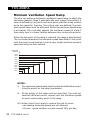
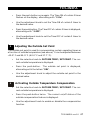
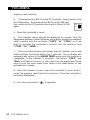
4. If internal switch #12 is at the OFF position, simply switch it to
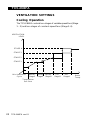
the ON position; if internal switch #12 is at the ON posiON
tion: return to the OFF position then switch it back to ON
OFF
again.
12
5. Close the controller's cover.
6. The transfer menu should be displayed on screen. Use the
adjustment buttons to select whether you want to transfer the memory
card's content into the controller ("COPY" "to" "CTRL") or if you
wish to transfer the controller's content into the memory card
("COPY" "to" "CARD") .
7. Once you have chosen the proper type of transfer, press and
hold the Other Functions button for 5 seconds. The controller will
automatically return to the ROOM TEMP menu once the transfer is
completed. If the transfer is incorrect, the letters "COPY" and
"Error" will flash on screen. In this case, turn the adjustment knob
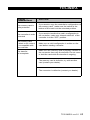
once to exit the error menu then refer to the table below to see
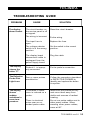
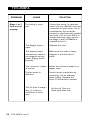
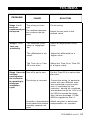
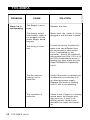
possible error causes.
8. Once the transfer is over, open the controller's cover, and remove the memory card from the connector. Close the controller's
enclosure afterwards.
9. Lock the card switch (
62 TC5-2N6FA rev.01
) if required.