1
Getting Started
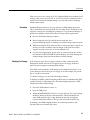
CAUTION. To prevent damage from electrostatic discharge, install 50 Ω
terminations on the sampling-module connectors before removing the sampling
modules from an instrument or when it is not in use. Store the sampling module
in a static-free container, such as the shipping container. Whenever you move the
sampling module from one instrument to another, use a static-free container to
transport the sampling module.
To prevent damage to the sampling module, discharge to ground any electrostatic charge that may be present on the center and outer conductors of cables
before attaching the cable to the sampling module.
To prevent damage to the sampling module, do not create an ESD antenna by
leaving cables attached to the sampling-module input with the other end of the
cable open.
To prevent damage to the sampling module or instrument, never install or
remove a sampling module when the instrument is on.
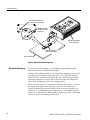
Always use a wrist strap (provided with your instrument) when handling
sampling modules or making signal connections. Wear anti-static clothing and
work in a static-free workstation when using sampling modules.
Use a Tektronix 80A02 EOS/ESD Protection Module if doing TDR work.
To prevent damage to the sampling module or instrument, do not apply a voltage
greater than the Maximum Input Voltage (see page 49) for your sampling
module.
Static Controlled
Workstation
For information on creating a static-controlled workstation, consult the Electronic Industries Association document EIA-625; Requirements for Handling
Electrostatic-Discharge-Sensitive (ESDS) Devices.
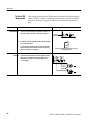
You can use a Tektronix 80A02 EOS/ESD Protection Module to protect the
sampling module from damage due to static discharge from circuit boards and
cables. Use the 80A02 in applications where large static charges can be stored on
the device under test, such as when testing TDR circuit boards or cables.
Refer to the documentation supplied with the 80A02 module for proper
installation and use.
Compensation
After installing a sampling module or after moving a sampling module from one
compartment to another, you should run Compensation from the Utilities menu
to ensure the instrument and modules meets their specifications.
For instructions on running a compensation, see Optimizing Measurement
Accuracy in your main instrument Quick Start User manual or the online help.
80E07, 80E08, 80E09, and 80E10 User Manual
9