1
EPSON EPL-N4000/EPL-N4000+
1.4.1.1 Status Sheet
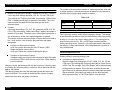
Engine Status Sheet is prepared and Jam Counter is not printed.
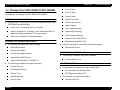
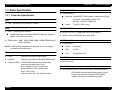
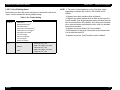
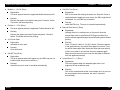
Hardware configuration
Mounted memory for installed memory
The memory size obtained by subtracting the program code size from
the mounted memory is stated for Available Memory. The following
legends indicate the fact that options are fitted.
RAM DIMM:
Added to Installed Memory, Available memory
Type-B I/F:
“AUX” is added to “Installed Interface”.
Large Capacity Paper Unit: “Lower Cassette 3, Lower Cassette 4,
Lower Cassette 5” is added to “Other
Options”.
ENV Tray:
“ENV Tray” is added to “Other Options”.
CHAPTER 1
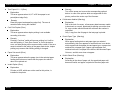
When Adobe PS 3 kit is installed: “Adobe PS 3 kit Menu, Error
Sheet” is added to “Default Settings” “Adobe PostScript3” is added
to “Installed Emulation” “Version of Adobe PS 3 kit” is added to
“Firmware Revision”.
NOTE: For EPL-N4000, Finisher and HDD cannot be installed.
1.4.2 Panel Setting Mode
Here explains panel setting mode which sets various function of the
printer.
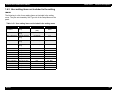
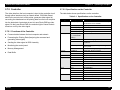
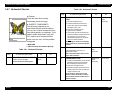
1.4.2.1 One Touch Setting Mode
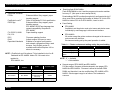
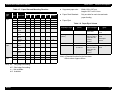
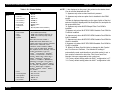
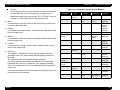
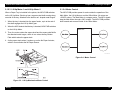
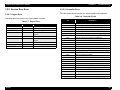
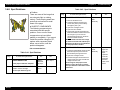
By pressing Select Type(ALT) switch on the control panel, the printer
enters to the one-touch setting mode1, then goes to the one-touch setting mode 2. Setting items at each setting mode are mentioned below.
Face-up Tray: When Face-up Enable of Setup Menu = On, “Faceup Tray” is added to “Other Options”.
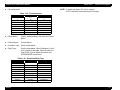
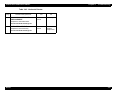
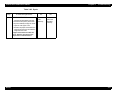
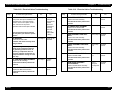
Table 1-27. One touch setting modes
Mode/Switch
Duplex Unit:
“Duplex Unit” is added to “Other Options”.
Multibin:
“Multibin” is added to “Other Options”.
Finisher:
“Finisher Stapler” is added to “Other Options”.
HDD:
“Hard Disk XGB” is added to “Other Options”.
Product Description
Setting Menu
Setting Item
Setting Value
Enter
One touch
setting mode1
Paper source
Page size
Minification
Orientation
One touch
setting mode2
Printer mode
Copies
MP tray size
Duplex
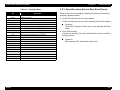
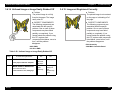
NLSP Font ROM: The option product name is added to “Other
Options”.
Font/Macro ROM: The option product name is added to “Other
Options”.
Rev.B
26