1
More...
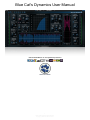
This manual only covers the basics of Blue Cat's Dynamics. Our website offers many additional resources for your Blue Cat's
Dynamics plug- in and is constantly updated, so keep an eye on it! You will find below a few examples of available resources.
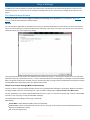
Extra Skins
We encourage our customers to propose their own skins for our products and we often propose alternative skins to let you choose
the one that best suits your needs. You can check Blue Cat's Dynamics skins page to get the latest skins.
Black Baby (for V3)
Product: Dynamics
Description: An amazing 4 skins package (Modeler/ Compressor/ Gate/ Limiter) for Blue Cat's
Dynamics V3 (V4 not supported). More screenshots are available in this forum thread.
Author: Stephan Windus
Download: Skin_BlackBaby.zip
Bronze (for V3)
Product: Dynamics
Description: A complete redesign of the original "Modeler" user interface for the stereo version of
the plugin V3 (Version 4 not supported).
Author: Limeflavour (www.flavoursoflime.blogspot.com)
Download: Skin_LimeFlavourBronze.zip
Tutorials
Many Tutorials are available on our website. They cover a wide range of topics and host applications. You will find below a list of
tutorials that are related to the Blue Cat's Dynamics plug- in. An updated list is also available online.
Tutorial - Real Time Side Chain Dynamics Processing
This tutorial shows how to perform side chain compression, ducking or gating with the Dynamics
plugin and the Gain Suite free plugins. Side Chaining consists in using a track signal to control an
ef...
[Read More...]
Tutorial - Help your Static Vocals Pop with Blue Cat's MB-5 Dynamix
44
Blue Cat's Dynamics User Manual
Copyright (c) 2006-2015 Blue Cat Audio