Transcript
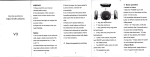
Power Case for SonY Li!9h
Item
Dimension
lnpul
Output
W€ighl
Charoino time
User Manual
2. User
DCSV-1000mA
8lq
hours
X1
Connect the phone Micro USB cable with the
power case, then plug the USB to power adapter
(#
Polvmer Lrthrum BatterY
to charge the power case, when charging, the
LED
@
Product Dotails:
t Desisned for SoNY 139h. Make your phone
sPec al stVle.
> Cell Capac ty: Original Polymer Lithium battery
Power Your Phone standoY t mF lwir F
> Creative Design, Enjoy your phone without
removing the Power case,
> High class matelial to protect your phone.
l'Please redd ihts manual carelully beto{e usel
x1
Operating Guide
>Charging the Power case
DC5V 800mA
I
>
Case
manual
44X74X1 3m m
0r-45t
Cell ty pe
l.Power
Spec
I
LEDlndicators
Accessories
lnstructions
speclfications
Charging and protecting 2in1
Integrated clrcu t design, offective y avold short
circuit or overtlme chalge even under extreme
condLtlons of wrong oPerating
> With smart switching and precise power display.
to extend the ife of the bui t in battery
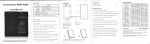
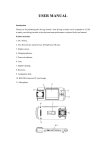
O4 LED indicators
@On/OF
@Micro LJSB input
@Camera aPerture
@OutPut
will flashing to indicate the capacitv.
>Charging the Phone
Put the Phone into the power case, press the
switch key on the back, When charging, the LED
indicators are flashing, press again the switch
key to stop charging.
How to use
[email protected]
with the Power caso
@ Then put your phone into the Power case
O Filt your phone connect
>Charging both
the
Phone and power case
lWhen charging the power case, put your Phone
into the case, press the swltch key on the back,
the Phone will be charged firstly, PIess the
switch key again to stop the Phone charging
priority.
A
r
tcautlonl
@@@@@
Do not drop or bump, do not put it put in into the
and water.
tire, hol
tempsrature
r Please use the proper charger or adapter fot it, if havo anv
def
ormities or corrosion. please stop using
I
Warni ns: inproper uss may ca uss product damage and mav harm
yoursell! k€€p il awaylrom the child!