1
1. General info........................................................................................................................................ 4
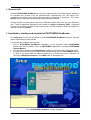
2. Installation, starting and uninstall of PHOTOMOD GeoMosaic .................................................... 4
3. Operating systems ............................................................................................................................ 5
4. Protection........................................................................................................................................... 5
5. Recommended procedure of mosaic building ............................................................................... 5
6. Main program menu .......................................................................................................................... 7
6.1. Project........................................................................................................................................... 7
6.2. Images .......................................................................................................................................... 8
6.3. View .............................................................................................................................................. 9
6.4. Regions of Interest ....................................................................................................................... 9
6.5. Mosaic ........................................................................................................................................ 10
6.6. Service........................................................................................................................................ 10
6.7. Block scheme ............................................................................................................................. 13
6.8. Window ....................................................................................................................................... 13
6.9. Help ............................................................................................................................................ 13
7. Working with a single image .......................................................................................................... 13
7.1. Loading images .......................................................................................................................... 13
7.1.1. Space borne images adding................................................................................................................ 14
7.1.1.1. Image radiometric correction ........................................................................................................................ 17
7.1.1.2. Scanner imagery formats .............................................................................................................................. 22
7.2. Creating Regions of Interest....................................................................................................... 24
7.2.1. Regions of Interest by default ............................................................................................................. 24
7.2.2. Cutlines creating rules ....................................................................................................................... 25
7.2.3. Creating and editing Regions of Interest............................................................................................ 25
7.2.4. Tie points search and edit .................................................................................................................. 27
7.2.5. Regions of Interest import and export ................................................................................................ 30
7.3. Single image window.................................................................................................................. 32
7.4. Raster image georeferencing ..................................................................................................... 33
7.5. Images referencing..................................................................................................................... 36
8. Parameters and preferences .......................................................................................................... 39
8.1. Mosaic ........................................................................................................................................ 39
8.2. Brightness adjustment ................................................................................................................ 41
8.2.1. Global brightness adjustment............................................................................................................. 41
8.2.2. Local brightness adjustment............................................................................................................... 42
8.2.3. Building strips .................................................................................................................................... 45
8.2.4. Additional recommendations.............................................................................................................. 45
8.3. Splitting into sheets .................................................................................................................... 47
8.4. Preferences ................................................................................................................................ 48
9. Mosaic preview ................................................................................................................................ 50
10. Splitting mosaic into map sheets ................................................................................................ 52
10.1. Splitting parameters.................................................................................................................. 54
10.2. Splitting preview ....................................................................................................................... 56
10.3. Sheet file names....................................................................................................................... 58
10.4. Loading sheet coordinates from the text file ............................................................................ 58
11. Building mosaic............................................................................................................................. 60
11.1. Building and viewing mosaic .................................................................................................... 60
11.2. Building mosaic for the block fragment .................................................................................... 63
11.3. Mosaic editing in Dust Correct application ............................................................................... 63
11.4. Measurements over mosaic ..................................................................................................... 66
11.5. Loading mosaic ........................................................................................................................ 66
11.6. Creating marginalia for mosaic................................................................................................. 66