1
4.
Hardware Installation
Following the described steps below you can install up to four cards of
the MARC 8 MIDI on the same PC.
1.
2.
3.
4.
5.
6.
7.
Turn off your PC and all devices connected to it, disconnect the
power supply.
Open the case.
Remove all cards from the anti-static foil. Make sure to hold the
MARC 8 MIDI only at its edges or the slot bracket. Do not touch
the components of the cards.
Insert the card carefully and rectangular into a spare PCI slot.
Ensure that the card was inserted properly into the slot.
Screw the card on the slot bracket to the case.
If you use the SyncBus for multi-card operation, please note
Chapter 3.3 before closing the case.
Close the PC case and reconnect it to the power supply.
5.
Driver Installation
5.1
MME, ASIO, DirectX and GSIF
For connecting software and hardware you can use the driver
interfaces MME, DirectX or DirectSound, GSIF and ASIO. The driver
for Windows 2000 today supports MME and ASIO – the driver for
Windows NT4 MME only. The Windows 95/98/ME driver supports all
these interfaces. This way you can use the MARC 8 MIDI with all
common audio applications. If you use an ASIO compatible audio
software, you will achieve extremely higher performance of the system
as well as shorter latency periods. In an ideal case 2 ms are possible!
5.2
Windows 95 (Release 950 and 95a)
1.
2.
3.
4.
5.
6.
7.
4
Start your PC after installing your hardware.
Windows automatically recognizes at startup the newly installed
device and starts the Hardware Wizard.
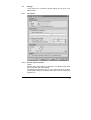
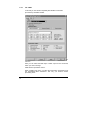
The "A new hardware component was found" window appears.
When selecting the driver which is to be installed, please select
the option “Driver from disk provided by hardware manufacturer”
and confirm your selection.
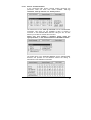
Insert the supplied CD in your CD-ROM drive.
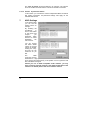
Select your CD-ROM drive using the "Browse" button, change to
\marian\drivers\marc8m\win9x\english directory and confirm your
selection. Windows copies the driver files and installs MARC 8
MIDI.
After finishing the installation, your MARC 8 MIDI is ready to be
operated without having to restart the system.

![[English] 1 MB](http://vs1.manualzilla.com/store/data/005724727_1-d0907da86b06d0402fef0dce028404c5-150x150.png)