1
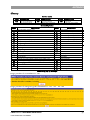
Introduction Hard & Software Requirements CMS requires: A PC running any operating system. A DHL Intranet connection or a high bandwidth Internet connection. Internet Explorer 6 (or higher). A user name and password to have logon to CMS. A PDF reader application, such as Adobe Acrobat or Adobe Reader (optional). A printer (optional). Documentation & Application conventions Documentation conventions Symbols and conventions Symbols and conventions used in this manual include: Elements of the GUI (Graphical User Interface) such as the names of the screens, fields, and buttons are formatted in bold fonts and capitalized. A reference used to direct a reader elsewhere for additional information is written in blue font. A mouse click on such a title will re-direct the user to the additional information. Note: Text on a grey background and introduced by Note: in bold font provides the user with important additional or summary information. Text in a red border and proceeded by a red warning hand gives important information the user must be aware of—e.g., warnings about commands that need to be executed, etc. Terminology Allocation: A virtual reservation of capacity on a flight for ACS bookings. Allocations can be made for a particular customer, commodity, or on a free basis. Allocations are made for a particular date range with possibly different volume and weight assignments for different days of the week. In CMS, Bookings can be made up to the allocation limit without the need for manual review. CMS V1.97—BOOKING MODULES USER GUIDE FOR CUSTOMERS 6