1
©2015 IQtronic technologies Europe s.r.o.
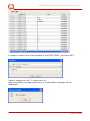
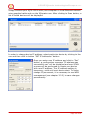
You can upgrade firmware similar way by clicking to “Upload firmware” button.
After browsing the target file containing
new firmware and clicking to “Upload”
button, a progress bar will be displayed.
Green Link LED indicator will blink during
upload process.
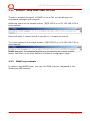
When upload is finished, a confirmation message “Successful” will appear and
now it is necessary to wait about 30seconds till internal firmware rewrite
procedure finishes, during which the Power LED (red) will blinking fast. Then
an automatic reboot of device will be performed and device is ready for use
now.
WARNING!
Do not remove power during a firmware upgrade process, as it
can render your device inoperational!
Page 31 of 36