1
Document type:
User's Manual (MUT)
Title:
Mod. V775, 16 / 32 Channel Multievent TDC
Revision date:
10/09/2004
Revision:
10
LIST OF FIGURES
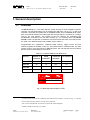
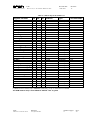
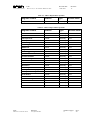
FIG. 1.1: M ODEL T YPE LABEL (EXAMPLE: V775AC).........................................................................................................8
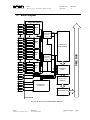
FIG. 1.2: M ODEL V775 (32 CHANNEL) BLOCK DIAGRAM...................................................................................................9
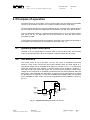
FIG. 2.1: SIMPLIFIED BLOCK DIAGRAM OF THE TAC SECTION .....................................................................................10
FIG. 2.2: SIGNAL CONVERSION TIMING IN COMMON STOP MODE ................................................................................11
FIG. 2.3: BLOCK DIAGRAM OF THE SLIDING SCALE SECTION .........................................................................................12
FIG. 2.4: ZERO SUPPRESSION (BIT 8 OF BIT SET 2 REGISTER = 0, DEFAULT SETTING) .............................................13
FIG. 2.5: ZERO SUPPRESSION (BIT 8 OF BIT SET 2 REGISTER =1) ..................................................................................13
FIG. 2.6: TAC AUTORESET IN COMMON STOP MODE .....................................................................................................14
FIG. 2.7: M ULTI-EVENT BUFFER: W RITE POINTER AND READ POINTER ...................................................................15
FIG. 2.8: FAST CLEAR WINDOW ...........................................................................................................................................18
FIG. 3.1: M ODEL V775 FRONT PANEL.................................................................................................................................20
FIG. 3.2: M ODEL V775 N FRONT PANEL.............................................................................................................................21
FIG. 3.3: CONTROL CONNECTOR PIN ASSIGNMENT (V775 ONLY).................................................................................24
FIG. 3.4: V775 COMPONENT LOCATION (COMPONENT SIDE).........................................................................................27
FIG. 3.5: COMPONENTS LOCATION (SOLDERING SIDE)....................................................................................................28
FIG. 4.1: BINARY-HEXADECIMAL REPRESENTATION OF THE BOARD A DDRESS IN GEO MODE ..............................31
FIG. 4.2: BINARY-HEXADECIMAL REPRESENTATION OF BIT SET 1 REGISTER A DDRESS IN GEO MODE...............31
FIG. 4.3: BASE /GEO A DDRESSING: EXAMPLE 1 .................................................................................................................32
FIG. 4.4: MCST/CBLT A DDRESSING EXAMPLE.................................................................................................................34
FIG. 4.5: OUTPUT BUFFER: THE HEADER ..........................................................................................................................40
FIG. 4.6: OUTPUT BUFFER: THE DATA WORD FORMAT ..................................................................................................40
FIG. 4.7: OUTPUT BUFFER: THE END OF BLOCK ..............................................................................................................40
FIG. 4.8: OUTPUT BUFFER: NOT VALID DATUM ...............................................................................................................42
FIG. 4.9: M ULTI-EVENT BUFFER: DATA STRUCTURE EXAMP LE ...................................................................................42
FIG. 4.10: GEOGRAPHICAL ADDRESS REGISTER.................................................................................................................43
FIG. 4.11: MCST/CBLT ADDRESS REGISTER ......................................................................................................................44
FIG. 4.12: BIT SET 1 REGISTER ............................................................................................................................................44
FIG. 4.13: INTERRUPT LEVEL REGISTER ............................................................................................................................45
FIG. 4.14: INTERRUPT VECTOR REGISTER.........................................................................................................................46
FIG. 4.15: STATUS REGISTER 1.............................................................................................................................................46
FIG. 4.16: CONTROL REGISTER 1 .........................................................................................................................................48
FIG. 4.17: ADER HIGH REGISTER........................................................................................................................................48
FIG. 4.18: ADER LOW REGISTER ........................................................................................................................................49
FIG. 4.19: MCST A DDRESS REGISTER.................................................................................................................................49
NPO:
00102/97:V775x.MUTx/10
Filename:
V775_REV10.DOC
Number of pages:
72
Page:
6