1
Royal Haskoning
Triwaco User's Manual
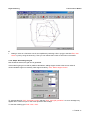
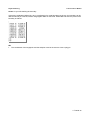
(Comparing simulation results with measurements, paragraph 3.5.6). The file graphnode.ung is present in the
directory topo.geg. Just copy this file into the Transient directory and define the graphnode.ung in the
Transient options window.
During the transient simulation Triwaco writes the calculated heads to a file called graphnode.out. The
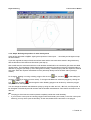
processing of the point for time lines is explained in paragraph Viewing results (3.9.6).
3.9.5 Running the Transient simulation
Running a Transient simulation is carried out in the same manner as for running a simulation for a steady-state
calculation carried in the Calibration and Scenario data set. However the initial groundwater head needs to be
defined first. In most cases the initial groundwater head is defined as calculated in the steady-state situation.
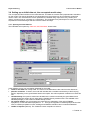
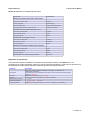
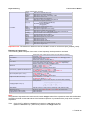
The initial groundwater head is defined in the modified tab as HT for the groundwaterlevel in the topsystem,
HH1 as the groundwater head in aquifer 1, HH2 in aquifer 2, etc. Each can be defined through an expression.
For example HT will be : Calib1$PHIT, for HH1 it is : Calib1$PHI1, etc.
Next 'Transient ',' Generate input'. Then 'Transient ',' Run simulation. Be aware that a transient simulation takes
some time. Flairs will show a window which shows the progress of the simulation.
3.9.6 Viewing results
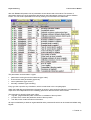
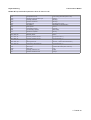
Viewing the results works the same way is it did in the other calcultion data sets. With the difference that the
flairs output file contains information for every stress period. The results may be contoured or classified for any
individual stress period. Results may also me presented using timeseries and animation.
Creating an animation
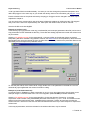
An animation can be created provided that a transient parameters or transient simulation results are loaded.
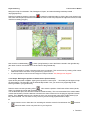
To create an animation first create a contour or classified map of the parameter used in the animation. Then
select 'Time', 'Animate' from the menu bar (or simply
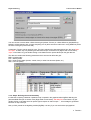
). The following dialog box will appear.
3 Tutorial-41