1
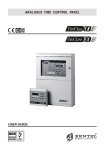
GasGuardian 63
Operating and Installation Manual
General Description
The GasGuardian 6 is a six-channel controller designed to accept industry
standard 4/20 mA input signals. It provides a regulated 6.5 Amp, +24 VDC
power supply to power all industry standard 4/20 mA gas transmitters, and
connected audio/visual devices.
The GasGuardian 6 provides continuous real-time monitoring of each sensor.
The backlit LCD display provides an at-a-glance status of gas concentrations
and alarms.
The GasGuardian 6 is assembled into a wall mounted enclosure designed for
non-classified locations. The gas sensors are installed at specific locations
where gas is to be detected, up to 1,500 feet from the controller. They are
electrically connected to the controller via three conductor cables.
The programmable onboard relays have adjustable on/off time delays to
prevent unnecessary cycling during a fault, warning or alarm condition. The
internal buzzer and horn relay work in unison. Typically the horn relay should
be programmed to be silenceable.
An analog output board (optional) provides an individual 4/20 mA output for
each channel to be monitored by plant PLC or other analog input devices.
All operator functions are performed from the keypad on the front of the panel.
Up to three 8-channel expansion modules (GasGuardian XM) can be added on
to the GasGuardian 6, expanding the controller to 30 channels.
Software version 2.00 adds time-weighted averaging features to the operating
system. The TWA (8-hour) and STEL (15 minute) functions can be enabled
through the menu, along with their corresponding alarm setpoints and relay
output functions.
4
IMPORTANT: The controller is shipped with default
factory settings, as listed in the included factory config
datasheets. Make sure to program all settings and values
in the configuration menu as intended for your system
application. Refer to the Configuration section of this
manual starting on page 13. Contact Calibration
Technologies for further help configuring your controller.